LogoTop AI Hubs
icon of AITextTune

AITextTune

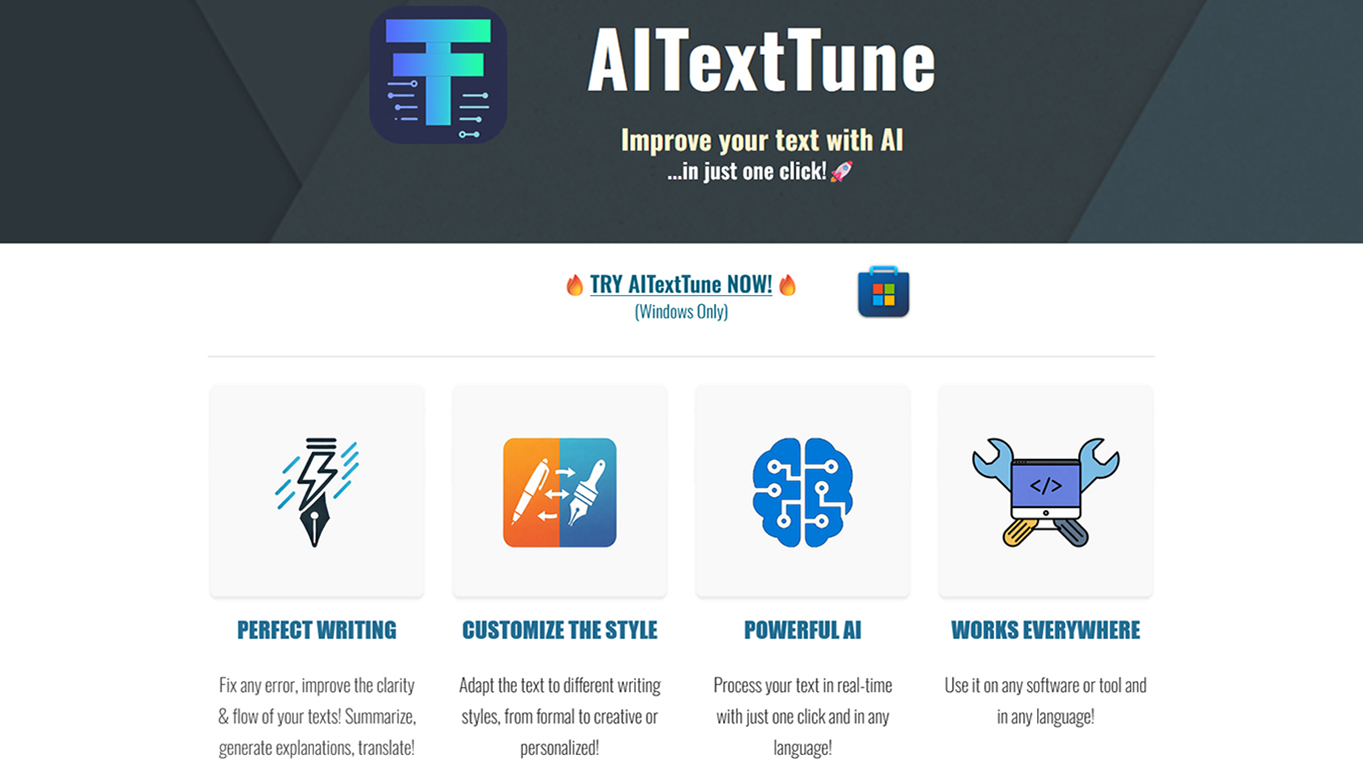
Improve your text with AI in just one click! Correct any errors, improve clarity and flow… change the style! Generate summaries, explanations and translate texts in 25+ different languages. Revolutionize your writing in an instant!

Introduction

What is AITextTune

AITextTune is an AI-powered tool designed to enhance text. It offers one-click improvements for text, including error correction, clarity enhancement, and flow improvement. It also allows users to change the style of their text, generate summaries, provide explanations, and translate texts into over 25 languages.

How to use AITextTune
  1. Select the text you want to improve.
  2. Press CTRL+C+C (hold CTRL and press C twice).
  3. Choose a style, correct/improve the text, generate a summary, provide an explanation, translate, or use the chat feature.
Features of AITextTune
  • Improve text with AI in one click.
  • Correct errors, enhance clarity, and improve flow.
  • Change text style.
  • Generate summaries.
  • Provide explanations.
  • Translate texts into 25+ languages.
  • Personalize prompts with a "Chat" feature.
  • Add custom styles.
  • Works on any tool or software.
  • Supports multiple languages.
  • Utilizes Google Gemini AI (requires an active Gemini API key).
Use Cases of AITextTune
  • Enhancing writing for better clarity and flow.
  • Adapting text to different writing styles (formal, creative, personalized).
  • Quickly summarizing lengthy texts.
  • Generating explanations for complex topics.
  • Translating text into various languages.
  • Personalizing AI interactions through chat.
Pricing

Pricing information is not available on the webpage.
FAQ
  • Does AITextTune require a Gemini API key? Yes, all features require an active Gemini API key. Availability may be restricted in some markets.
  • How do I use the "CTRL+C+C" shortcut? Hold the CTRL key and press the C key twice.

Newsletter

Join the Community

Subscribe to our newsletter for the latest news and updates