What is Any Video Converter AI Video Enhancer
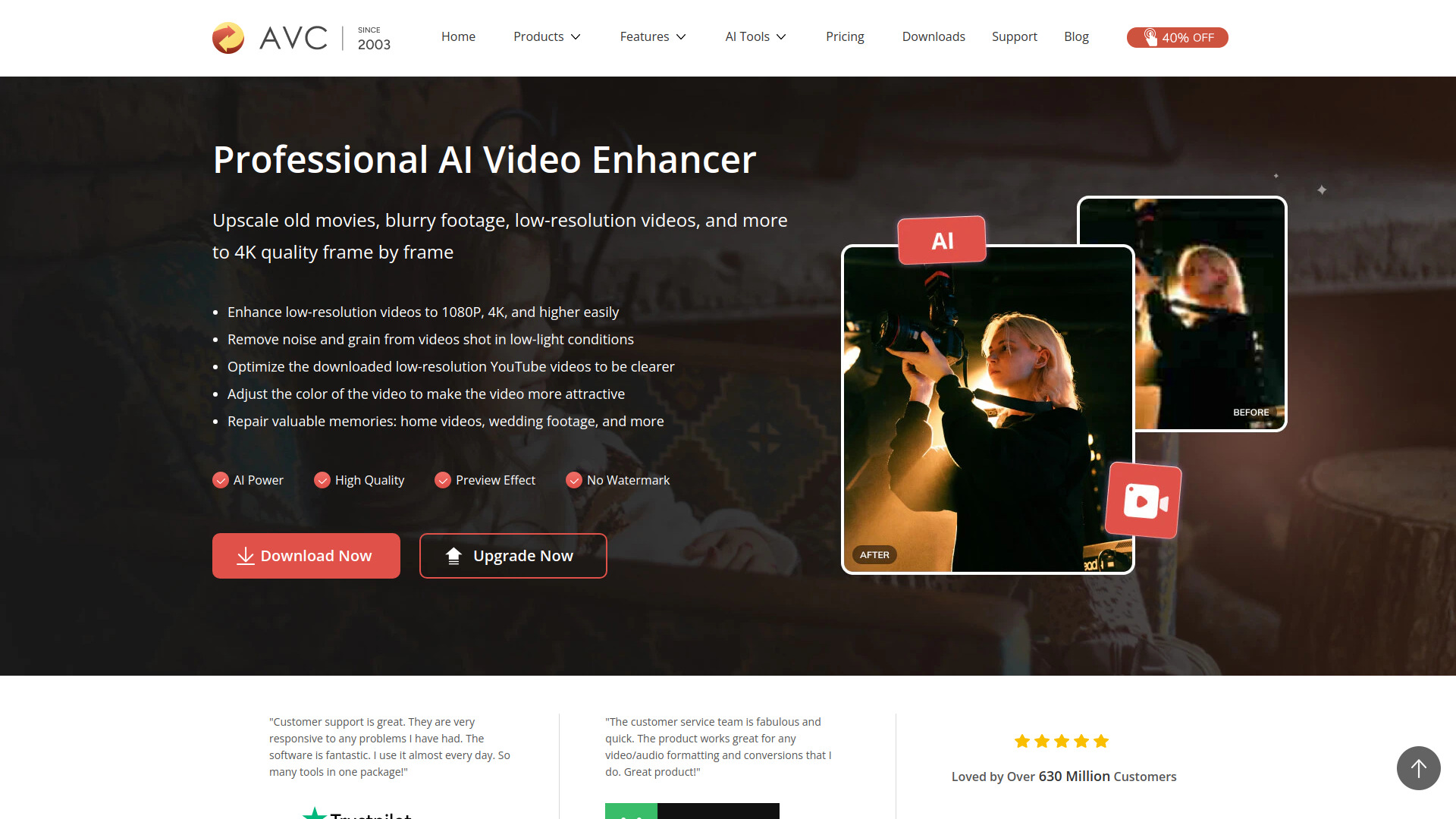
Any Video Converter AI Video Enhancer is a professional-grade video enhancement tool that uses artificial intelligence to upscale old movies, blurry footage, low-resolution videos, and more to 4K quality. It is part of Any Video Converter Ultimate, which also includes video conversion, downloading, and editing features.
How to use Any Video Converter AI Video Enhancer
- Download and install Any Video Converter Ultimate from the official website.
- Open the software and select the AI Video Enhancer tool.
- Upload the source video file you want to enhance.
- Choose the desired upscale option: 100% (high-quality restoration), 200% (dramatic upscaling), or 400% (extreme upscaling).
- Preview the enhancement effect with a single click and adjust if needed.
- Optionally, trim specific video segments before enhancement.
- Start the enhancement process. The AI will automatically analyze and reconstruct each frame.
- Save the enhanced video in your preferred format.
Features of Any Video Converter AI Video Enhancer
- AI-powered upscaling: Intelligently analyzes and reconstructs each frame to upscale videos to 1080P, 2K, and 4K quality.
- Multiple upscale options: Resize videos to 100%, 200%, or 400% of original size.
- Noise and grain removal: Removes noise and grain from videos shot in low-light conditions.
- Color adjustment: Adjusts video color to make it more attractive.
- One-click preview: Preview the AI enhancement effect instantly without manual parameter adjustments.
- Integrated trimming: Trim and enhance specific video segments within the same tool.
- Batch processing: Supports enhancing multiple videos (implied by the software's capabilities).
- No watermark: The Ultimate version removes watermarks from enhanced videos.
Use Cases of Any Video Converter AI Video Enhancer
- Restoring old home videos: Repair grainy, faded, or blurry family memories like wedding recordings and anniversaries.
- Improving downloaded YouTube videos: Optimize low-resolution videos downloaded from YouTube, Facebook, Vimeo, etc.
- Enhancing low-light footage: Clean up videos shot in poor lighting conditions.
- Upscaling for large screens: Dramatically upscale videos for full-screen playback or large displays.
- Extracting details from low-resolution footage: Use 400% upscaling for in-depth analysis or key information extraction.
FAQ
Can AI clean up a blurry video? Yes, AI can significantly clean up blurry videos through deblurring, frame interpolation, and denoising.
Can I enhance video quality using Any Video Converter Ultimate on Mac? Yes, Any Video Converter Ultimate is available for both Windows and Mac.
What is the difference between AI Video Enhancer and AVCLabs Video Enhancer AI? The AI model of AVCLabs Video Enhancer AI is richer than that of Any Video Converter AI Video Enhancer.
Can I enhance video quality for free? The enhanced videos in the Free and Pro versions have watermarks. Upgrading to Any Video Converter Ultimate can unlock watermark-free videos.
Are there any limitations to Any Video Converter AI Video Enhancer? When you unlock Any Video Converter AI Video Enhancer, you can upload videos of any size and category to enhance their quality.