LogoTop AI Hubs
icon of Anymelo

Anymelo

AI tool to create royalty-free, studio-quality music instantly from text or lyrics.

Introduction

What is Anymelo

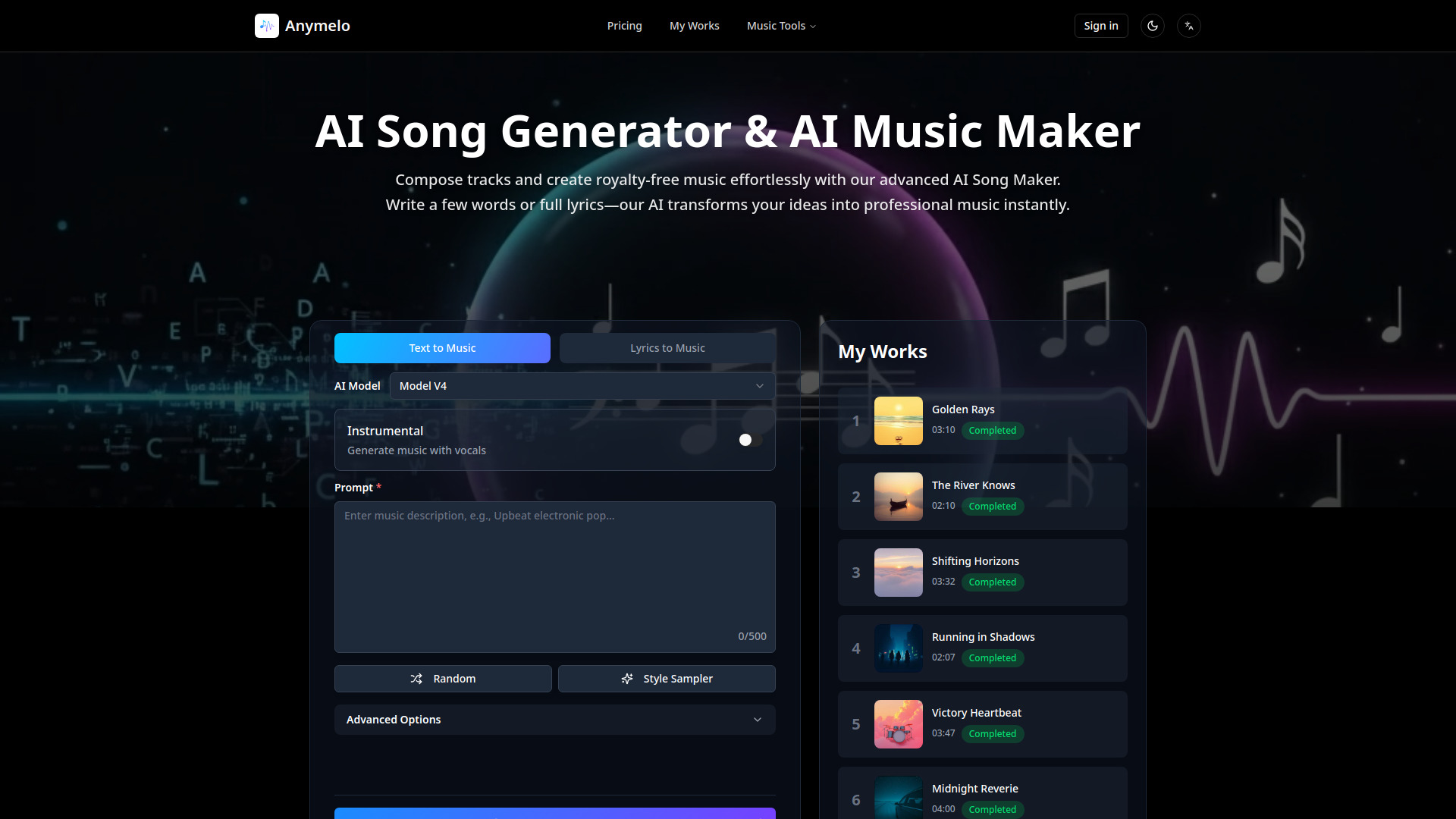
Anymelo is an AI-powered music creation platform that allows users to generate royalty-free, studio-quality music instantly from text descriptions or lyrics. It aims to empower anyone to become a music creator without needing musical expertise.

How to use Anymelo
  1. Describe your idea or input lyrics: Provide a text description of the music you want, including genre, mood, and instruments, or paste your lyrics.
  2. AI Generation: Anymelo's AI will compose custom tracks with melodies, harmonies, and rhythms based on your input.
  3. Refine and Edit: Use built-in tools to extend songs, adjust instrumentation, modify tempo, or add new musical sections.
  4. Export: Download your generated music in various formats like MP3, WAV, or individual stems.
Features of Anymelo
  • AI Song Generator: Creates original music from text descriptions or lyrics across multiple genres (pop, rock, jazz, classical, electronic, hip-hop, etc.).
  • Multi-Language Vocal Synthesis: Generates realistic vocals in multiple languages with customizable gender options and singing styles.
  • Instant Music Creation: Generates complete songs in seconds to a couple of minutes.
  • High-Quality Audio Export: Download tracks in MP3, WAV, and individual stems.
  • Full Commercial Rights: Pro plan subscribers receive commercial licenses for generated music.
  • AI Music Extender: Extends existing music tracks naturally.
  • AI Song Cover Generator: Transforms songs with AI-powered vocals.
  • AI Music Layering: Adds instruments, vocals, or percussion layers to existing tracks.
  • AI Vocal Remover: Separates vocals from instrumentals with precision.
  • AI Stem Splitter: Isolates vocals, drums, bass, and instruments.
  • AI Lyrics Generator: Creates lyric drafts from themes, moods, or genres.
  • Cloud Storage: Offers 7-day, 365-day, or forever storage depending on the plan.
  • Usage Tracking: Dashboard provides credit balance, transaction history, and usage statistics.
Use Cases of Anymelo
  • Creating background music for videos, podcasts, and content.
  • Composing soundtracks for games and films.
  • Generating royalty-free music for advertising campaigns.
  • Producing professional-quality music without musical training.
  • Extending existing music tracks for custom lengths.
  • Creating AI vocal covers of existing songs.
  • Isolating vocals or instrumentals for remixes and production.
  • Generating lyrics for songs.
Pricing

Anymelo offers several plans with different features and credit allocations:

  • Free: Includes basic features, limited credits, and personal use only.
  • Basic (Monthly/Yearly): Offers more credits, latest model access, AI Lyrics Generator, Extend & Cover Song, audio upload, private generations, 30-day/365-day cloud storage, MP3 downloads, and 2 concurrent generations. Does not include WAV downloads, commercial license, Vocal Remover, or Stem Splitter.
  • Standard (Monthly/Yearly): Includes higher credit limits, WAV downloads, Vocal Remover, Stem Splitter, and 365-day cloud storage. Does not include a commercial license.
  • Pro (Monthly/Yearly): Offers the most credits, commercial license, priority email support, Vocal Remover, Stem Splitter, and unlimited concurrent generations. Pro Yearly includes forever cloud storage.
  • One-time Packages: Available in various credit amounts (Basic, Standard, Pro, Premium) with credits valid for 365 days.

Note: Specific credit amounts and song generation counts vary by plan. Vocal Remover and Stem Splitter may have different pricing structures due to compute costs.

FAQ
  • What is an AI music generator and how does it create songs? An AI music generator uses text descriptions to compose original music with melodies, harmonies, and rhythms, producing royalty-free tracks instantly without requiring musical training.
  • Which music styles does your AI song generator support? It supports all major styles including pop, rock, electronic, jazz, classical, hip-hop, country, ambient, and cinematic, and can mix genres or specify niche styles.
  • Are AI-generated tracks licensed for commercial projects? Pro plan subscribers receive full commercial rights. Basic and Free accounts are limited to personal, non-commercial use.
  • Can beginners use the AI song maker without music theory knowledge? Yes, the AI song maker is designed for creators of all levels, requiring only text descriptions or lyrics.
  • How fast does the AI music generator create songs? Simple instrumental pieces generate in seconds, while full songs with vocals and instruments typically complete within one to two minutes.
  • Can I generate background music without vocals using the AI song generator? Yes, by toggling the 'Instrumental' mode.
  • What file formats can I download from the AI music generator? Pro subscribers can download MP3, WAV, and individual stems. Basic plan users can download MP3s. Free users can preview but not download.
  • Can I modify songs after the AI song generator creates them? Yes, editing tools are available to extend songs, adjust instrumentation, modify tempo, or add new sections.
  • What does the AI vocal remover tool do? It separates vocals from background music in audio files, creating vocal-only and instrumental-only versions.
  • Will my AI-generated music be original and unique? Yes, every song created is 100% original, with new melodies and arrangements generated each time.

Newsletter

Join the Community

Subscribe to our newsletter for the latest news and updates