LogoTopAIHubs
icon of Artedge AI

Artedge AI

Professional AI Photo Enhancer to Unblur, Upscale, and Restore Images

Introduction

What is Artedge AI

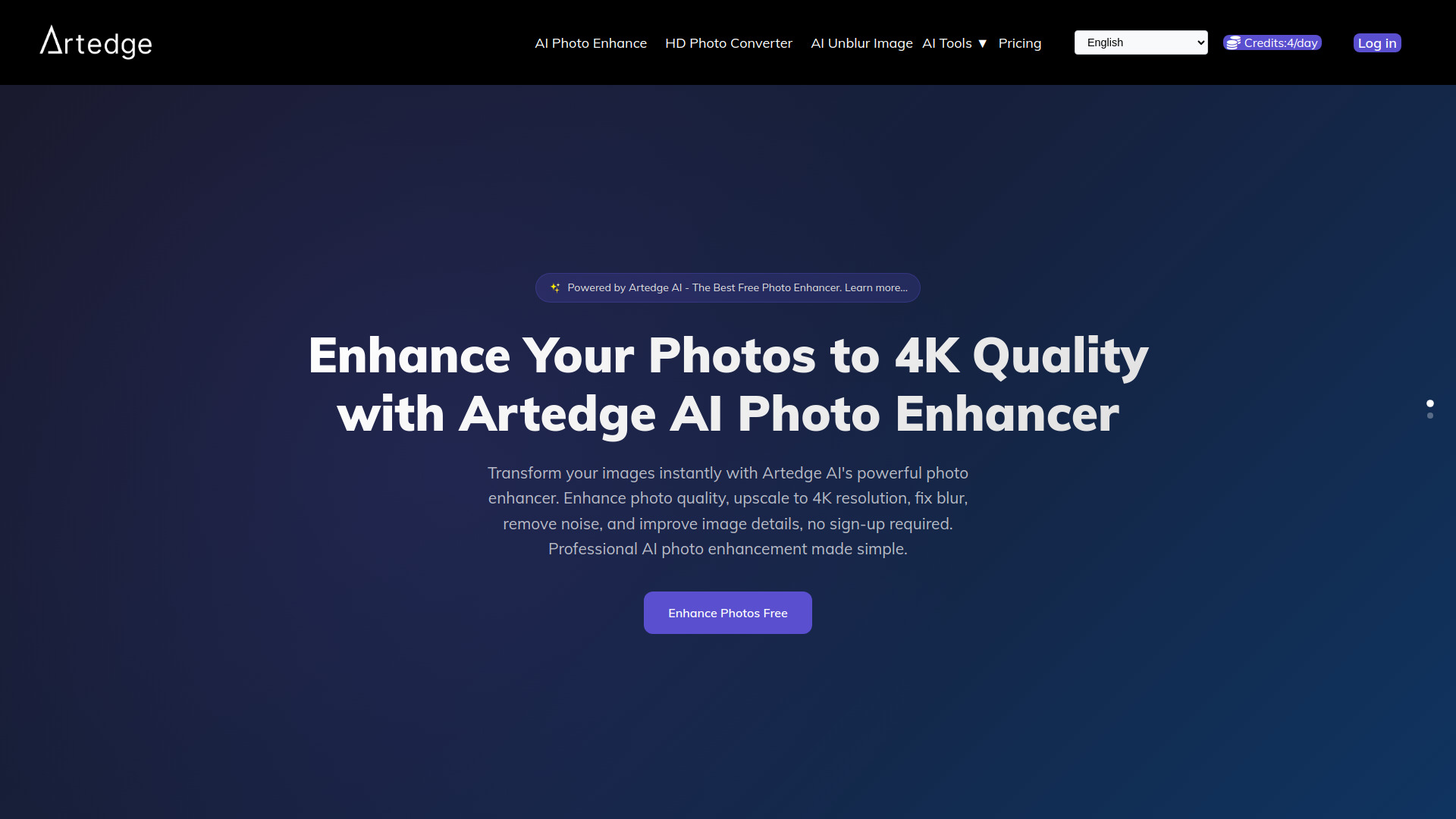
Artedge AI is a professional AI photo enhancer that allows users to unblur, upscale, and restore images. It offers a free online tool to enhance photo quality instantly, upscale images to 4K resolution, fix blur, remove noise, and improve image details without requiring any sign-up.

How to use Artedge AI
  1. Upload Your Image: Drag and drop or click to select your image. The tool supports JPG, PNG, and WebP formats up to 50MB. No registration is required.
  2. AI Processing: The advanced AI analyzes and enhances your image automatically, upscaling resolution, fixing blur, and removing noise in seconds.
  3. Download HD Result: Download your enhanced image in high resolution (up to 4K), ready for immediate use.
Features of Artedge AI
  • AI Photo Enhancement: Upscale images to 4K quality, fix blur, remove noise, and improve image details.
  • HD Photo Converter: Convert photos to high-definition with AI precision, enhancing details and transforming them into 4K quality.
  • Free to Use: No sign-up required.
  • Fast Processing: Average processing time of 3 seconds.
  • Supports Multiple Formats: JPG, PNG, WebP.
  • Large File Support: Up to 50MB.
Use Cases of Artedge AI
  • Photography: Restore old photos, enhance RAW files, prepare images for printing.
  • E-commerce: Create stunning product photos.
  • Real Estate: Enhance property photos.
  • Social Media: Create eye-catching posts.
  • Digital Art: Upscale artwork and illustrations.
  • Marketing: Enhance visuals for campaigns and advertisements.
Pricing

Artedge AI offers a free service with no sign-up required. The webpage mentions "Pricing" and "Credits" in the navigation and user interface elements, suggesting potential paid tiers or credit systems for advanced features or higher usage, but specific details are not provided in the content.
FAQ
  • What is Artedge AI? Artedge AI is a free online tool that uses artificial intelligence to enhance photo quality, upscale images to 4K, fix blur, and remove noise.
  • Do I need to sign up to use Artedge AI? No, sign-up is not required to use the AI photo enhancer.
  • What file formats does Artedge AI support? It supports JPG, PNG, and WebP formats.
  • What is the maximum file size? The tool supports images up to 50MB.
  • How long does it take to enhance an image? The average processing time is 3 seconds.

Newsletter

Join the Community

Subscribe to our newsletter for the latest news and updates