LogoTopAIHubs
icon of Atomic Bot

Atomic Bot

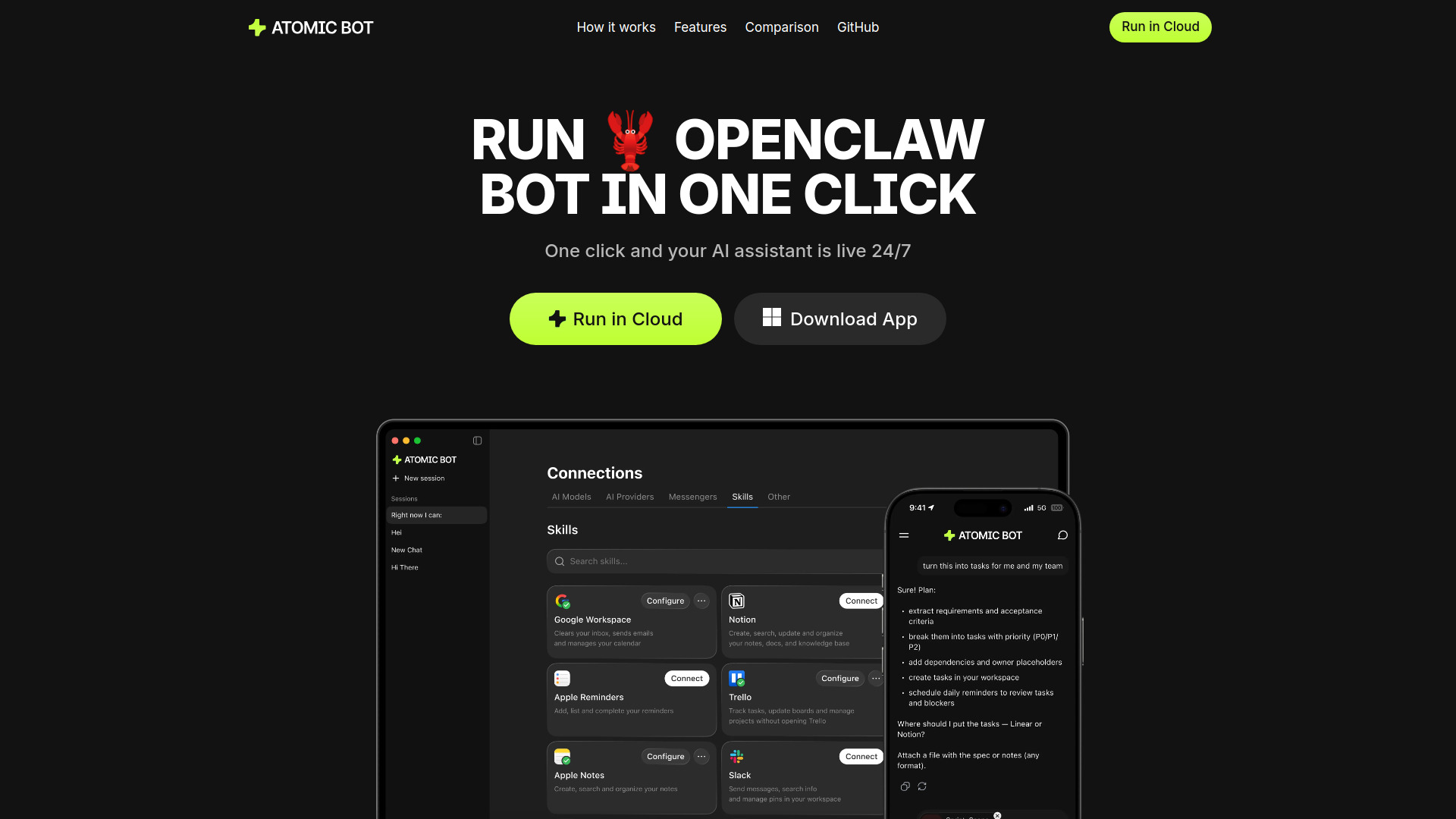
User-friendly native app to run OpenClaw AI assistant locally or in the cloud.

Introduction

What is Atomic Bot

Atomic Bot is a user-friendly native app designed to run the OpenClaw AI assistant locally or in the cloud. It simplifies the installation, configuration, and launching of OpenClaw with a one-click process, making it accessible even for non-technical users.

How to use Atomic Bot

Atomic Bot offers two primary ways to use the OpenClaw AI assistant:

  1. Cloud Setup:

    • Click the "Run in Cloud" button.
    • Sign in with your Google account.
    • The assistant will be ready to use in your personal cloud.
  2. Local Setup (macOS):

    • Download the Atomic Bot application.
    • Follow the guided, one-click installation process.
    • Connect your skills and services.
    • Your AI assistant will run on your local device.
Features of Atomic Bot
  • Simple Installer: A one-click process for easy installation and setup.
  • Persistent Memory: Remembers user preferences, ongoing tasks, and important details on the local device.
  • Local Device Operation: Runs on your computer, ensuring privacy and control over your data.
  • Browser Control: Automates web tasks like opening websites, navigating flows, filling forms, and collecting information.
  • Multiple AI Models: Supports various AI engines such as Claude, GPT, and Gemini, with the ability to switch between them.
  • Task Scheduling: Allows for running recurring tasks and monitoring important information, providing daily digests.
  • Privacy-Focused: Offers the option to keep files on-device or run encrypted in the cloud, with open-source transparency.
Use Cases of Atomic Bot
  • Gmail Management: Clearing email threads, drafting replies, and sending follow-ups in the user's tone.
  • Calendar Autopilot: Scheduling meetings, moving events, and setting reminders quickly.
  • Document Processing: Summarizing long documents, extracting action items, and identifying key takeaways from Docs & PDFs.
  • Information Monitoring: Tracking trends, competitors, and mentions.
  • Routine Web Tasks: Automating repetitive actions on the web.
  • Travel Assistance: Handling check-ins, confirmations, and itinerary updates.
  • File Organization: Finding, renaming, and sorting downloads to keep folders tidy.
  • Building a Second Brain: Storing and retrieving information in an organized manner.
  • Task Automation: Automating repetitive and time-consuming tasks.
Pricing

Pricing information is not available on the provided webpage content.
FAQ

FAQ information is not available on the provided webpage content.
Newsletter

Join the Community

Subscribe to our newsletter for the latest news and updates