LogoTopAIHubs
icon of Charios

Charios

AI-powered browser tool for auto-layering, rigging, and animating 2D game characters.

Introduction

What is Charios

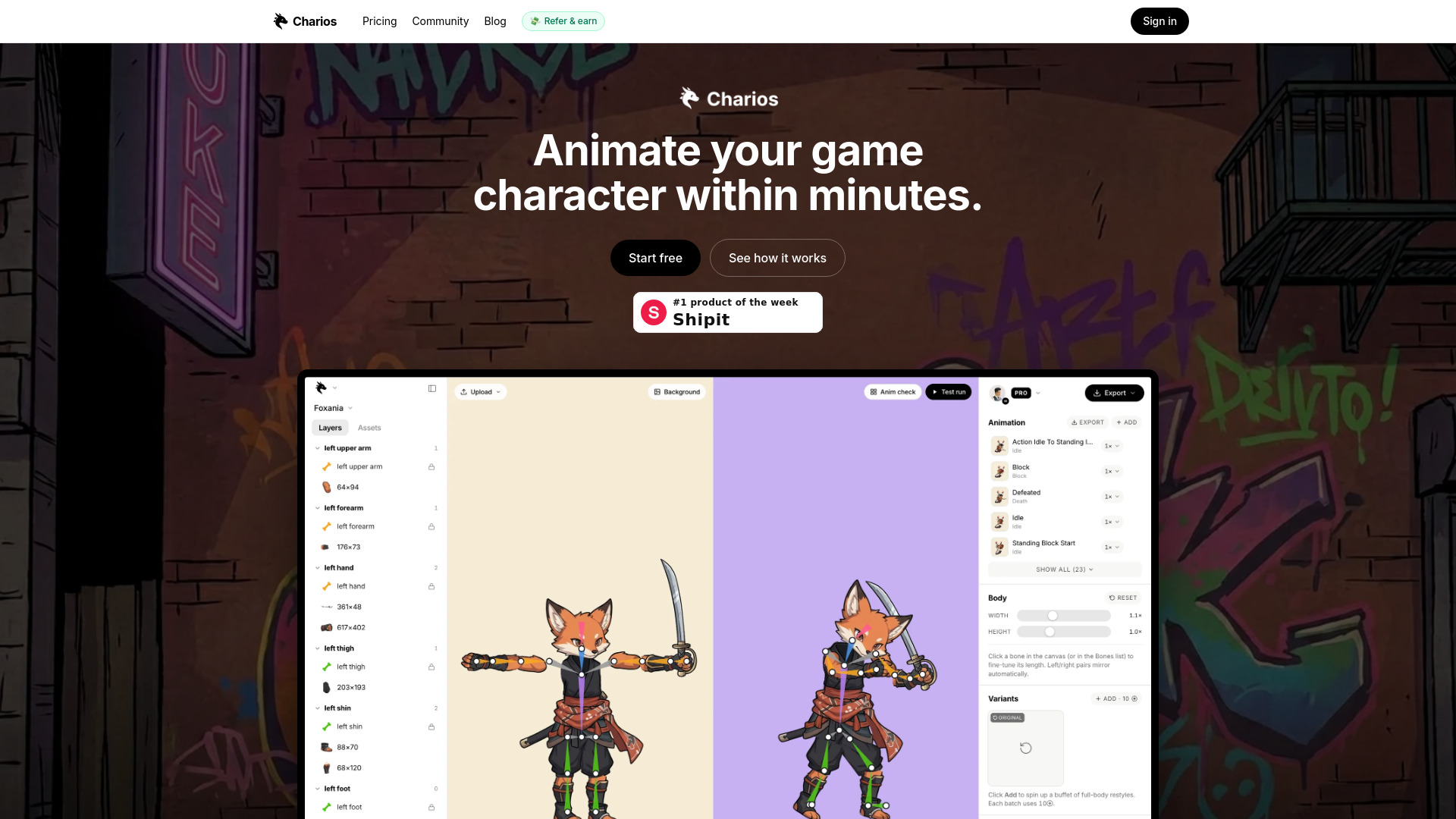
Charios is an AI-powered browser tool designed for the auto-layering, rigging, and animation of 2D game characters. It aims to streamline the character animation process, allowing users to animate their game characters within minutes.

How to use Charios
  1. Drop an image: Upload a character image to the platform.
  2. Auto-layering: Charios automatically detects and separates each part of the character (head, torso, limbs, accessories) into transparent layers, ready for rigging.
  3. Rigging: Layers can be positioned near joints and snapped to bones. The deformation updates in real-time, allowing for live preview of edits.
  4. Animation: Utilize a library of hundreds of pre-made mocap animations or drag and drop your own .bvh or .fbx files. The tool automatically normalizes bone lengths and can extrapolate missing bones.
  5. Play-test: Test animations directly within the editor using a play-test modal. Users can select actions like Idle, Walk, Run, Jump, or Attack and control the character with keyboard inputs (WASD, shift, space).
  6. Export: Export animations as GIFs, Unity prefabs, PNG sequences, or JSON skeletons. Support for Godot and Unreal engines is also available.
Features of Charios
  • AI-powered auto-layering of character images.
  • Automatic detection of alpha islands (head, torso, limbs, accessories).
  • Easy rigging with joint magnets that snap to bones.
  • Live preview of deformation and real-time edit updates.
  • Per-layer repaint functionality.
  • Adjustable per-bone length and thickness.
  • Multi-select scale and rotate for layers.
  • Built-in library of hundreds of mocap animations.
  • Support for importing custom .bvh and .fbx mocap files.
  • Automatic normalization of bone lengths for imported mocap.
  • Extrapolation of hand and foot bones when missing in source rigs.
  • In-editor play-testing with keyboard controls.
  • Export options include GIF, Unity prefab, PNG sequence, and JSON skeleton.
  • Browser-based, requiring no installation or build steps.
Use Cases of Charios
  • Rapid 2D game character animation.
  • Streamlining the process of preparing layered character assets.
  • Applying motion capture data to 2D characters.
  • Quickly rigging and animating characters for indie games.
  • Creating animations for devlogs and platforms like itch.io.
  • Integrating animated characters into Unity, Godot, and Unreal Engine projects.
Pricing
  • Free: Offers all editor features, up to three active projects, and 13 bundled mocap clips. Community support is included.
  • Pro: Priced at $20/month, it includes unlimited projects, priority asset processing, a higher upload size cap, export to PNG sequence and JSON, and email support.
  • Studio: Priced at $45/seat/month, it includes all Pro features plus self-serve seat management, team invitations, a single invoice for the team, and priority support.
FAQ
  • Does Charios need a build step or install? No. It's a browser-based application with no downloads, compilation, or configuration required.
  • Can I use my own mocap? Yes. You can drag and drop .bvh or .fbx files. The tool normalizes bone lengths and extrapolates missing bones.
  • Is it really free? The Free plan is available forever for up to three active projects with all editor features unlocked.
  • Which game engines can I export to? Currently, exports are available for Unity prefabs and JSON skeletons. GIF and PNG sequences are also supported. Godot import is on the roadmap.
  • Does Charios work on mobile? The marketing site and dashboards are responsive, but the editor is designed for desktop use due to the need for precise input and a larger canvas.

Newsletter

Join the Community

Subscribe to our newsletter for the latest news and updates