LogoTopAIHubs
icon of Coda One

Coda One

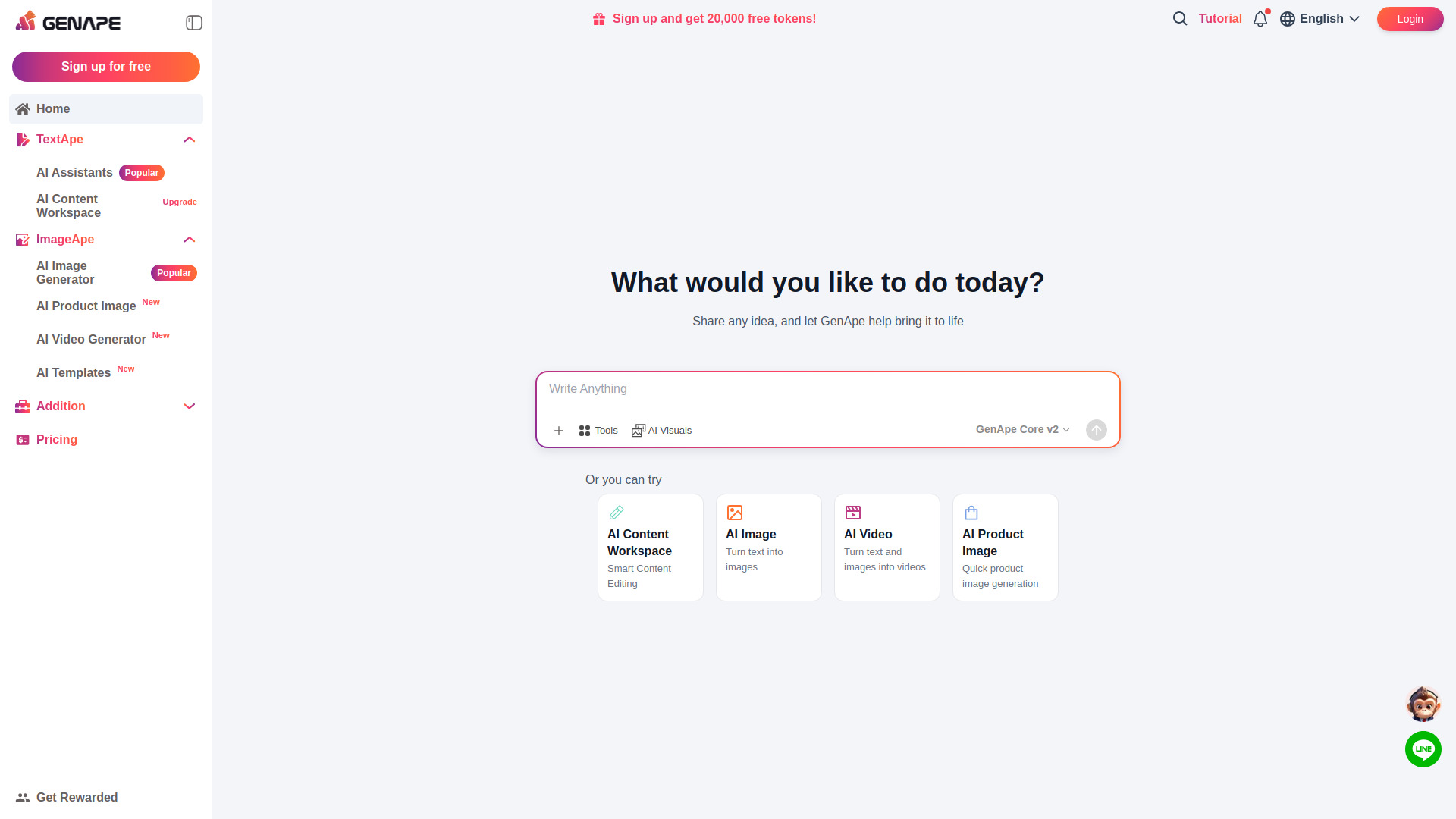
Everyone uses AI to write in 2026. The problem isn't writing — it's that AI text is now detectable by professors, Google, and your readers in seconds. Coda One humanizes AI-generated text so it sounds like you actually wrote it — average detection score drops from 56% to 12%. Plus 100+ free browser tools (PDF, image, code, video) — no signup, no upload, everything runs in your browser.

Introduction

What is Coda One

Coda One is a web-first workspace offering a suite of tools designed to enhance writing and productivity. It focuses on humanizing AI-generated text to make it indistinguishable from human writing, significantly reducing AI detection scores. Beyond AI writing assistance, Coda One provides over 100 free browser-based tools for PDF manipulation, image editing, developer utilities, and video processing, all accessible without requiring a signup or file uploads, running entirely within the user's browser.

How to use Coda One
  1. Access Tools: Visit the Coda One website to access a wide range of tools directly in your browser.
  2. AI Writing: Utilize tools like the AI Humanizer to transform AI-generated text into natural-sounding content. Input your text, select a writing mode if applicable, and process it to reduce AI detection scores.
  3. AI Detection: Use the AI Detector to check if text is likely AI-generated. Paste your text and receive a detection score.
  4. Free Tools: Navigate to sections like PDF Tools, Image Tools, Developer Tools, or Video Tools to perform various file manipulations and utility tasks directly in your browser.
  5. Browser Extension: Install the Coda One Chrome Extension to access AI writing and detection tools directly within your existing browser workflows (e.g., email, documents).
  6. Upgrade: For higher AI writing capacity or advanced features, explore the pricing plans and upgrade as needed.
Features of Coda One
  • AI Humanizer: Reduces AI detection scores (e.g., from 56% to 12%) by making AI text sound more human.
  • AI Detector: Analyzes text to determine the likelihood of it being AI-generated.
  • Multiple Writing Modes: Offers various modes for AI writing (e.g., Standard, Academic, Blog, Formal, Simple).
  • 100+ Free Browser Tools: Includes PDF, image, developer, and video utilities.
  • Browser-First Processing: Many tools, especially PDF and image, operate directly in the browser without uploading files.
  • No Signup Required: Many tools are accessible immediately without account creation.
  • Chrome Extension: Integrates Coda One tools into the user's browser workflow.
  • Cross-Category Utility: Combines AI writing, PDF, image, and developer tools in a single platform.
Use Cases of Coda One
  • Students: Humanizing essays to avoid AI detection, using PDF tools for study materials.
  • Creators: Drafting content faster, rewriting text for better quality, and utilizing a suite of tools for various media.
  • Professionals: Refining reports, emails, and documents to ensure a natural, human tone, especially when AI assistance is used.
  • Developers: Using in-browser utilities for formatting code, decoding tokens, and testing patterns.
Pricing

Coda One offers a tiered pricing structure:

  • Free: Allows a limited number of AI uses per day (e.g., 3 uses/day), includes AI Detector in the web app, and access to PDF, image, and dev tools. It serves as a low-friction entry point.
  • Starter: Priced at $9.99/month, offering 30K words/month, all writing modes, and email support.
  • Pro: Priced at $19.99/month, providing 100K words/month, higher per-process capacity, batch file upload, and priority support. This plan is recommended for professionals.
  • Business: Priced at $39.99/month, offering 500K words/month, API access, priority processing, and all features of the Pro plan, suitable for teams.

Paid plans are billed via Stripe and include a 7-day refund window.
Newsletter

Join the Community

Subscribe to our newsletter for the latest news and updates