What is Collart AI
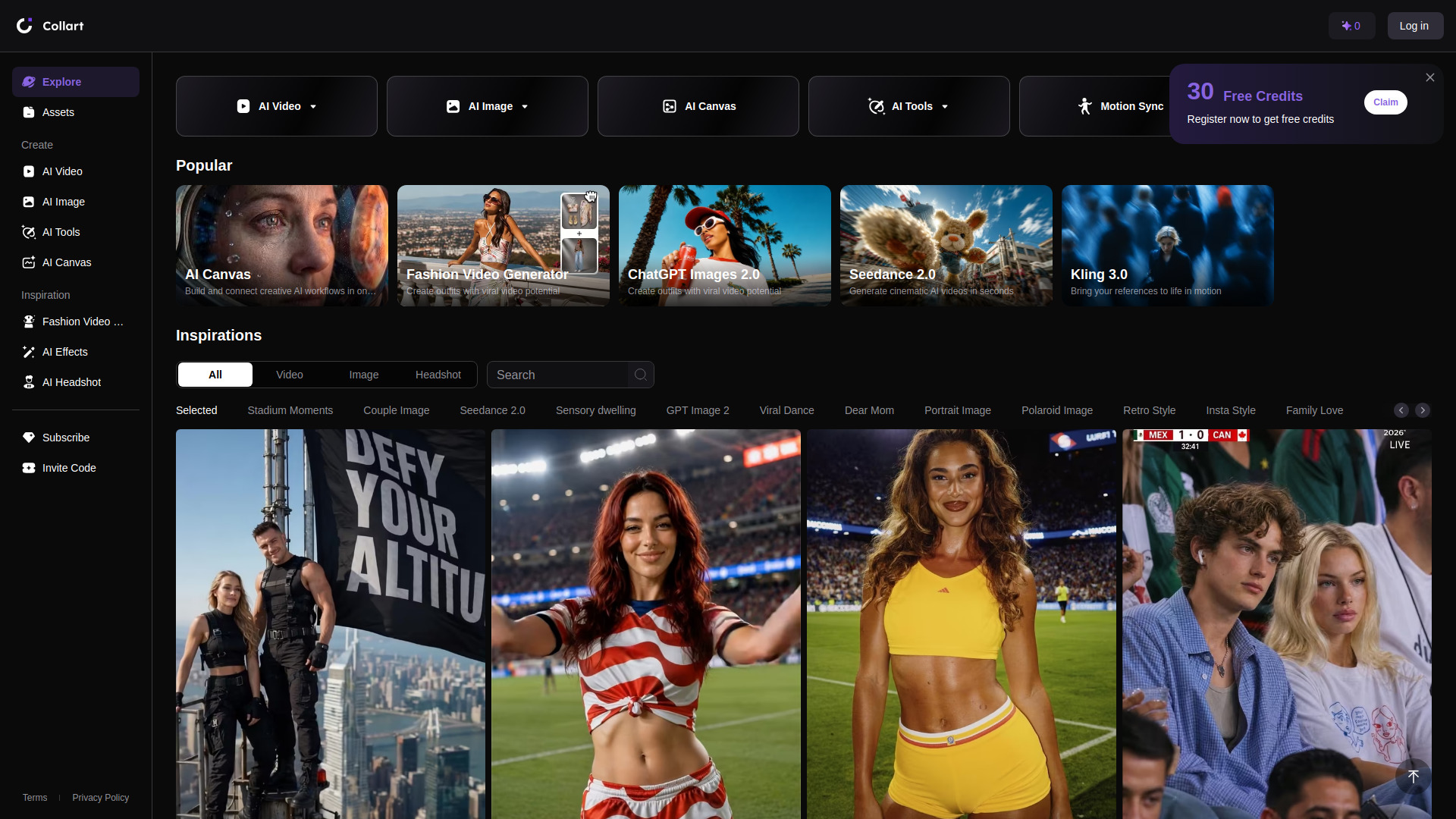
Collart AI is an AI-powered platform for generating and editing photos and videos. It offers a wide range of creative tools including AI video generation (text-to-video, image-to-video, reference-to-video, start/end frame, motion sync), AI image generation (text-to-image, image-to-image), AI canvas for building visual workflows, AI effects, AI headshot creation, and various AI tools like face swap, object removal, image expand, photo enhance, video enhancer, and video watermark remover. The platform supports multiple models such as Seedance, Flux, GPT Image 2.0, Google Veo 3.0, Kling 3.0, Hailuo 2.0, PixVerse, Wan 2.7, Runway, and Sora.
How to use Collart AI
- Explore: Browse trending AI photo and video creations on the Explore page.
- Create: Choose from AI Video, AI Image, AI Canvas, or AI Tools from the sidebar.
- Select a tool: For example, under AI Video, you can pick Image to Video, Text to Video, Reference to Video, Start/End Frame, or Motion Sync.
- Generate: Upload your input (image, text, or reference) and let the AI generate the output.
- Manage assets: Access your created assets in the Assets section.
- Get inspired: Check out the Fashion Video Generator or AI Effects for creative templates.
Features of Collart AI
- AI Video Generation: Multiple modes including image-to-video, text-to-video, reference-to-video, start/end frame, and motion sync.
- AI Image Generation: Text-to-image and image-to-image with various models.
- AI Canvas: Build and connect creative AI workflows in one visual canvas.
- AI Tools: Face swap, object removal, image expand, photo enhance, video enhancer, and video watermark remover.
- AI Headshot: Generate realistic headshots.
- AI Effects: Apply creative effects to photos and videos.
- Fashion Video Generator: Create outfits with viral video potential.
- Multi-language support: Available in over 20 languages.
- Dark theme: Default dark mode interface.
Use Cases of Collart AI
- Content creation: Generate realistic headshots, cinematic templates, and creative AI moments like AI hugs or kisses.
- Fashion and marketing: Create fashion videos with viral potential using the Fashion Video Generator.
- Social media: Produce engaging AI photos and videos for platforms like TikTok, Instagram, and YouTube.
- Creative projects: Use AI Canvas to combine multiple AI workflows for complex projects.
- Photo and video enhancement: Improve quality, remove objects, swap faces, and expand images.