LogoTopAIHubs
icon of Council Chat

Council Chat

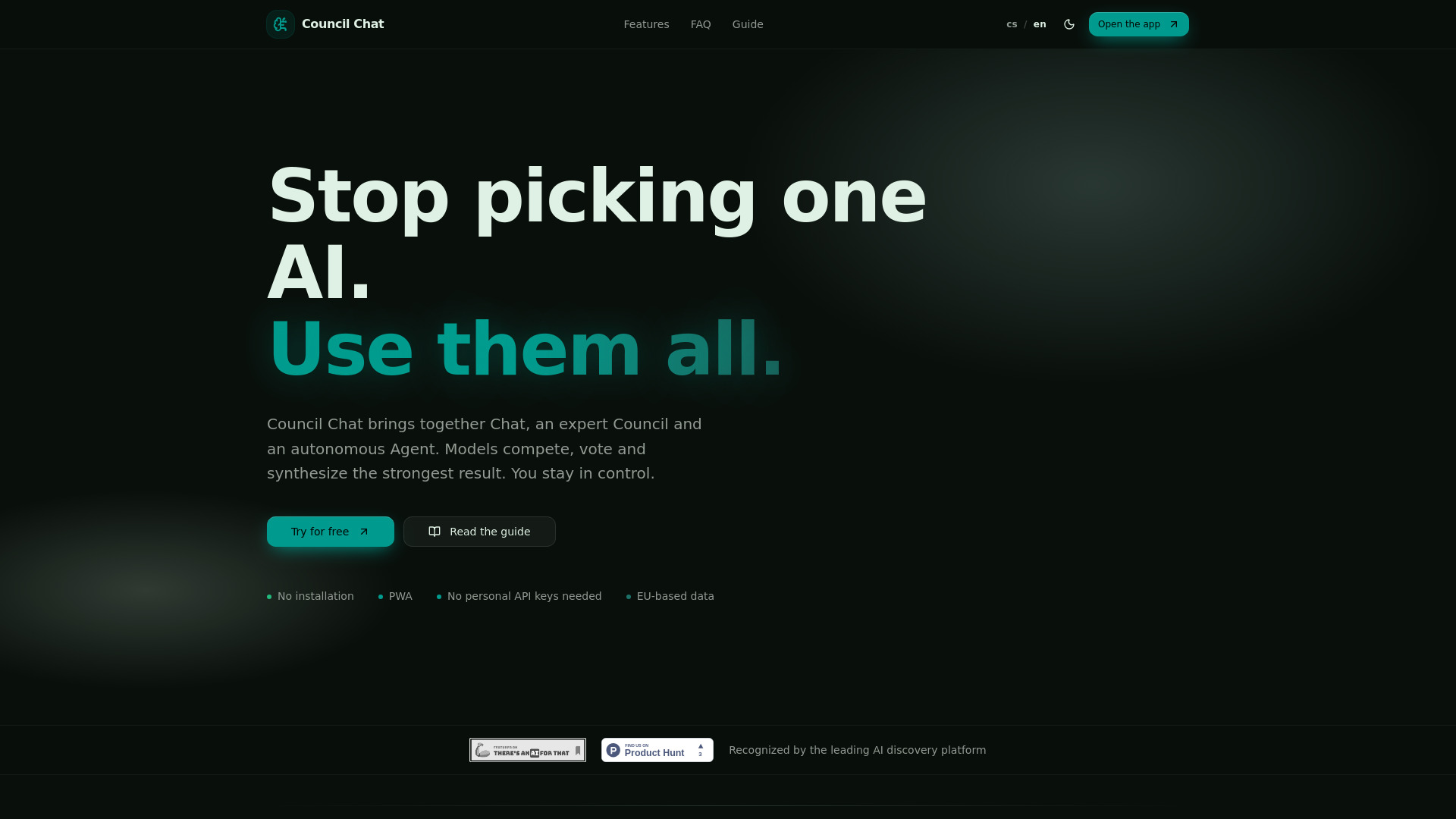
Stop picking one AI. Use them all — Chat, Council and Agent in one place.

Introduction

What is Council Chat

Council Chat is a PWA tool that allows users to interact with multiple AI models simultaneously. It offers a unified interface for AI Chat, model Council debates, and autonomous Agents, eliminating the need to switch between different AI platforms or manage personal API keys.

How to use Council Chat
  1. Start a New Chat: Open the application and select a fast model like Gemini Flash or GPT mini for direct interaction.
  2. Compare Models: Send the same prompt to the Council feature with multiple models to compare their responses and identify differences.
  3. Utilize Workspace: For document-based tasks, upload PDFs, spreadsheets, or texts to the Workspace module to chat with your documents.
  4. Explore Media Studio: Generate and edit images, short videos, and music.
  5. Engage the Agent: Assign complex goals to the autonomous Agent, which can plan steps, search the web, process data, and deliver solutions.
  6. Create Presentations/Portals: Convert AI outputs into presentations or interactive websites for clients.
Features of Council Chat
  • Unified AI Interface: Access and use various AI models (OpenAI, Anthropic, Google, xAI, Mistral, Perplexity, TogetherAI) within a single platform.
  • Multi-Model Chat & Debate: Engage in direct chats with individual models or use the Council feature where 2-5 models debate, vote, and synthesize answers.
  • Autonomous Agent: Assign complex tasks to an Agent that can plan, search, process data, and deliver results.
  • Data Workspace: Upload and interact with documents (PDFs, spreadsheets, texts) using AI.
  • Media Studio: Create and edit images, short videos, and music.
  • Presentation & Portal Generation: Convert AI outputs into shareable presentations or client portals.
  • No API Keys Required: All models are accessible through the app's infrastructure.
  • PWA Functionality: Runs in the browser, on mobile and desktop, without installation.
  • EU Data Storage: Data is stored on GDPR-compliant servers within the European Union, with an option to use EU-native models.
  • Credit System: A unified currency for all model usage, image/video generation, and Agent tasks, with monthly bundles and top-up options.
Use Cases of Council Chat
  • Business & Strategy: SWOT analyses, competitor research, sales proposals, strategic reviews.
  • Documents & Legal: Summarizing contracts, extracting key facts, flagging clauses.
  • Content & Marketing: Generating articles, newsletters, ad copy, social media content.
  • Research & Learning: Investigating topics using the Research Council, explaining complex subjects, building study materials.
  • Creative Work: Creating campaign visuals, background music, storyboards, moodboards.
  • Automation: Automating web research, report generation, email/Telegram outputs, scheduling, and follow-ups.
Pricing

Council Chat offers several plans:

  • Free: $0/month, includes 1,000 credits/month, basic Council features, and free text models.
  • Spark: $9/month, includes 4,000 credits/month, full Council features (Expert & Research), and all premium text models.
  • Nexus: $29/month, includes 18,000 credits/month, all Spark features, plus Media Studio and Data Workspace.
  • Quantum: $69/month, includes 50,000 credits/month, all Nexus features, plus Autonomous Agent and Web Automation.

Additional credits can be purchased via Stripe in packages: 1,200 for $5, 5,000 for $15, 25,000 for $49, or 100,000 for $149. Topped-up credits do not expire.
FAQ
  • What is Council Chat? A PWA tool for working with text, image, and audio AI models in one interface. It runs in the browser without installation.
  • Do I need to install anything? No, it can be used directly in the browser or added to the home screen as a PWA.
  • What is the difference between Chat and Council? Chat uses a single AI model for a quick answer, while Council uses 2-5 models simultaneously to compare answers and build consensus.
  • How do Expert and Research Council work? Expert Council is for complex topics where models debate for the best conclusion. Research Council also uses the internet and current sources.
  • What is the Agent for? The Agent is a work mode with tools for web searches, drafting emails, generating images, working with forms, scheduling meetings, and interacting with the Council.
  • What can Workspace and Media Studio do? Workspace processes PDFs, recordings, video, and Excel files. Media Studio creates and edits images, short videos, and music.
  • Do I need my own API keys? No, all models run through the app's infrastructure, and credits cover access.
  • Is my data safe? The app is designed for professional work. Sensitive material should be handled with care, and Agents can be started in proposal mode.
  • How do credits work? Credits are a unified currency for all models and modules. Usage deducts credits based on complexity. Cheaper models cost fewer credits, while premium models and media generation cost more.
  • What does the monthly credit bundle mean? Each paid plan includes a monthly allotment of credits that refreshes. Unused credits do not roll over.
  • How is Council Chat different from Poe? Council Chat offers parallel multi-model responses, voting/consensus, autonomous Agents, Media Studio, Workspace, and presentation generation, unlike Poe which focuses on switching between models one at a time.
  • Where should I start after signing up? Begin with a New Chat using a fast model, then try the Council with multiple models. Explore Workspace for files and Media Studio for images. A guide is available.
  • Do I need my own API keys? No, everything is included in the subscription, covering access to various model providers without needing personal accounts or key management.

Information

Newsletter

Join the Community

Subscribe to our newsletter for the latest news and updates