LogoTopAIHubs
icon of CreateMemorial

CreateMemorial

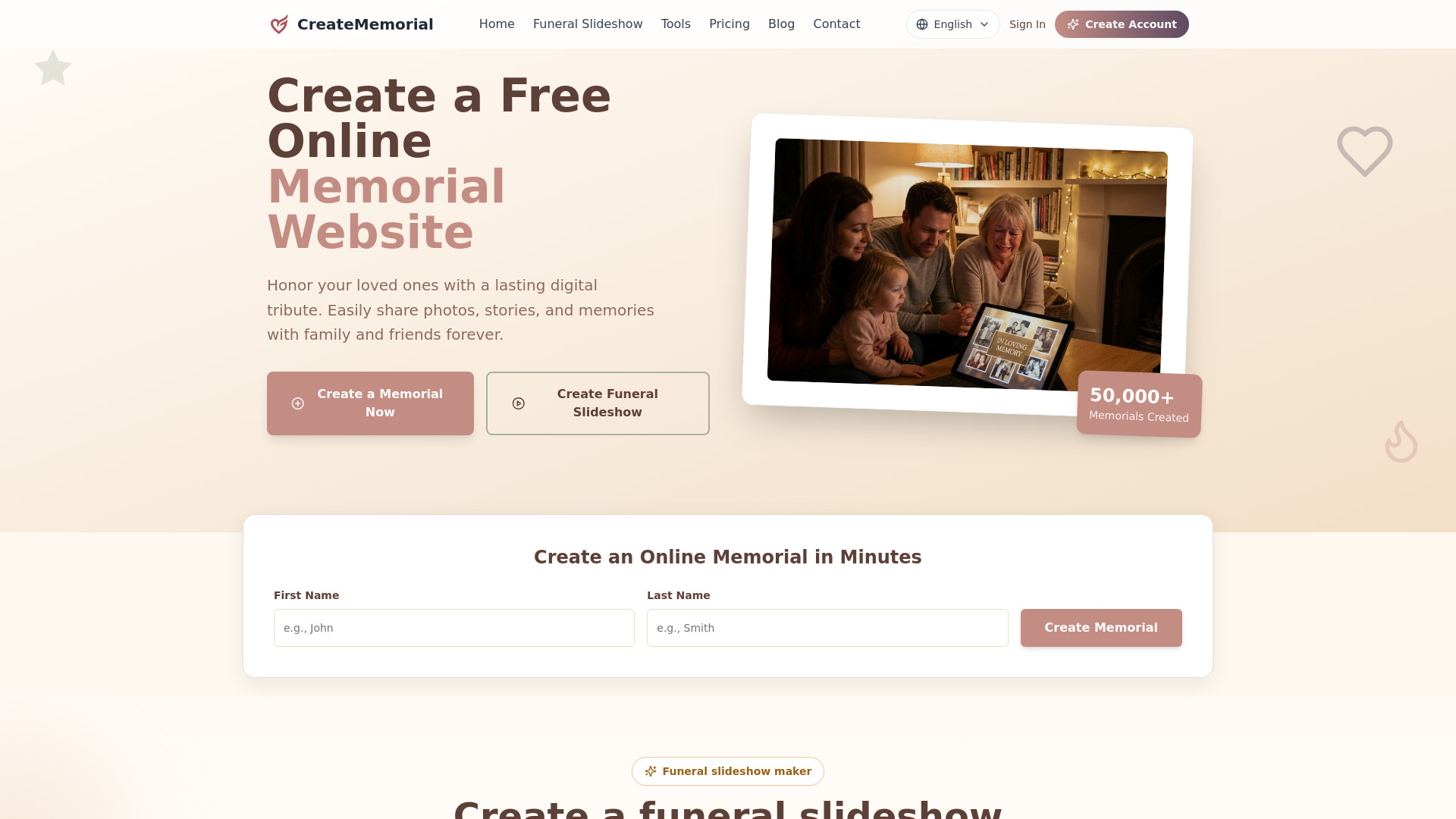
Online memorial website creator and funeral slideshow video maker.

Introduction

What is CreateMemorial

CreateMemorial is an online platform that allows users to create memorial websites and funeral slideshow videos. It provides a space to honor loved ones by sharing photos, stories, albums, and condolences.

How to use CreateMemorial
  1. Create a Memorial: Click the "Create a Memorial" button, enter your loved one's basic information, choose privacy settings, and publish your online memorial.
  2. Create a Funeral Slideshow: Upload photos, choose a memorial video template, add background music, preview the tribute, and export a 1080p MP4.
Features of CreateMemorial
  • Online memorial website creator
  • Funeral slideshow video maker
  • Photo uploads
  • Story sharing
  • Album creation
  • Condolence messages
  • Virtual candles
  • Export 1080p memorial slideshow MP4
  • Public, private (invitation only), or password-protected memorial privacy settings
  • Guided memorial pages
  • Writing assistance
  • Advanced privacy controls
  • Dignified space to celebrate life
  • Permanent online memorial
  • Customizable memorial templates
  • Family media uploads
  • Tribute messages from friends and family
Use Cases of CreateMemorial
  • Creating a lasting digital tribute for a loved one.
  • Sharing photos, stories, and memories with family and friends.
  • Creating a funeral slideshow video from photos for a service.
  • Gathering condolences and memories from a wider community.
  • Preserving a loved one's legacy for future generations.
Pricing

CreateMemorial offers a free plan with one memorial page, photo uploads, condolence messages, and virtual candles. Premium and Ultimate plans with additional features are also available. A "Lifetime" upgrade option provides unlimited photos, video hosting, and long-term preservation for a one-time fee.
FAQ
  • How do I create a memorial on CreateMemorial? Creating a memorial is simple and free. Click "Create a Memorial," enter your loved one's details, choose privacy settings, and publish your online memorial in minutes.
  • Is CreateMemorial free to use? Yes. CreateMemorial includes a free plan with one memorial page, photo uploads, condolence messages, and virtual candles.
  • Can I make my CreateMemorial memorial private? Yes. You can choose public, private (invitation only), or password-protected memorial privacy settings.
  • Can I create a funeral slideshow video from photos? Yes. CreateMemorial includes a funeral slideshow maker that lets you upload photos, choose a memorial video template, add background music, preview the tribute, and export a 1080p MP4.
  • How long does a CreateMemorial online memorial last? Your CreateMemorial tribute lasts forever. They are maintained indefinitely, ensuring the memory is preserved for future generations.

Information

Categories

Newsletter

Join the Community

Subscribe to our newsletter for the latest news and updates