What is CtrlOps
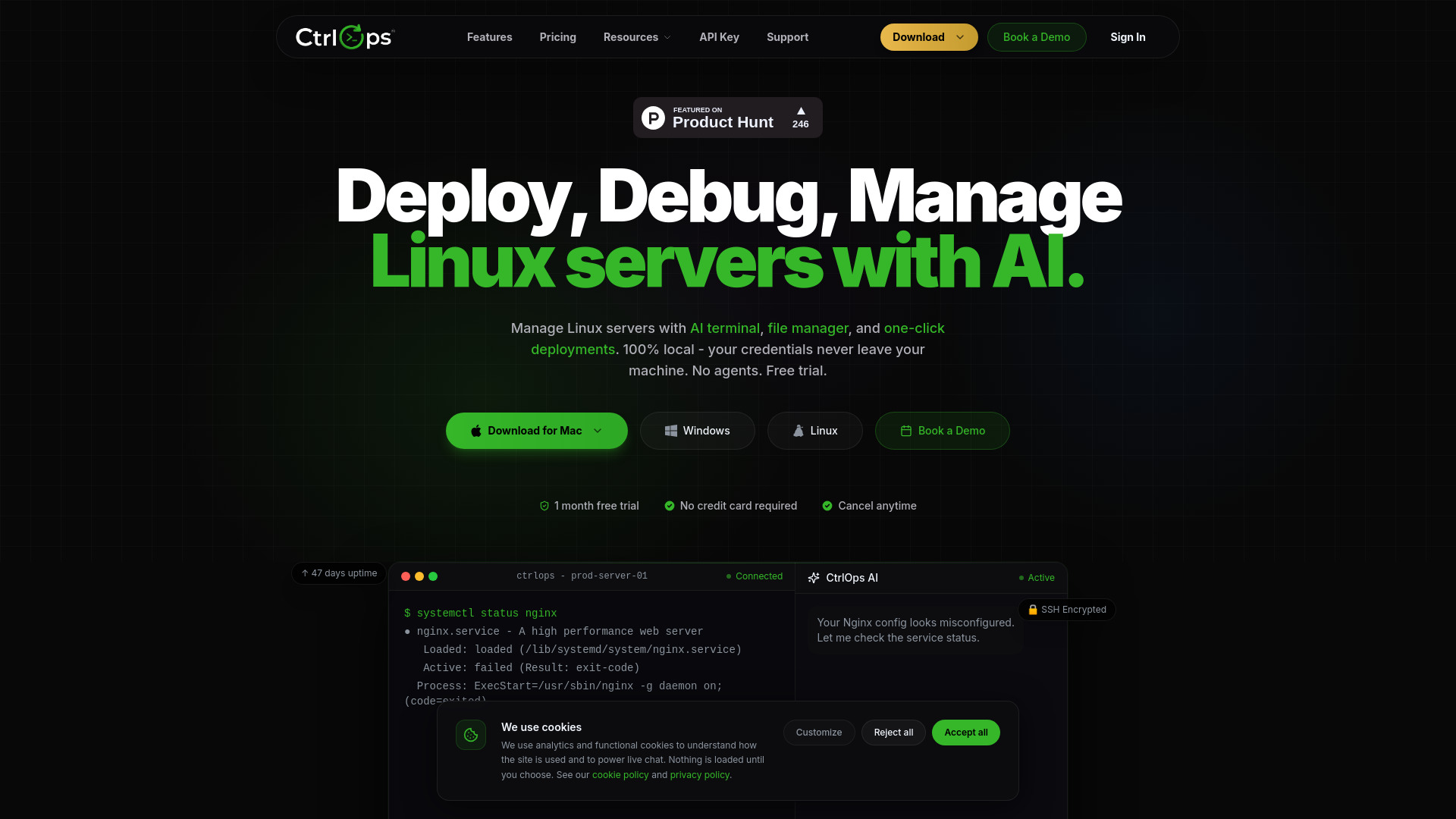
CtrlOps is a local-first desktop application designed for managing Linux servers and DevOps workflows. It offers an AI-assisted terminal, file management, and one-click deployment capabilities, all while ensuring your credentials and data remain on your local machine. It aims to consolidate essential server management tools into a single, intuitive application, eliminating the need for multiple tools and cloud-based dashboards.
How to use CtrlOps
While the webpage doesn't provide a step-by-step guide, it highlights the core functionalities:
- AI Terminal: Describe your needs in natural language, and the AI will generate bash commands, diagnose errors, and provide context-aware suggestions.
- File Manager: Manage files directly within the application.
- Deployments: Execute one-click deployments for your projects.
- Server Management: Connect to and manage multiple Linux servers via SSH.
Features of CtrlOps
- Local-first architecture with encrypted storage.
- AI-assisted terminal for natural language command generation and error diagnosis.
- Approval-based execution for production safety.
- All-in-one SSH client, file manager, and deployment tool.
- Agentless operation – no software needs to be installed on remote servers.
- Real-time monitoring and infrastructure details.
- Secure handling of credentials, with keys stored locally.
- Support for managing multiple servers simultaneously.
- One-click deployment capabilities.
- Backup functionality.
Use Cases of CtrlOps
- Streamlining server management tasks for DevOps engineers.
- Simplifying deployments and debugging processes.
- Managing multiple servers from a single interface without context switching.
- Utilizing AI to overcome command-line knowledge gaps.
- Securely managing server infrastructure without relying on cloud-based tools.
Pricing
CtrlOps offers a tiered pricing structure:
- Monthly Plan: $7 per month, offering unlimited server connections, AI Terminal, Advanced File Manager, Multi-Server Fleet Management, One-click Deployments, Simplified User Registry, and all updates.
- Pro (Annual) Plan: $70 per year (effectively $6/month), including all Monthly plan features plus a 20% discount, priority email support, early access to new features, and extended license support.
- Enterprise Plan: Coming soon, designed for teams and organizations, offering everything in the Pro plan plus a dedicated account manager, SLA guarantee, custom integrations, API access, SSO/team provisioning, and an on-premise deployment option.
- A 1-month free trial is available for all plans, with no credit card required.
FAQ
- Is CtrlOps free? Yes, you can start with a 1-month free trial, and no credit card is required.
- Do you store my SSH keys or server credentials? No, CtrlOps is built on a local-storage architecture. Your SSH keys and credentials remain encrypted on your local machine and are never uploaded to any cloud.
- Which operating systems does CtrlOps support? CtrlOps runs natively on macOS, Windows, and Linux, and connects to any remote Linux and Ubuntu server with SSH enabled distributions.
- Do I need to install anything on my servers? No, CtrlOps is agentless and communicates over the standard SSH protocol. No software needs to be installed on remote servers.
- How is CtrlOps different from Termius or MobaXterm? CtrlOps is a complete DevOps command center integrating AI troubleshooting, real-time fleet monitoring, and deployment pipelines, unlike legacy SSH clients.
- What can the AI assistant actually do? The AI acts as a senior DevOps engineer, analyzing terminal errors, generating commands, explaining logs, and guiding server hardening.