LogoTopAIHubs
icon of DeskClaw

DeskClaw

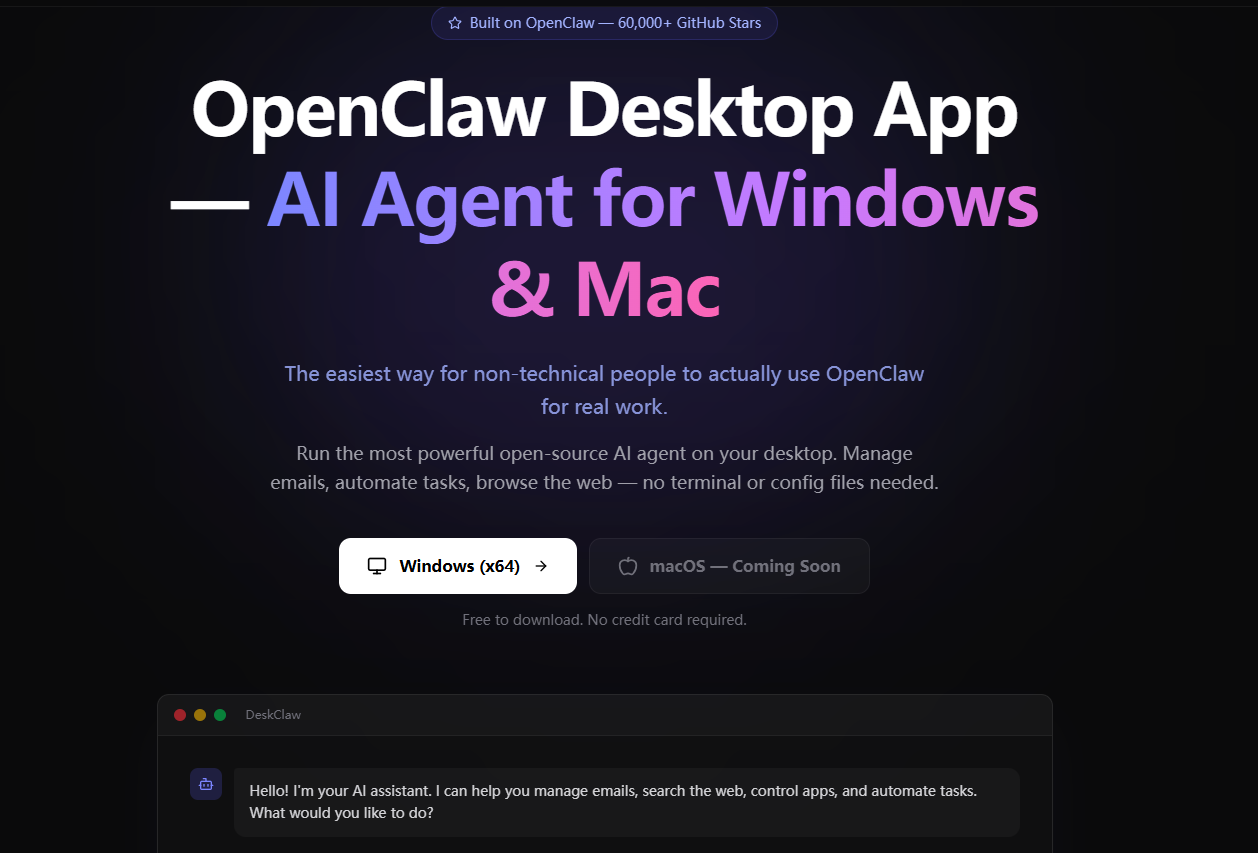
Run OpenClaw in 1 click. The only desktop app that runs OpenClaw (for Windows & Mac) actually usable for non-technical users. No terminal, no API keys — Free to download and go.

Introduction

What is DeskClaw

DeskClaw is a desktop application designed to run OpenClaw, an AI agent, with a single click. It is presented as a user-friendly solution for non-technical users, eliminating the need for terminal commands or API keys. It is available for Windows and macOS.

How to use DeskClaw
  1. Download & Install: Download the application for Windows or macOS and double-click to install. This process is estimated to take under 2 minutes.
  2. Create Your Account: Sign up with your email to receive free credits to start. No credit card is required.
  3. Start Getting Things Done: Begin interacting with the AI assistant through chat. Users can also connect Telegram or WhatsApp to control the AI from their phone.
Features of DeskClaw
  • Top AI Models Built-in: Access to models like Claude, GPT, Gemini, and Qwen without needing API keys or subscriptions.
  • Multi-Session Chat: Run multiple conversations in parallel, keeping different chats separate.
  • Telegram & WhatsApp Integration: Connect a Telegram bot or WhatsApp to control the AI from a mobile device.
  • Real-Time Web Search: The AI can search the internet for up-to-date information.
  • 10 Pre-installed Skills: Includes functionalities like Gmail management, Spotify control, weather queries, and blog monitoring.
  • Usage Dashboard: Monitor usage, costs, and manage payments via Stripe.
Use Cases of DeskClaw
  • Email Management: Summarize important emails from an inbox.
  • Research Assistant: Search for information on topics like AI regulation and provide summaries.
  • Remote Control via Telegram: Execute tasks on your PC, such as downloading files, triggered from a phone.
  • Automation: Set up recurring tasks, like daily meeting summaries from a calendar.
Pricing

DeskClaw offers a "Pay As You Go" option with a 15% discount off official API pricing, including free credits on signup and the ability to top up via Stripe. Subscription plans are also available:

  • Starter: $20/month with $20 monthly credit and a 30% discount off official API pricing.
  • Pro: $40/month with $40 monthly credit and a 30% discount off official API pricing.
  • Power: $200/month with $200 monthly credit and a 30% discount off official API pricing.

All plans include access to 5+ AI models and all features. The application is free to download with included free credits.
FAQ
  • Is DeskClaw free? Yes, it is free to download with free credits included. Subscription plans offer additional benefits.
  • What's the difference between Pay As You Go and Subscription? Pay As You Go offers flexibility with no monthly commitment, while subscriptions provide monthly credits and discounts.
  • Do I need to install Node.js or any other tools? No, DeskClaw is designed to be a standalone desktop app, eliminating the need for additional installations like Node.js.
  • How do I install OpenClaw without the terminal? DeskClaw provides a simple, one-click installation process, removing the need for terminal commands.
  • What AI models does DeskClaw support? It supports models like Claude, GPT, Gemini, and Qwen.
  • Can I use it on both Windows and Mac? DeskClaw is available for Windows, with macOS support coming soon.
  • How is this different from ChatGPT or Claude.ai? DeskClaw is a desktop application that integrates OpenClaw, allowing for local execution of AI tasks, automation, and control over your computer, unlike web-based interfaces.

Newsletter

Join the Community

Subscribe to our newsletter for the latest news and updates