What is Free GPT Image 2
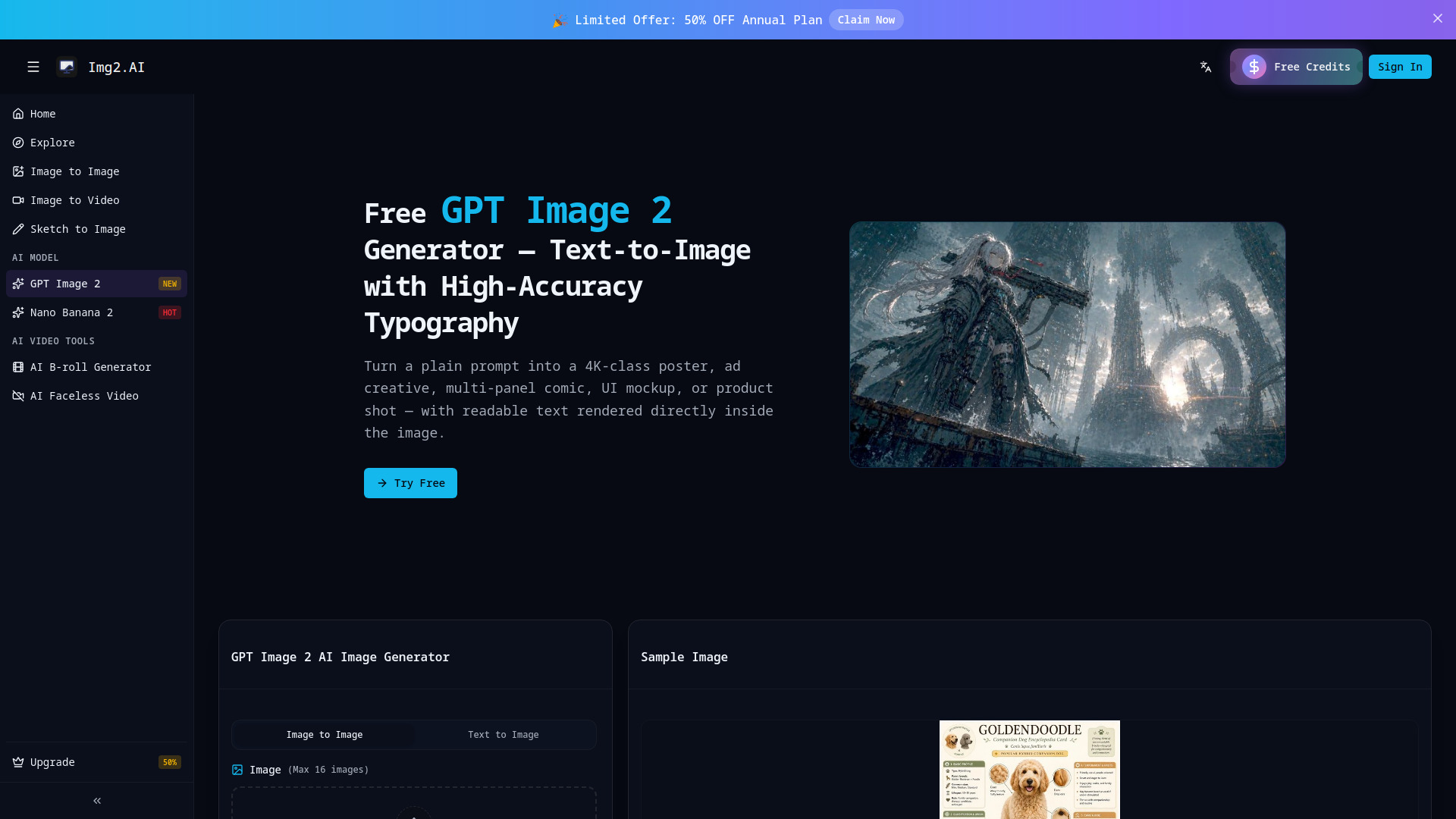
Free GPT Image 2 is an AI-powered platform that generates high-quality, 4K images from text prompts. It excels at rendering accurate typography directly within the generated images, making it suitable for creating posters, ad creatives, comics, UI mockups, and product shots with readable text.
How to use Free GPT Image 2
- Navigate to the "Generator" section.
- Select either "Image to Image" or "Text to Image" mode.
- For "Image to Image", upload your source image(s).
- For "Text to Image", enter your detailed prompt in the provided text area, specifying the desired text and visual elements.
- Click the "Sign in to generate" button to start the image creation process.
Features of Free GPT Image 2
- High-Accuracy Typography: Renders readable text directly within images, supporting various scripts.
- 4K Image Generation: Produces high-resolution images suitable for professional use.
- Versatile Use Cases: Capable of generating posters, ad creatives, comics, UI mockups, product shots, and more.
- Image-to-Image Capabilities: Allows users to transform existing images.
- Creative Video Tools: Offers tools for video generation (though specific details are not elaborated in the provided content).
- Modular Design: Supports creating structured information graphics and multi-panel layouts.
Use Cases of Free GPT Image 2
- Print-ready posters & event graphics: For designers, brand teams, and event organizers.
- Ad creatives & social media campaigns: For marketers and creative teams needing multiple variants.
- Comics, manga & multi-panel storytelling: For artists and content creators requiring dialogue and panel coherence.
- Product shots & e-commerce listings: For sellers needing quick visual assets with readable labels.
- UI mockups, game concepts & product screenshots: For developers and designers needing plausible interface or concept visuals.
FAQ
- What Makes GPT Image 2 Different? GPT Image 2 excels at rendering readable text within images, supporting multiple scripts. It also demonstrates stronger reasoning, better instruction following, and more reliable handling of complex prompts compared to previous models.
- Is GPT Image 2 free to use on img2.ai? The platform offers a free tier for image generation.
- Can I use images generated with GPT Image 2 commercially? Information regarding commercial use is not explicitly detailed in the provided content.
- How long does generation take? Generation times are not specified.
- Does GPT Image 2 really render text accurately? Yes, it is highlighted as a key strength, producing more accurate and readable text than previous models.
- What resolution and aspect ratio does GPT Image 2 output? The tool generates 4K images and supports various aspect ratios, including 16:9, 1:1, 3:4, and 4:3, as demonstrated in the examples.
- How do I write prompts for GPT Image 2? Prompts should be detailed, specifying the desired text, visual elements, composition, style, and any specific layout requirements. For UI mockups, explicitly list all labels and text elements. For ad variants, keep the visual description consistent and change only the headline text.
- Can GPT Image 2 edit an existing image? Yes, the platform offers Image-to-Image capabilities for editing existing photos.
- How is GPT Image 2 different from GPT Image 1.5? GPT Image 2 offers improved text rendering accuracy, stronger reasoning, better instruction following, and more reliable handling of complex prompts.
- GPT Image 2 vs Nano Banana 2 — which should I use? GPT Image 2 is recommended for its accurate text rendering and complex prompt handling. Nano Banana 2 is suggested for photorealistic shots. The choice depends on the specific need.
- Is GPT Image 2 a replacement for DALL-E 3? GPT Image 2 is presented as a strong competitor, particularly excelling in accurate text rendering within images, which is a common challenge for other models like DALL-E 3.