What is GrokImagine AI
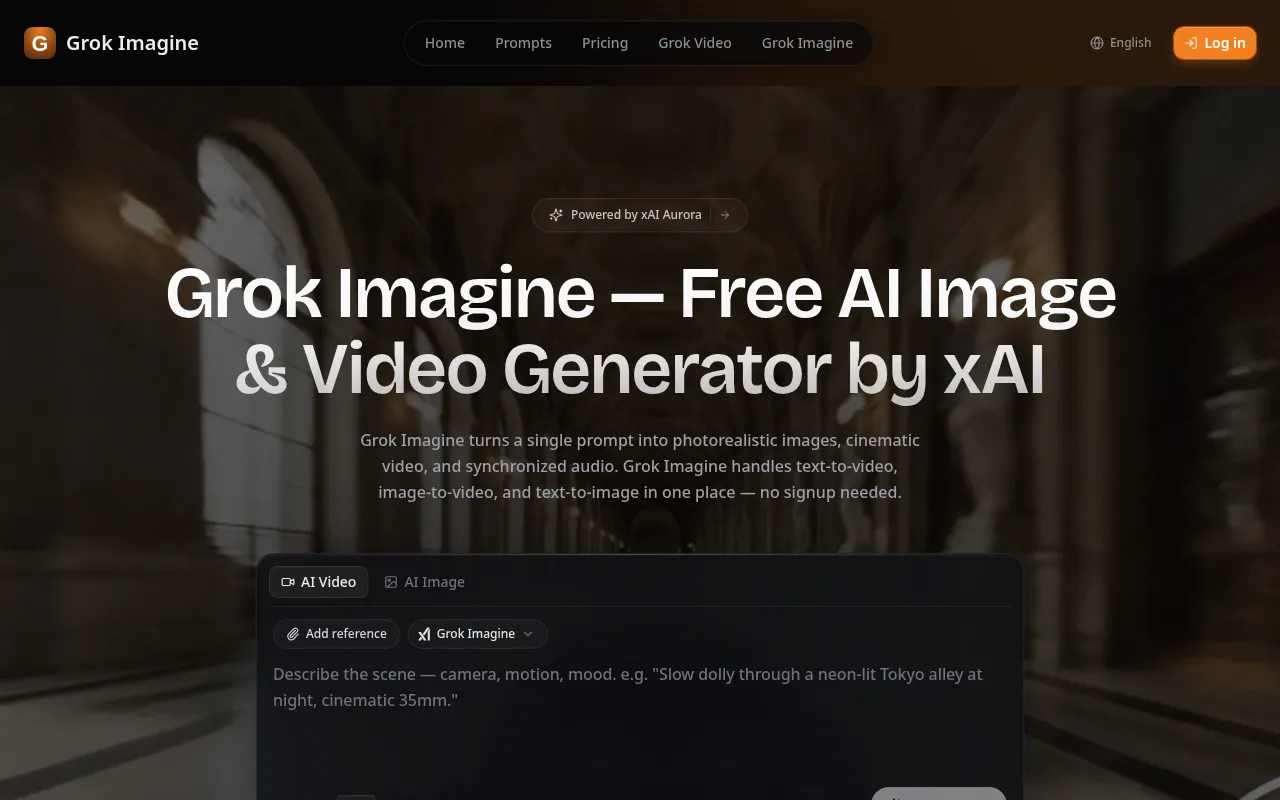
Grok Imagine is an AI-powered studio developed by xAI, designed for generating photorealistic images and cinematic videos from simple text prompts. It also supports image-to-video generation and includes synchronized audio capabilities.
How to use GrokImagine AI
- Describe your vision: Type a prompt or upload a reference image. You can also mix text, photos, and video clips to define the scene, motion, and mood.
- Pick a model: Choose between video, image, upscale, or extend models, each tuned for specific looks and paces.
- Generate and refine: Preview your creation, iterate by adjusting the prompt or adding more references, and download the results.
Features of GrokImagine AI
- Text to Video: Transform text prompts into cinematic videos with natural motion, physics-aware rendering, and up to 2K resolution.
- Image to Video: Animate still images into dynamic videos with AI-powered motion synthesis and built-in audio generation.
- Multi-Modal Input: Supports up to 9 images, 3 videos (total ≤15s), and 3 audio files, allowing combinations of up to 12 files.
- Reference Anything: Utilize uploaded content to replicate motion, effects, camera movements, characters, and scenes through natural language descriptions.
- Video Extension: Smoothly extend existing videos, merge clips, or edit segments while maintaining continuity.
- Built-in Audio: Automatically generates context-aware sound effects and background music, synced to video content. Allows uploading audio for specific synchronization.
- Superior Consistency: Maintains perfect consistency for faces, clothing, text, scenes, and visual styles throughout a video.
- Precise Motion Replication: Replicate complex choreography, camera movements, and action sequences by uploading reference videos.
- Multi-Shot Storytelling: Create videos with seamless transitions, consistent characters, and coherent narratives.
- 2K Resolution Output: Generates production-ready videos up to 2K resolution with multiple aspect ratios (16:9, 9:16, 4:3, 3:4, 21:9, 1:1).
Use Cases of GrokImagine AI
- Creating cinematic content for social media, marketing, and commercial use.
- Animating still images into dynamic videos.
- Replicating complex choreography and camera movements.
- Developing multi-shot videos with consistent characters and narratives.
- Generating videos with synchronized audio and sound effects.
Pricing
- Free: 50 credits (5 credits per day), Grok Imagine model only, text-to-image & image-to-image, text-to-video & image-to-video.
- Starter: $113.88/year (Save 40%), 3,000 credits/year, access to all 20+ AI models, includes Video Enhance & Video Extend.
- Pro: $233.88/year (Save 40%), 6,000 credits/year, all features of Starter, priority email support.
- Premium: $497.88/year (Save 40%), 18,000 credits/year, all features of Pro, priority email support.
FAQ
- What is Grok Imagine? Grok Imagine is xAI's multi-modal AI video generation model supporting image, video, audio, and text inputs, allowing reference of content like motion, effects, and characters via natural language.
- What inputs does Grok Imagine support? It supports up to 9 images, 3 videos (total ≤15s), 3 audio files, and text prompts, allowing combinations of up to 12 files.
- How long are generated videos? Videos range from 4 to 15 seconds in length, with multiple aspect ratios (16:9, 9:16, 4:3, 3:4, 21:9, 1:1) and up to 2K resolution.
- Does Grok Imagine generate audio? Yes, it includes built-in audio generation for context-aware sound effects and background music, and also allows uploading audio for synchronization.
- Are generated videos watermark-free? Yes, all generated videos are watermark-free.