What is Highlight Studio
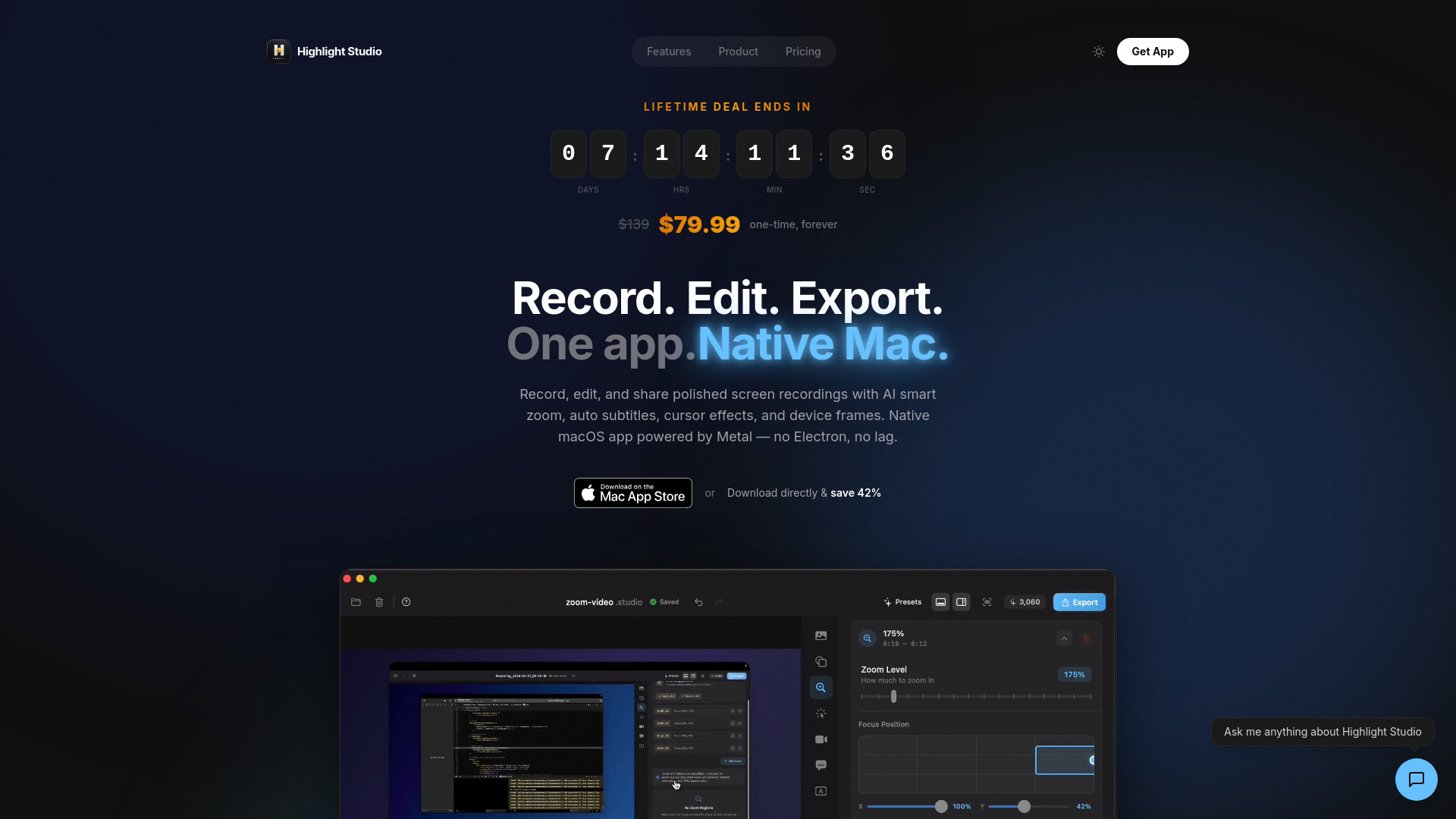
Highlight Studio is a native macOS screen recorder and video editor. It is built with SwiftUI and Metal, offering a powerful yet user-friendly experience for creating polished screen recordings.
Features of Highlight Studio
- Native macOS application built with SwiftUI and Metal
- AI-powered smart zoom that automatically generates zoom keyframes based on cursor position and click events
- Multi-track editing capabilities
- AI transcription for auto-generated subtitles
- Cursor effects
- Device frames for iPhone and iPad screen recordings (27+ Apple devices)
- Brand kits
- Facial expression detection
- GIF export with custom FPS settings
- Support for recording iOS devices via USB
- Export formats: MP4 and GIF
Use Cases of Highlight Studio
- Creating professional screen recordings for tutorials, presentations, or demonstrations.
- Recording iPhone or iPad screens and wrapping them in device frames.
- Enhancing screen recordings with AI-driven zoom and cursor effects.
- Producing high-quality video content for sharing online.
Pricing
- Free Plan: Includes screen recording and basic editing with export up to 720p. Users receive 60 credits for AI transcription (approximately 1 hour).
- Pro Plan: Unlocks advanced features, higher export resolutions (1080p, 1440p, 4K, source quality), and GIF export with custom FPS. Paid users receive 200 bonus credits (approximately 4 hours).
- Lifetime Plan: Offers the same features as the Pro plan for a one-time payment.
- Credits: Used exclusively for AI transcription. Recording, editing, and other features are unlimited and do not consume credits.
- Refunds: Available within 3 days of payment, with a focus on resolving issues first.
FAQ
- What makes Highlight Studio different from other screen recorders? It's a native macOS app (not Electron) with a multi-track editor, AI smart zoom, cursor effects, device frames, brand kits, and facial expression detection.
- How does the AI smart zoom work? It tracks cursor position and clicks during recording, then analyzes movement patterns to automatically create zoom keyframes at important moments.
- Can I record my iPhone or iPad screen? Yes, by connecting the device via USB. You can also wrap recordings in device frames for 27+ Apple devices.
- What export formats are supported? MP4 and GIF. The free plan exports up to 720p, while Pro unlocks higher resolutions and custom GIF settings.
- What's the difference between Pro and Lifetime? Both offer the same features. Pro is an annual subscription, while Lifetime is a one-time purchase for all future updates.
- Is there a free version? Yes, the free version offers core recording and editing features with limited export quality and includes 60 transcription credits.
- What are credits and what are they used for? Credits are solely for AI transcription (subtitles). All other features, including recording, editing, and exporting, are unlimited and do not use credits. Free users get 60 credits, and paid users receive 200 bonus credits.
- Do you offer refunds? Yes, refunds are offered within 3 days of payment. The support team will attempt to resolve any issues first.