LogoTopAIHubs
icon of Himedia

Himedia

An all-in-one AI Video, Image, and Music Generator - 100% Free to Try

Introduction

What is Himedia

Himedia is an all-in-one AI Video, Image, and Music Generator that allows users to create professional-quality content quickly and efficiently. It offers a free trial to explore its features.

How to use Himedia

While a detailed step-by-step guide is not explicitly provided, the interface suggests the following general workflow:
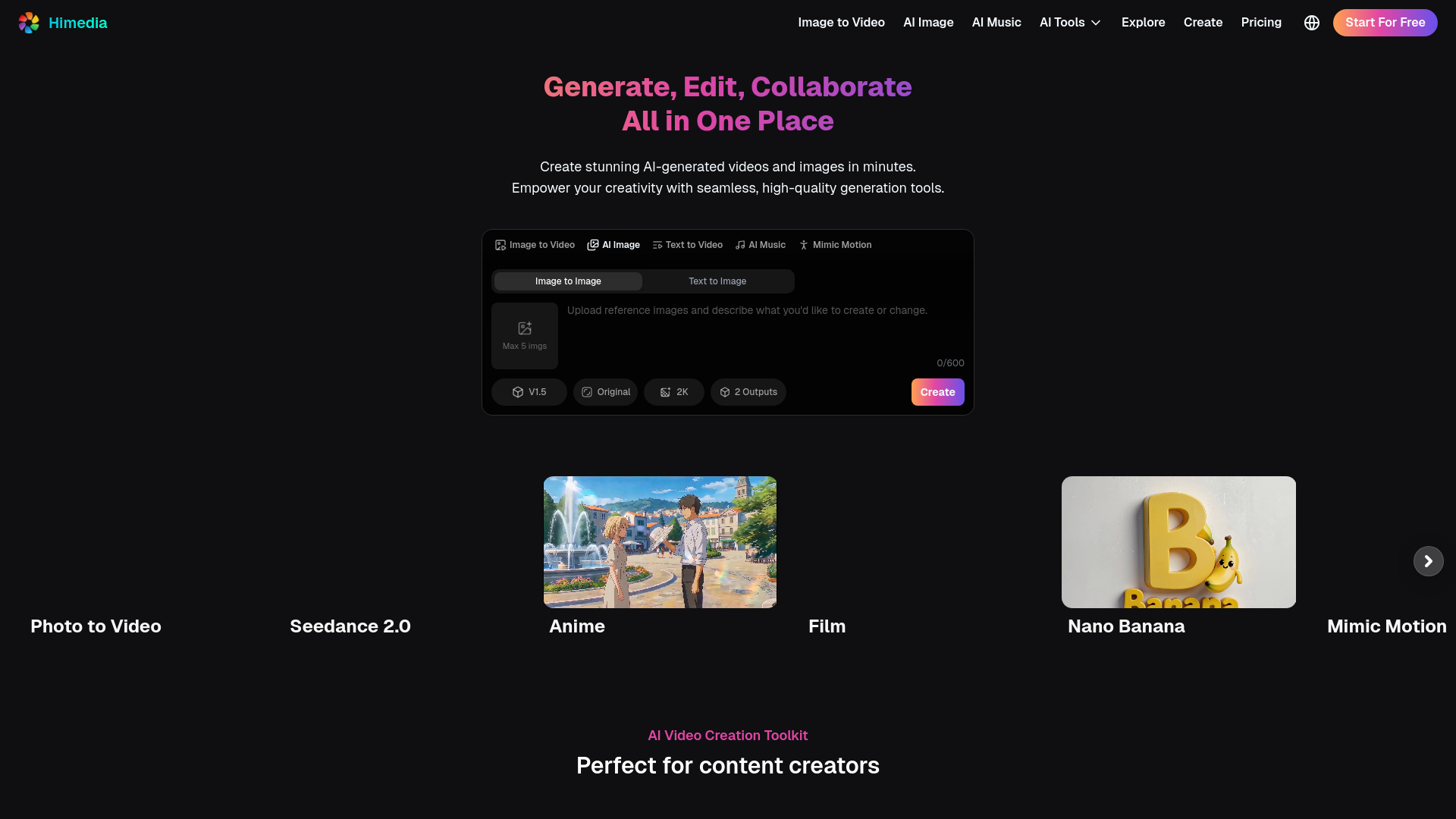
  1. Select a creation type: Choose between Image to Video, AI Image, Text to Video, AI Music, Mimic Motion, or other AI Tools.
  2. Provide input: This can include text prompts, image uploads, or video links, depending on the chosen tool.
  3. Configure settings: Adjust parameters such as quality, duration, resolution, and aspect ratio.
  4. Generate content: Initiate the creation process.
  5. Edit and refine: Utilize editing tools for videos and images to make adjustments.
Features of Himedia
  • AI Video Generation: Create videos from text, images, or existing videos.
  • AI Image Generation: Generate images from text prompts or by transforming existing images.
  • AI Music Generation: Create music based on descriptive prompts.
  • Mimic Motion: Transfer motion from a reference video to an image.
  • Video and Image Editing: Modify and refine generated or uploaded content.
  • High Resolution: Supports up to 4K+ resolution.
  • Multi-Camera Control: Offers advanced control for video production.
  • Rich Templates: Provides a variety of templates for different content needs.
  • Multiple Effects: Apply various effects to enhance content.
  • No Watermarks: Download generated content without watermarks (on applicable plans).
  • Free to Use: Offers a free trial and some free usage options.
  • Consistent Character: Maintain character consistency across creations.
  • Lip Sync: Synchronize audio with video.
  • AI Avatar: Create AI-generated avatars.
  • AI Ad: Generate content for advertisements.
Use Cases of Himedia
  • Video Production: Creating content for TikTok, Reels, short dramas, anime, cinematic videos, and film projects.
  • Marketing & Advertising: Developing campaign materials, ad creatives, product promotions, and brand outreach content.
  • E-commerce Product Demos: Generating product showcases, feature highlights, and demo videos.
  • Brand Design: Creating brand assets, identity elements, and design materials.
  • Social Media Content: Producing brand storytelling, promotional videos, and viral content.
  • Illustration, Manga, Manhwa: Generating professional art in various styles.
  • Fashion, Hairstyle, Product Design: Designing clothing, hairstyles, and products.
  • Scientific & Technical Visualization: Creating medical illustrations, architectural renderings, and engineering diagrams.
FAQ
  • What types of input are supported? Various inputs are supported, including text prompts, image uploads, and video links.
  • Is technical expertise required? No, the platform is designed to be user-friendly with an intuitive interface for beginners and professionals.
  • Can AI-generated content be used commercially? Yes, generated content can be used for commercial purposes, provided the input materials do not infringe on third-party copyrights.
  • How is user data and privacy handled? User privacy is prioritized, and all operations comply with data protection regulations.
  • Is there a free trial available? Yes, a free trial is available to explore features before committing to a subscription.

Newsletter

Join the Community

Subscribe to our newsletter for the latest news and updates