What is Homiwork
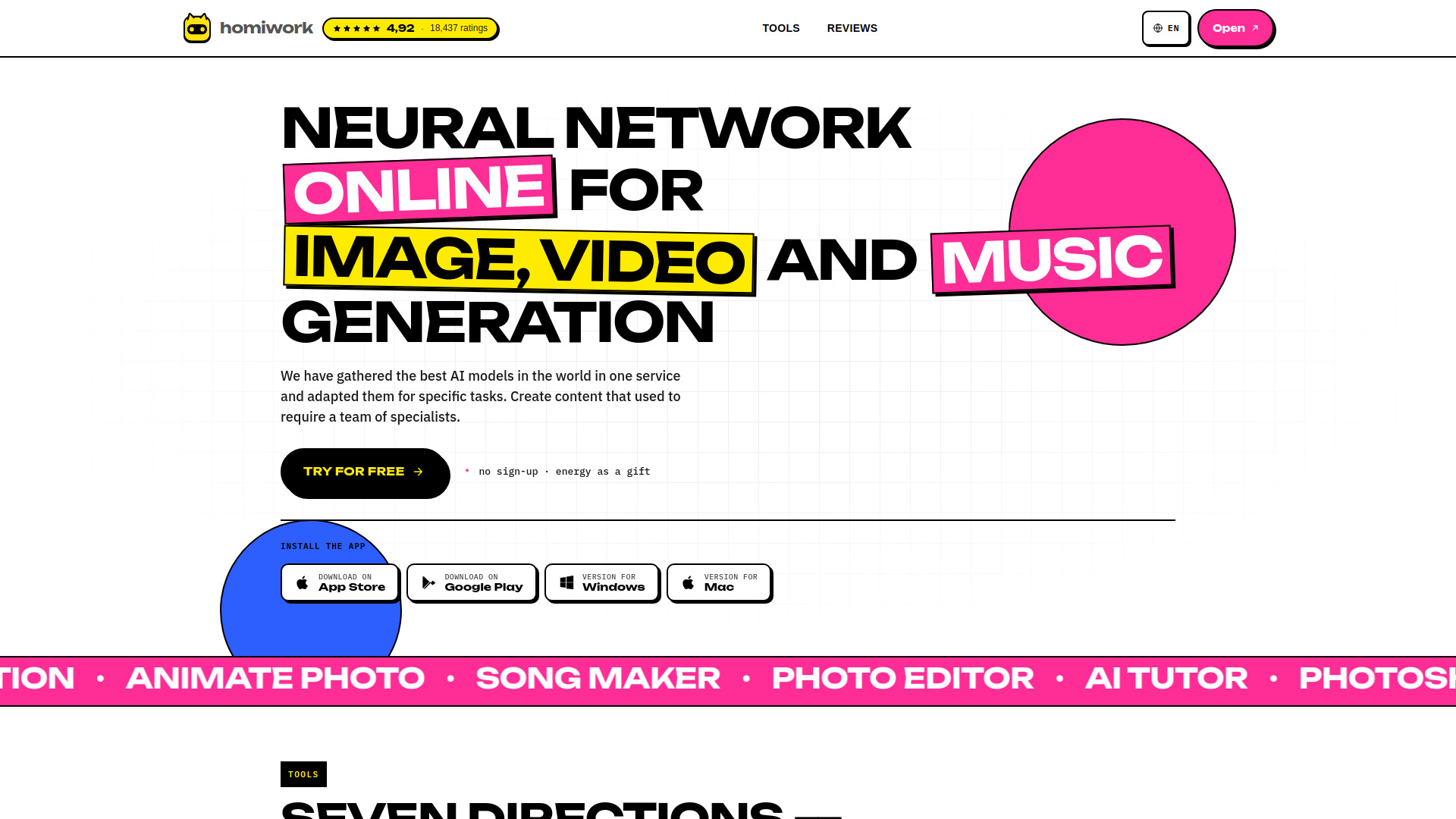
Homiwork is an all-in-one AI platform designed for generating a wide range of creative content, including images, videos, music, and text. It aims to consolidate the best AI models into a single service, enabling users to create professional-quality content without needing a team of specialists.
How to use Homiwork
While a detailed step-by-step guide is not explicitly provided, the platform's structure suggests a user-friendly approach:
- Access Tools: Navigate to the 'Tools' section to explore various AI-powered features.
- Select a Tool: Choose a specific tool based on your needs, such as AI Photoshoot, Image Generation, Photo Editor, Animate Photo, Create a Song, AI Tutor, or AI Text Generator.
- Input Requirements: Provide necessary inputs, which may include text descriptions, uploading photos, or specifying desired styles.
- Generate Content: The AI processes your input to generate the desired output.
- Enhance Photos: Utilize the Photo Enhancer tool to restore and improve old or blurry photos with a single click.
Features of Homiwork
- AI Image Generation: Create images from text descriptions for various purposes like social media, banners, and logos.
- AI Video Generation: Animate photos or generate clips from text descriptions.
- AI Music Generation: Create original music and songs with vocals from text prompts or custom lyrics.
- AI Text Generation: Generate various types of text content, including posts, articles, product descriptions, and emails.
- AI Photoshoot: Generate studio-quality portraits in different styles by uploading a single photo.
- Photo Editor: Edit photos by removing objects, changing backgrounds, or adding elements using text commands.
- Photo Enhancer: Restore and sharpen old or blurry photos, improving color, detail, and resolution.
- AI Tutor: Get step-by-step explanations for questions and assignments by uploading images of problems.
- Multi-language Support: The platform is available in numerous languages.
- App Availability: Offers dedicated applications for iOS, Android, and Windows.
Use Cases of Homiwork
- Content Creation: Generate visuals, music, and text for social media, marketing, and personal projects.
- Business Needs: Create product cards, advertising banners, and business profile pictures.
- Creative Projects: Bring photos to life with animation, compose music, or write lyrics.
- Education: Utilize the AI Tutor to understand complex topics or get help with homework.
- Personal Use: Enhance old photos, create unique avatars, or generate personalized content.
Pricing
The platform offers a free trial with "energy as a gift" and "no sign-up required" for initial use. Specific pricing plans or tiers are not detailed in the provided content, but it mentions "USD" as a currency and lists various payment gateways, suggesting a paid service beyond the initial offering.
FAQ
- Is sign-up required? No, initial use does not require sign-up.
- What kind of AI tools are available? The platform offers tools for image, video, music, and text generation, photo editing and enhancement, and an AI tutor.
- Can I use it for free? Yes, there is a free trial with energy provided as a gift.