What is HouseDesign
HouseDesign is an AI-powered interior and exterior design tool that generates building exterior, interior, and outdoor designs from a single photo. It is designed to be simple to use with no experience required.
How to use HouseDesign
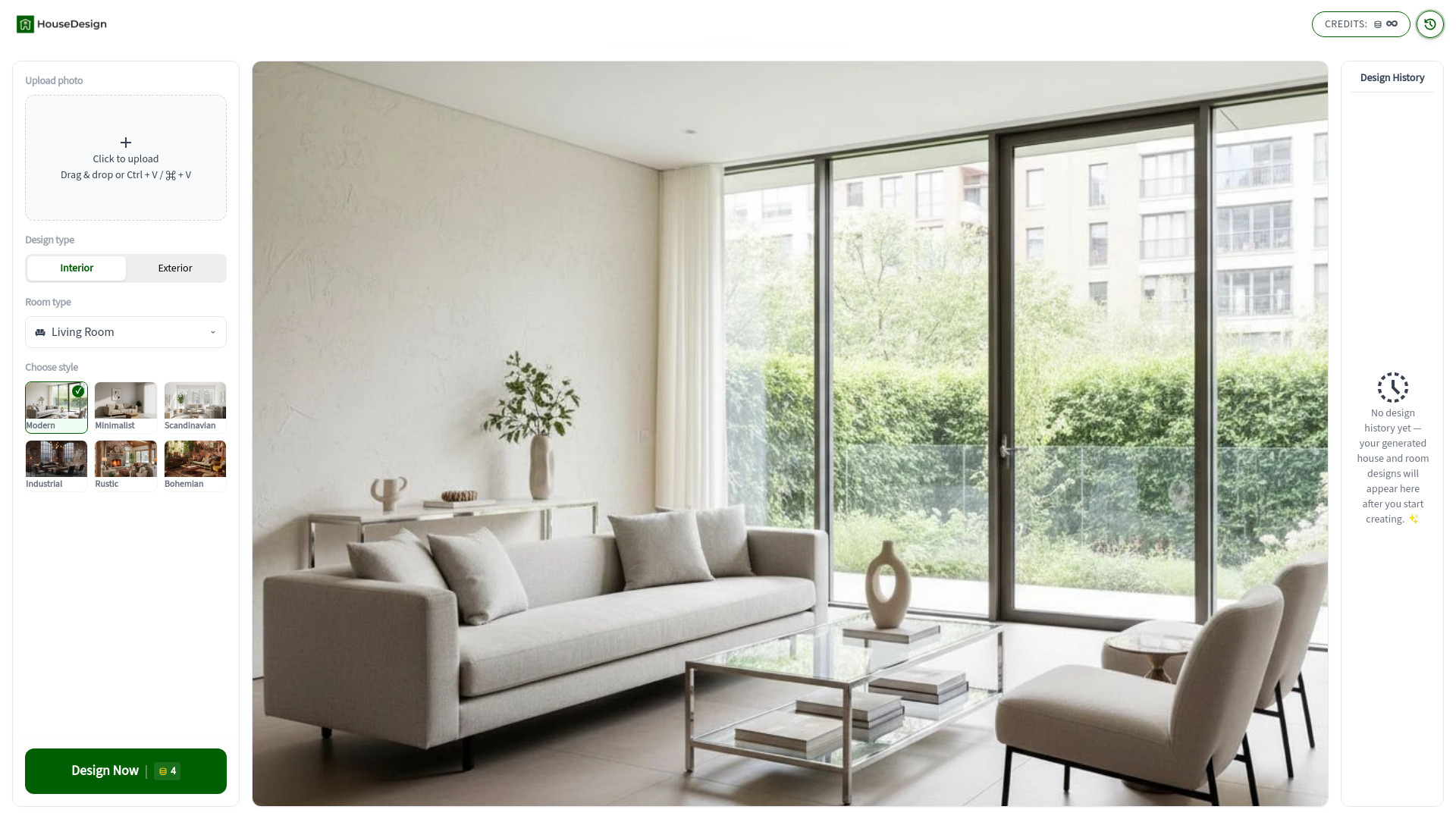
- Upload a photo: Click to upload or drag and drop a photo. You can also use Ctrl + V or ⌘ + V.
- Select Design Type: Choose between 'Interior' or 'Exterior' design.
- Choose Room Type (for interior design): Select from options like Living Room, Bedroom, Kitchen, Bathroom, Dining Room, or Office.
- Choose Style: Select your preferred design style from the available options.
- Generate Design: Click the 'Design Now' button to generate your house design.
Features of HouseDesign
- AI-powered design generation for interiors and exteriors.
- Generates designs from a single photo.
- User-friendly interface requiring no prior experience.
- Supports various room types for interior design.
- Offers multiple design styles to choose from.
- Allows users to try multiple styles with the same photo.
- Provides conceptual visualizations for renovation planning.
Use Cases of HouseDesign
- Home Renovation Planning: Preview potential outcomes of exterior changes like repainting or material replacement.
- Interior Redesign Inspiration: Generate concepts for updating living rooms, bedrooms, and other spaces.
- Real Estate Presentation: Showcase a property's potential to buyers with AI-generated visuals.
- Personal Creativity: Experiment with new home design ideas without professional software.
FAQ
What is HouseDesign?
HouseDesign is an AI-powered platform that generates house design concepts from uploaded images. It can create both exterior design transformations and interior design ideas.
Do I need design experience?
No experience is required. The tool is designed so anyone can generate a house design concept by uploading a photo and selecting a style.
What type of photos should I upload?
Clear images with good lighting usually produce the best results. For exterior design, use a front view of the house. For interior design, make sure the room is visible and not heavily obstructed.
Can I try multiple styles with the same photo?
Yes. Many users generate several house design variations from one image to compare different aesthetics.
Is this suitable for renovation planning?
The generated images are conceptual, but they can help visualize potential home design directions before starting a renovation project.
Does the platform support different room types?
Yes. When generating interior design results, you can choose from room types such as living room, bedroom, kitchen, bathroom, dining room, and office.
Does it replace a professional architect?
HouseDesign is a powerful visualization tool for inspiration and conceptual planning. While it provides stunning house design ideas, we recommend consulting a professional for structural changes.