What is image2.to
Image2.to is a dedicated AI workspace for generating and refining images and videos using GPT Image 2. It provides a focused environment where creators can manage prompts, reference images, style choices, and generation history in one place. The platform is designed to help users turn rough ideas into clear, actionable prompts with subject, composition, style, lighting, and output intent stated explicitly.
How to use image2.to
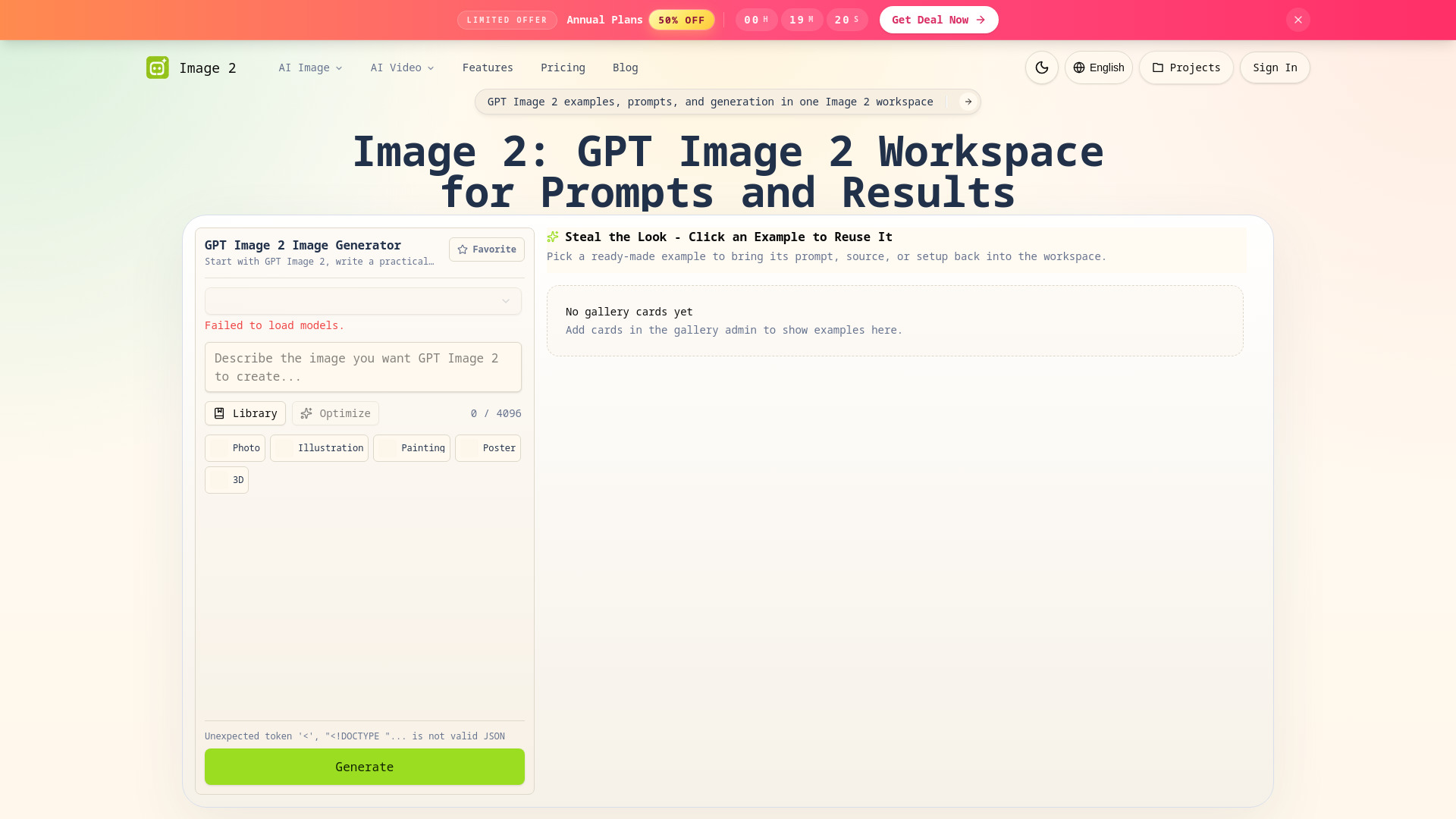
- Start with a prompt: Describe the image you want GPT Image 2 to create in the text area. You can use the prompt library for inspiration or optimize your prompt with the built-in tool.
- Select a model: Choose an AI model from the dropdown menu.
- Pick a style: Select from Photo, Illustration, Painting, Poster, or 3D to set the visual direction.
- Add a reference image (optional): Upload a source image to guide composition, color palette, or subject.
- Generate: Click the Generate button to create your image. Results appear in the gallery area.
- Reuse examples: Browse ready-made examples in the gallery and click one to bring its prompt, source, or setup back into the workspace.
Features of image2.to
- Prompt-first creation: Keeps the prompt, reference image, model choice, and example inspiration together for clear direction.
- Reusable examples: Browse and reuse existing setups to speed up your workflow.
- Style control: Choose from Photo, Illustration, Painting, Poster, and 3D styles to match the intended look.
- Reference image support: Upload reference images to make prompts more specific and control composition, color, and subject.
- Project history: Access your generation history and projects from the Projects button.
- Multi-language support: Available in English, Spanish, French, Japanese, Russian, German, Arabic, Chinese, and Korean.
Use Cases of image2.to
- Social media content: Create fan cam photos and videos for sports events like World Cup, Korean Baseball, and F1.
- Marketing and ads: Generate product concepts, campaign mood boards, and landing page visuals.
- Creative projects: Produce CG city tour photos and videos, illustrated scenes, and poster designs.
- Rapid prototyping: Quickly iterate on image ideas by reusing examples and adjusting prompts.
FAQ
Q: What is GPT Image 2?
A: GPT Image 2 is an AI image generation model that creates images from text prompts. Image2.to provides a workspace to use it effectively.
Q: Can I use reference images?
A: Yes, you can upload reference images to guide the generation process.
Q: What styles are available?
A: The platform offers Photo, Illustration, Painting, Poster, and 3D styles.
Q: Can I save my projects?
A: Yes, you can access your project history from the Projects button in the header.