LogoTopAIHubs
icon of ImageGen2

ImageGen2

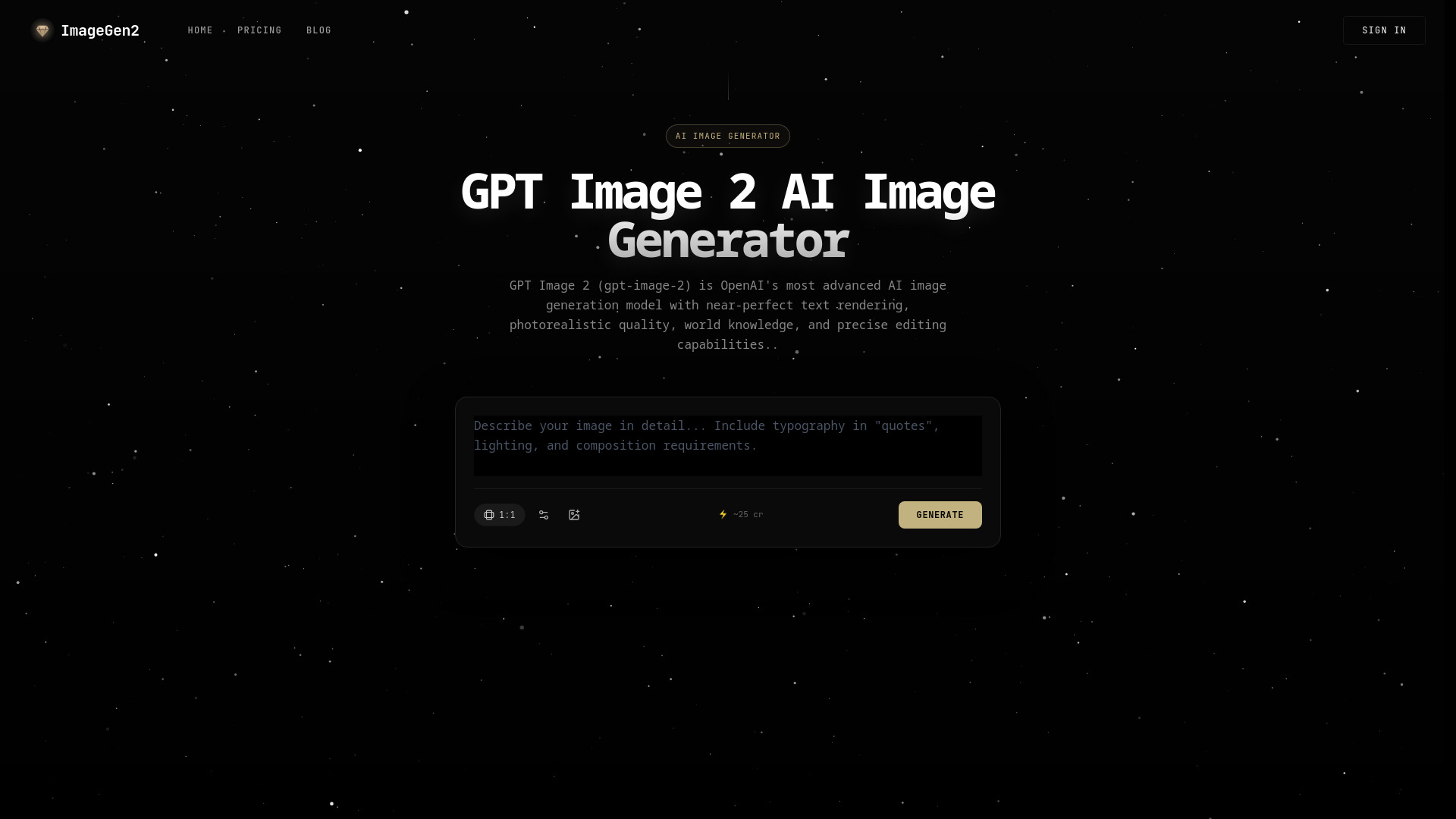
Professional AI platform for photorealistic images and high-accuracy text rendering.

Introduction

What is ImageGen2

ImageGen2 is a professional AI platform that generates photorealistic images with near-perfect text rendering. It utilizes OpenAI's advanced GPT Image 2 model, offering high-accuracy text generation, photorealistic quality, and precise editing capabilities.

How to use ImageGen2
  1. Describe your image: Enter a detailed prompt in the text area, specifying requirements for typography (in quotes), lighting, and composition.
  2. Add reference images (optional): Upload up to 5 images to guide style, combine subjects, or edit existing visuals.
  3. Select settings: Choose the desired quality (low, medium, high, auto), output format (PNG, JPEG, WEBP), and the number of images to generate.
  4. Generate: Click the "Generate" button to create your images.
  5. Iterate and edit: Use generated images as a base for further editing, making incremental adjustments.
Features of ImageGen2
  • Near-Perfect Text Rendering: Generates accurate and readable text for logos, infographics, UI mockups, and marketing materials.
  • Photorealistic Quality: Produces natural-looking images with accurate lighting, believable materials, and rich textures.
  • World Knowledge: Understands real-world context, places, events, and cultural references for more accurate images.
  • Precise Editing: Allows for detailed image editing, including changing clothing, adjusting lighting, translating text within images, and compositing scenes while preserving identity and composition.
  • Multi-Image Input: Supports up to 5 reference images for style transfer, compositing, and visual guidance.
  • Quality Control: Options for low, medium, high, or auto quality settings to balance speed and precision.
  • Multiple Output Formats: Supports PNG, JPEG, and WEBP formats.
  • Aspect Ratio Options: Offers 1:1, 3:2, and 2:3 aspect ratios.
Use Cases of ImageGen2
  • Creating logos, infographics, and UI mockups with accurate text.
  • Generating photorealistic product shots and commercial visuals.
  • Designing marketing materials and campaign assets.
  • Editing existing images for style transfer, virtual try-ons, or scene compositing.
  • Generating visuals for websites, social media, and advertising.
Pricing

ImageGen2 offers a pay-per-use credit system. Credits can be purchased in packs with different tiers:

  • Starter Pack: 100 credits for $3 (valid for 12 months).
  • Creator Pack: 350 credits for $9 (valid for 12 months, 17% bonus credits).
  • Studio Pack: 1,200 credits for $29 (valid for 12 months, 25% bonus credits).

Monthly subscription plans are also available:

  • Starter: 250 credits/month for $6/month.
  • Creator: 800 credits/month for $16/month.

Credits are shared across all AI image models and do not expire with one-time purchases.
FAQ
  • What is GPT Image 2? GPT Image 2 (gpt-image-2) is OpenAI's advanced AI image generation model, known for its near-perfect text rendering, photorealistic quality, world knowledge, and precise editing capabilities.
  • How is GPT Image 2 different from DALL-E 3? GPT Image 2 offers improved text rendering accuracy, better photorealism, built-in world knowledge, and precise editing capabilities that preserve identity and composition.
  • How do I use GPT Image 2 on ImageGen2? Select the GPT Image 2 generator, enter your prompt, choose settings, and click generate.
  • Is GPT Image 2 good for text rendering and logos? Yes, it excels at text rendering with near-perfect accuracy. For best results, put text in quotes and describe the typography.
  • What resolution does GPT Image 2 output? Images are generated at auto-determined resolutions optimized for quality, suitable for web and print.
  • Can GPT Image 2 edit existing images? Yes, it supports precise image editing by uploading reference images and describing desired changes.
  • How fast is GPT Image 2? Generation typically takes 15-50 seconds, depending on complexity and quality settings.

Newsletter

Join the Community

Subscribe to our newsletter for the latest news and updates