What is ImageToVideoAI - 1
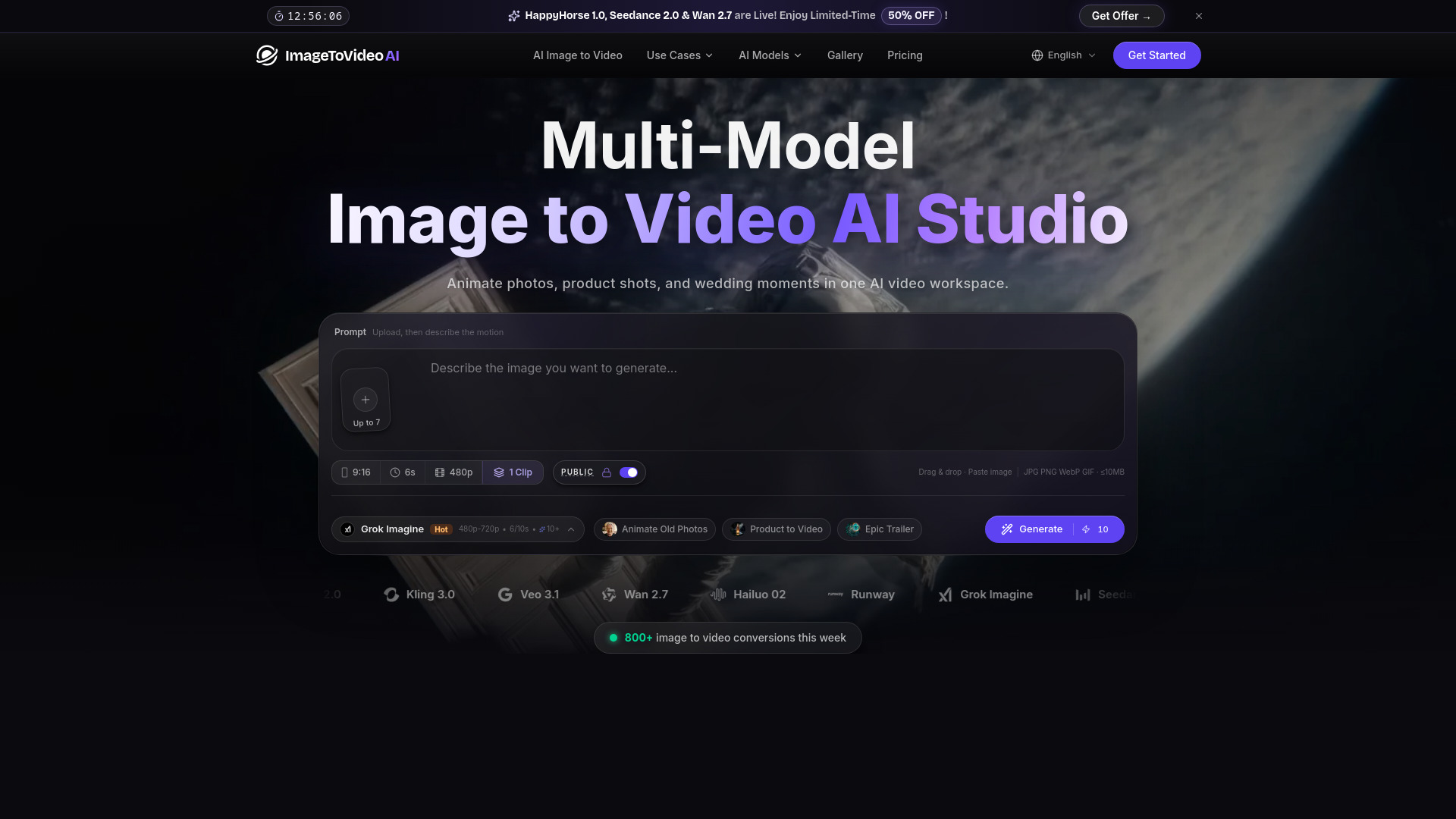
ImageToVideoAI is a multi-model AI platform that transforms photos into cinematic videos, hugs, and product ads. It allows users to animate photos and create various types of video content using different AI models.
How to use ImageToVideoAI - 1
- Upload your image: Upload the image you want to animate. Supported formats include JPG, PNG, WebP, and GIF.
- Choose prompt and generate video: Add simple prompts to control the animation, select an AI model, and generate the video with a single click.
- View and download generated video: Preview the result and download it directly to your device without a watermark.
Features of ImageToVideoAI - 1
- Multi-Model Support: Access to 14 different AI models, including Kling AI, Runway, Hailuo AI, Wan, Seedance, and Google Veo.
- AI Hug Video Generator: Create videos where two people hug from a single photo.
- Product Photo to Video Ads: Transform product images into advertising clips with professional camera movements and lighting.
- Animate Old Photos: Bring historical photos to life with natural expressions and movements.
- Anime to Live-Action: Convert 2D anime art into lifelike motion video.
- Pet Animation: Create funny talking pet videos.
- Wedding Photo Animation: Animate wedding memories.
- Cloud-Based: Runs entirely in the browser, accessible on desktop, tablet, and mobile.
- Fast Generation: Videos are typically generated in 30-90 seconds.
- Commercial Rights: Paid plans include full commercial rights for generated videos.
Use Cases of ImageToVideoAI - 1
- Creating cinematic videos from photos.
- Generating product ad videos for e-commerce and social media.
- Animating old or historical photos to bring them back to life.
- Making romantic videos like AI Hugs or French Kiss videos from photos.
- Creating wedding photo animations.
- Transforming anime art into realistic motion videos.
- Making funny talking pet videos.
FAQ
- Can I try ImageToVideoAI before subscribing? Yes, new users receive complimentary credits to try all current models. Paid plans offer more credits, HD output, and faster generation.
- Which AI video models are supported? The platform supports 14 models, including Kling AI, Runway, Hailuo AI, Wan, Seedance, and Google Veo.
- Can I use generated videos commercially? Yes, all paid plans include full commercial rights.
- Do I need to install anything? No, the service runs in your browser.
- How long does video generation take? Typically 30-90 seconds per model. Paid plans allow parallel generation.
- Which AI model has the best quality? ImageToVideoAI offers 14 pro models like Kling 3.0, Runway, and Google Veo, allowing users to compare results.
- Kling AI vs. Runway for image to video? Kling AI is noted for photorealistic animation, while Runway offers precise camera control. Both can be tried from the platform.
- How does ImageToVideoAI compare to Kling AI or Runway? It provides access to multiple models, including Kling and Runway, from a single subscription.
- Can I animate old photos with AI? Yes, the 'Animate Old Photos' feature uses AI to add expressions and motion to old photos.
- How to create an AI hug video from two photos? Upload two portrait photos to the AI Hug Video Generator, select the 'Two Photos' option, and the AI merges them into a hug video.
- Can I make product ad videos from a single photo? Yes, the AI product video maker transforms a single product image into an advertising clip.
- Can I convert anime art to realistic video? Yes, the anime to live-action AI feature turns 2D anime art into lifelike motion video.
- What is Grok Imagine? Grok Imagine is xAI's image generation model, usable on ImageToVideoAI to create video inputs.
- Is Seedance 2.0 the best AI model for dance videos? Seedance 2.0 excels at human motion and dance choreography and can be compared with other models like Kling and Runway on the platform.
- Can I use Gemini AI to create video from a photo? Google's Gemini powers the Veo model integration, allowing video generation from photos via ImageToVideoAI.
- How to create a 'meet your younger self' AI video? Upload a childhood photo and a recent portrait to the AI Hug Video Generator, select 'Two Photos' and an 'across-time' style.
- Can I make a French kiss video from two photos? Yes, upload two separate portrait photos and select the French Kiss scenario in the AI Hug Video Generator.