What is iMideo AI
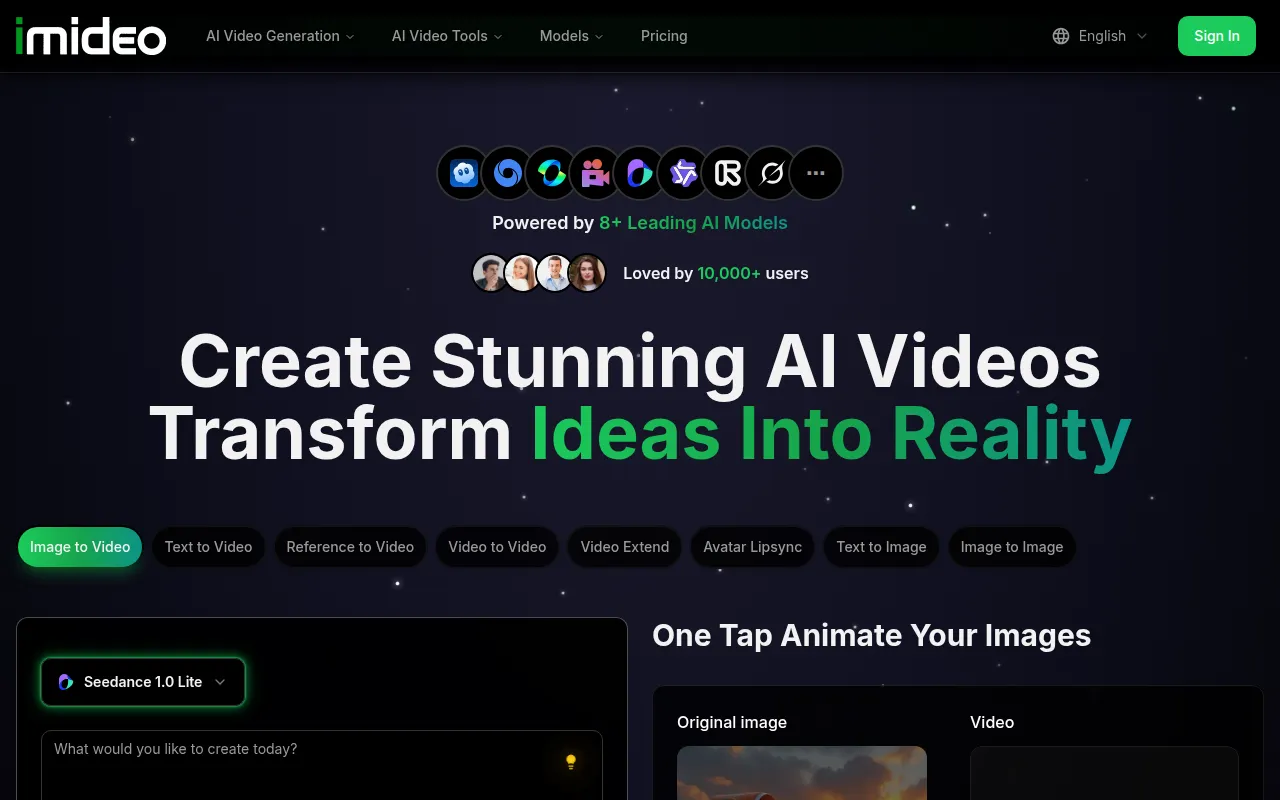
iMideo is a web-based multi-AI video platform that converts text, images, and footage into cinematic videos. It offers a comprehensive suite of AI video generation and editing tools, aiming to simplify video creation for users of all skill levels.
How to use iMideo AI
- Select a Creation Type: Choose from various options like Image to Video, Text to Video, Reference to Video, Video to Video, Video Extend, Avatar Lipsync, Text to Image, and Image to Image.
- Input Your Content: For Image to Video, upload your starting image. For Text to Video, describe your desired video content in the provided text area.
- Configure Settings: Adjust parameters such as aspect ratio, resolution, and duration.
- Generate Video: Click the "Create Video" button to initiate the AI generation process.
Features of iMideo AI
- Multi-AI Video Platform: Integrates various AI models for diverse video generation capabilities.
- Text-to-Video: Transforms textual descriptions into video content.
- Image-to-Video: Animates static images into dynamic videos.
- Video-to-Video Transformation: Reimagines existing video footage with AI.
- Reference-to-Video: Creates videos by blending multiple images.
- AI Video Tools: Includes features like Face Swap, Subtitle Generation, Sound Effects Generation, Watermark Remover, Video Upscaler, Clothes Remover, Video Extender, Dance Generator, and Background Remover.
- High-Quality Output: Generates 1080p videos quickly, with options for 4K upscaling.
- Multiple Aspect Ratios and Resolutions: Supports various formats including 16:9, 9:16, 1:1, 4:3, 3:4, 720p HD, 1080p Full HD, and 4K upscaling.
- Commercial Use Rights: All generated videos include full commercial usage rights.
- User-Friendly Interface: Designed for ease of use, requiring no prior video editing experience.
Use Cases of iMideo AI
- Marketing and Advertising: Creating promotional videos, social media content, and ad campaigns.
- Content Creation: Generating daily shorts, YouTube videos, and engaging social media posts.
- Storytelling: Bringing narratives to life through AI-generated visuals.
- Creative Prototyping: Testing visual concepts and ideas rapidly.
- Personal Projects: Animating personal artwork or creating unique video content.
Pricing
iMideo offers a free tier with paid plans starting at $9.90. Users receive 100 free credits to start.
FAQ
- What is the best AI video generator in 2026? iMideo combines leading AI models like Veo3, Sora 2, and Seedance. Seedance ranks #1 for text-to-video and image-to-video, while Sora 2 Pro excels in cinematic quality. iMideo offers 5+ premium models in one subscription.
- How long does it take to generate an AI video on iMideo? Generation time varies by model. Seedance generates 1080p videos in 45-60 seconds. Veo 3.1 takes 60-90 seconds. Sora 2 Pro requires 120-180 seconds for maximum cinematic quality. Instant previews and background processing are supported.
- What video resolutions and aspect ratios are supported? Supports 720p HD, 1080p Full HD, and 4K upscaling. Seedance supports 7 aspect ratios (1:1, 16:9, 9:16, 4:3, 3:4, 21:9, 9:21). Sora supports 5 formats (1:1, 16:9, 9:16, 2:3, 3:2). Veo 3 offers flexible aspect ratio controls.
- Does iMideo support commercial use and licensing? Yes, all videos generated on iMideo include full commercial usage rights for marketing, social media, YouTube, and advertisements without attribution.
- How does iMideo compare to competitors? iMideo provides access to multiple models (Veo3, Sora 2, Seedance, Kling, etc.) in one platform, offering 5x more choices than single-model tools. Pricing starts at $9.90. Users report 95%+ face swap accuracy and industry-leading speeds.
- Do I need video editing experience? No, iMideo is designed to be intuitive and requires no prior video editing experience.
- How much does it cost? Paid plans start at $9.90, with a free tier available. New users receive 100 free credits.
- Which AI model should I choose? The choice depends on your needs: Seedance for text/image-to-video, Sora 2 Pro for cinematic quality, and Veo 3.1 for natural performance. iMideo offers multiple models to compare results.
- How long does generation take? Generation times vary by model and quality settings, ranging from under a minute to a few minutes.
- Can I use videos commercially? Yes, all generated videos come with full commercial usage rights.
- What formats are supported? The platform supports various resolutions (720p, 1080p, 4K upscaling) and aspect ratios depending on the chosen AI model.