What is InkStudio.ai
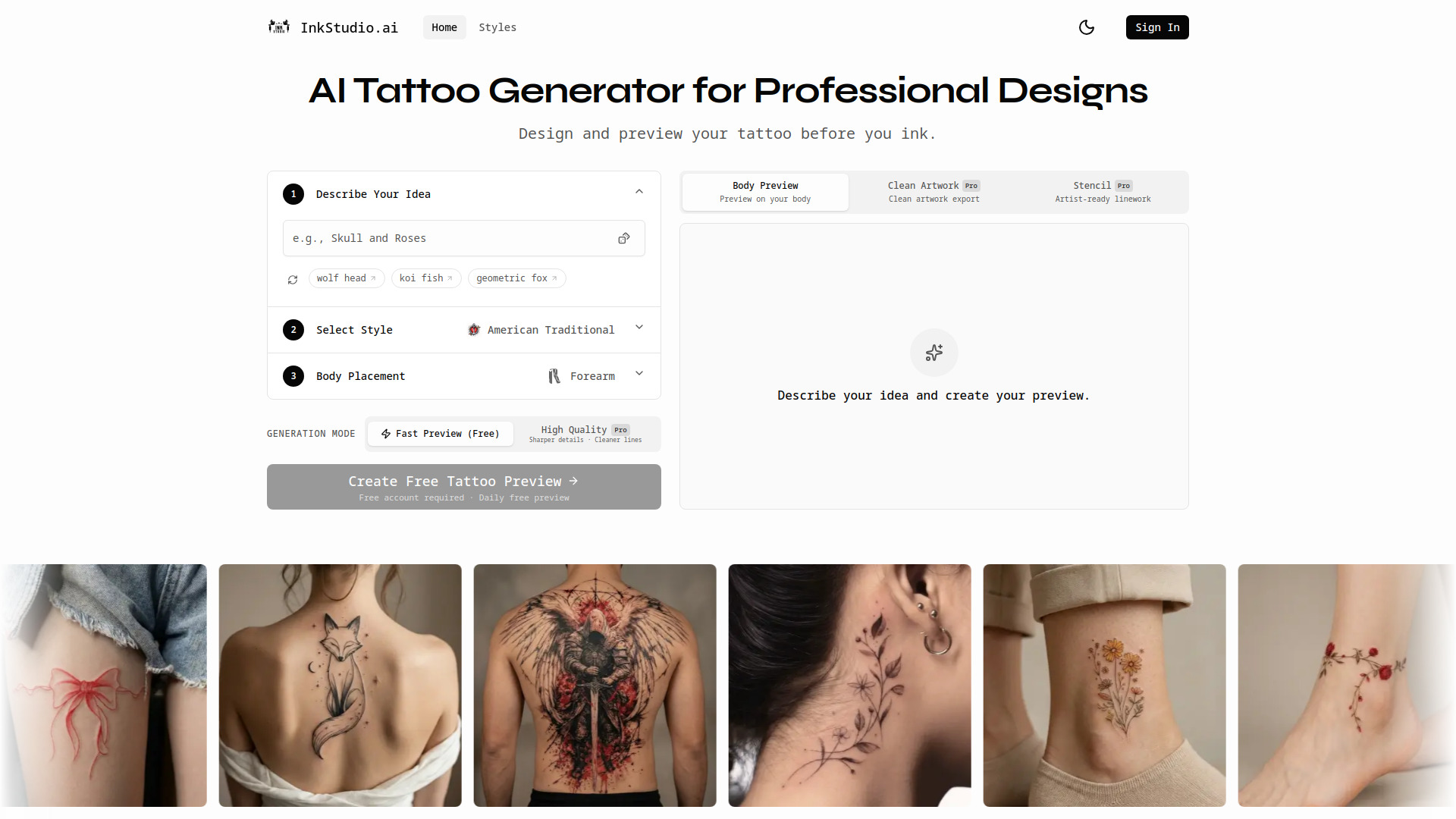
InkStudio.ai is an AI tattoo generator designed for creating custom tattoo designs, generating stencil-ready artwork, and previewing tattoos on your body.
How to use InkStudio.ai
- Describe Your Idea: Input a description of your desired tattoo design.
- Select Style: Choose from various tattoo styles.
- Body Placement: Select the body part where you want to preview the tattoo.
Features of InkStudio.ai
- AI Tattoo Generator
- Realistic Body Placement Previews
- Clean Artwork Export
- Artist-Ready Stencil Generation
- Multiple Tattoo Styles (e.g., Fine Line, Traditional, Japanese, Blackwork, Watercolor, Geometric, Minimalist, Neo-Traditional)
- Fast Preview (Free)
- High Quality Generation (Pro feature)
Use Cases of InkStudio.ai
- Visualize tattoo ideas on specific body parts.
- Create custom tattoo designs.
- Generate artwork ready for tattoo artists.
- Explore different tattoo styles.
Pricing
InkStudio.ai offers a free daily preview option. For advanced features like High Quality generation, clean artwork export, and stencil export, there are paid options:
- Design Pack: Purchase for one-time download of a specific design (high resolution artwork and stencil).
- Pro Subscription: Offers unlimited High Quality generations and other premium features.
FAQ
- Is this AI tattoo generator free to use? Yes. You can use this AI tattoo generator in Fast mode to create tattoo previews for free. High-resolution artwork, stencil exports, and High Quality generation are available through a Design Pack purchase or Pro subscription.
- How accurate is the body preview in this AI tattoo generator? This AI tattoo generator simulates realistic placement and proportion based on your selected body area. While it helps you visualize size and positioning before you ink, the final result may vary slightly depending on your tattoo artist and individual anatomy.
- Are the tattoo designs generated by this AI tattoo generator unique? Each design is generated specifically from your prompt and selections. This AI tattoo generator does not reuse template artwork, meaning every tattoo preview is unique to your input.
- Can tattoo artists use the stencil files? Yes. The stencil export creates clean linework suitable for professional tattoo preparation. Most tattoo artists can use these files as a starting reference and refine them before tattooing.
- What's included in the Design Pack? A Design Pack unlocks your current design in high resolution, including a clean artwork version and a professional stencil file. You can re-download these files anytime for that specific tattoo design.
- What's the difference between Fast and High Quality in this AI tattoo generator? Fast mode generates a preview quickly and is free to use. High Quality mode provides sharper details, cleaner linework, and improved clarity, making it better suited for real tattoo planning and stencil export.
- Do I get commercial rights to my tattoo design? Yes. You receive rights to use your generated tattoo design for personal or commercial purposes. If you plan to use the design beyond personal tattooing, please review the full licensing terms in your account.
- Can I cancel my subscription anytime? Yes. Pro subscriptions can be canceled at any time from your account settings. Once canceled, you will retain access until the end of your current billing period.