What is Kira
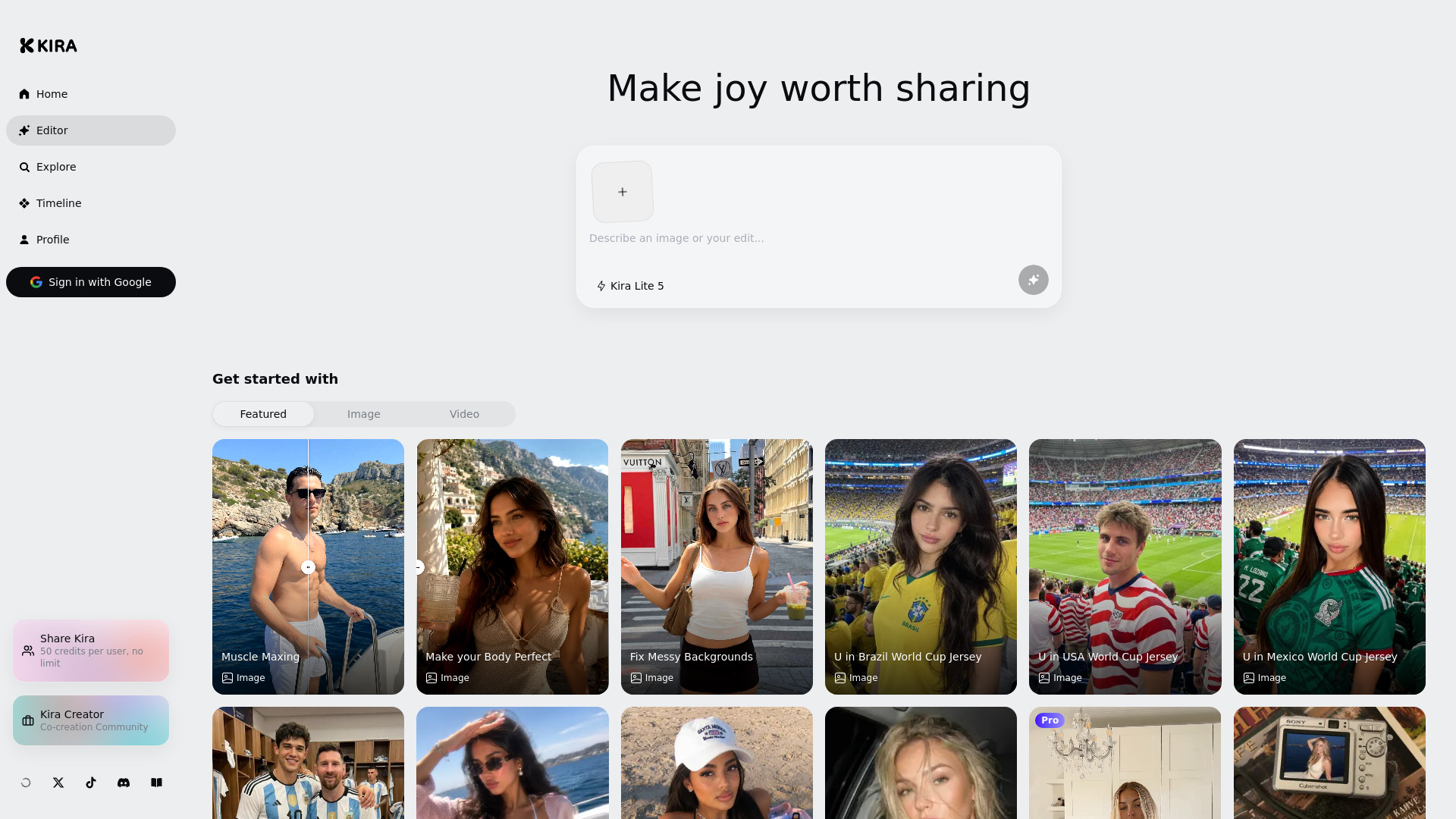
Kira is an AI-powered platform for generating and editing creative images and videos. It allows users to transform photos and videos with various styles, effects, and scenes, such as changing backgrounds, adding motion, or placing subjects in new environments.
How to use Kira
- Sign in using your Google account.
- Describe your image or edit in the text box on the home page.
- Select a model (e.g., Kira Lite 5) from the dropdown.
- Upload an image or video (supports PNG, JPEG, WebP, HEIC, MP4, MOV, WebM).
- Click the generate button (sparkle icon) to create your output.
Features of Kira
- AI Image Generation: Create images from text descriptions.
- AI Video Generation: Generate videos with motion control.
- Image Editing: Edit existing images (e.g., fix backgrounds, change outfits).
- Video Editing: Apply effects and transformations to videos.
- Multiple Models: Choose from different AI models (e.g., Kira Lite, Pro, Max).
- Community Sharing: Share creations and earn credits.
Use Cases of Kira
- Body transformation: "Muscle Maxing" or "Make your Body Perfect"
- Background cleanup: "Fix Messy Backgrounds"
- Virtual try-on: "U in Brazil World Cup Jersey", "U in USA World Cup Jersey"
- Fantasy scenes: "U with Messi", "U in Private Jet", "U at NBA Live"
- Style transfer: "Dreamy Boat Portrait", "Y2K Beach Pic", "Euro Summer"
- Video effects: "Viral Tiktok Dance", "Motion Control"
Pricing
Kira offers a credit-based system. Users can earn 50 credits per referral with no limit. Some features are labeled "Pro" or "Max", indicating premium tiers.
FAQ
Q: What file types are supported?
A: Images (PNG, JPEG, WebP, HEIC) and videos (MP4, MOV, WebM).
Q: How do I get credits?
A: You can earn credits by sharing Kira with others (50 credits per user, no limit).
Q: Is there a free version?
A: Yes, Kira Lite is available. Pro and Max features require higher-tier access.