LogoTopAIHubs
icon of Make Infographic AI

Make Infographic AI

AI-powered infographic maker that converts text into polished, editable visuals with templates and export options.

Introduction

What is Make Infographic AI

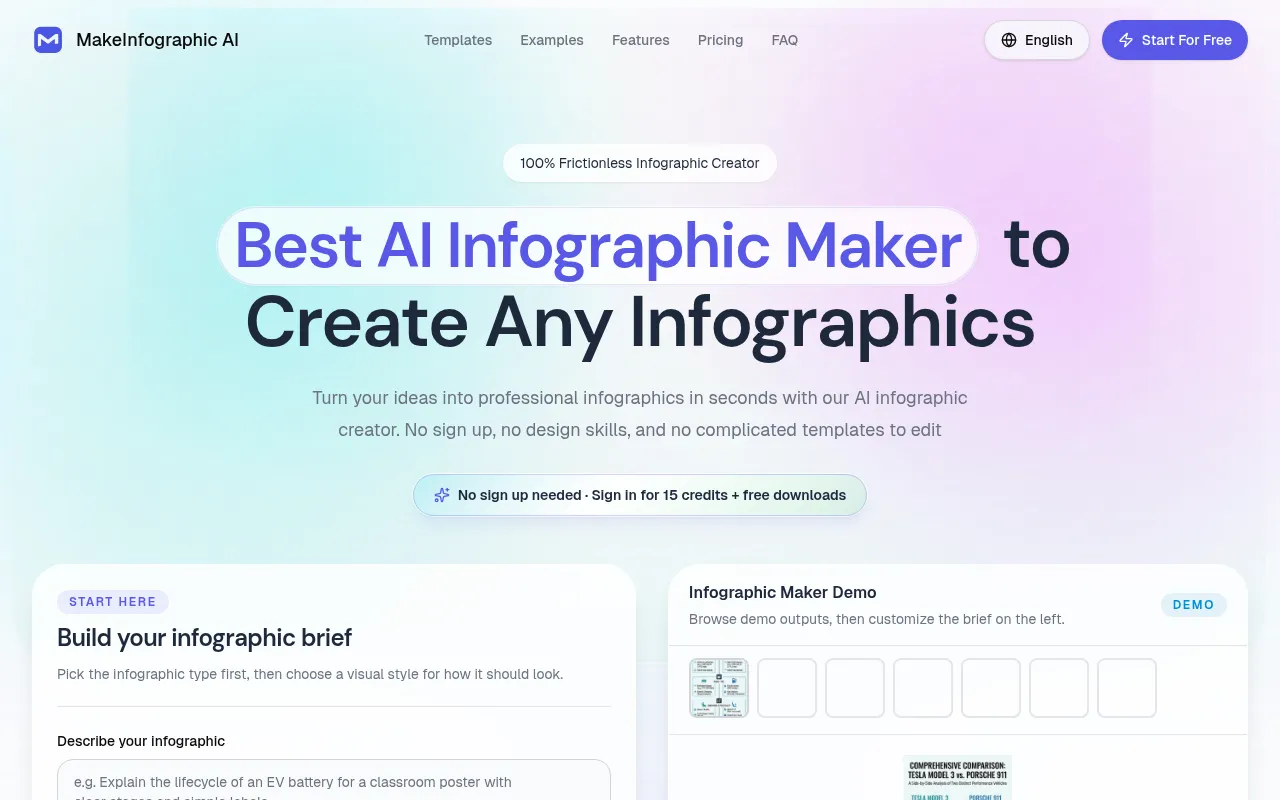
Make Infographic AI is an AI-powered tool that allows users to create professional infographics quickly and easily. It transforms text into polished, editable visuals using templates and various export options. The service emphasizes a "frictionless" experience, requiring no sign-up or design skills.
How to use Make Infographic AI
  1. Describe your infographic: Enter your topic, key points, data, or outline. The AI infographic generator can turn text into a structured infographic in seconds.
  2. Choose a style: Select the desired visual style, layout, colors, and overall aesthetic. The tool supports various infographic types for business, education, marketing, and social media.
  3. Download or edit: Once generated, infographics can be downloaded instantly or further edited.
Features of Make Infographic AI
  • AI-powered generation: Converts text prompts into infographics.
  • No sign-up required: Users can start creating immediately.
  • Template variety: Offers different infographic types like timelines, comparison charts, process flows, pyramids, dashboards, roadmaps, explainers, and decision trees.
  • Multiple visual styles: Supports styles such as Clean, Sketch, Clay 3D, Comic, Isometric, and Editorial.
  • Customizable output: Allows for editing and downloading in various formats.
  • Social media optimization: Enables adaptation of topics for different platforms like X, TikTok, Pinterest, and Instagram.
  • High-resolution export: Offers options for 1K, 2K, and 4K resolutions (4K requires a Pro subscription).
  • Watermarking: Free users receive a default watermark; Pro users can customize it.
Use Cases of Make Infographic AI
  • Education: Teachers can create teaching infographics, classroom charts, and learning diagrams. Students can transform notes and research into visual summaries and timelines.
  • Marketing: Marketers can design infographic content, comparison charts, and social media visuals to communicate value and insights.
  • Research: Researchers can convert findings and complex information into shareable charts and diagrams.
  • Training: Trainers can build process charts and step-by-step instructions for teams.
  • Content Creation: Bloggers, social media managers, and content creators can produce shareable infographics for various platforms.
  • Internal Operations: HR and internal teams can create onboarding diagrams, policy summaries, and organizational visuals.
  • Consulting: Consultants can design business infographics and roadmaps for clients.
FAQ
  • What is an AI infographic generator? An AI infographic generator is a tool that uses artificial intelligence to transform text or prompts into visual infographics, automating the design process.
  • Can MakeInfographic.ai generate infographics for free and fast? Yes, the tool offers free creation with instant results and no sign-up required for basic use.
  • Can I make timeline infographics with AI? Yes, the tool supports creating timeline infographics, among other types.
  • Can I create educational posters for classroom use? Yes, the tool is suitable for creating educational posters and classroom materials.
  • What aspect ratios are supported? The tool supports various aspect ratios, including 1:1, 1:4, 3:4, 4:5, 9:16, and 2:3.
  • Can I generate infographics in Spanish, French, or Arabic? The webpage indicates support for multiple languages, including Spanish, French, and others, through alternate language versions of the site.
  • Is this better for posters or editable charts? The tool is versatile and can be used for both posters and editable charts.
  • Can I use it for presentations and lesson materials? Yes, the generated infographics can be used for presentations and lesson materials.
  • What are the 7 types of infographics? The tool supports various types, including Timeline, Comparison, Process, Pyramid, Statistical, Explainer, and Flowchart infographics.
  • Can ChatGPT make infographics? While ChatGPT is a language model, specialized AI tools like Make Infographic AI are designed specifically for visual generation.
  • How to make an infographic? Describe your idea, choose a style, and the AI will generate the infographic, which can then be downloaded or edited.

Newsletter

Join the Community

Subscribe to our newsletter for the latest news and updates