What is MakeItAQuote
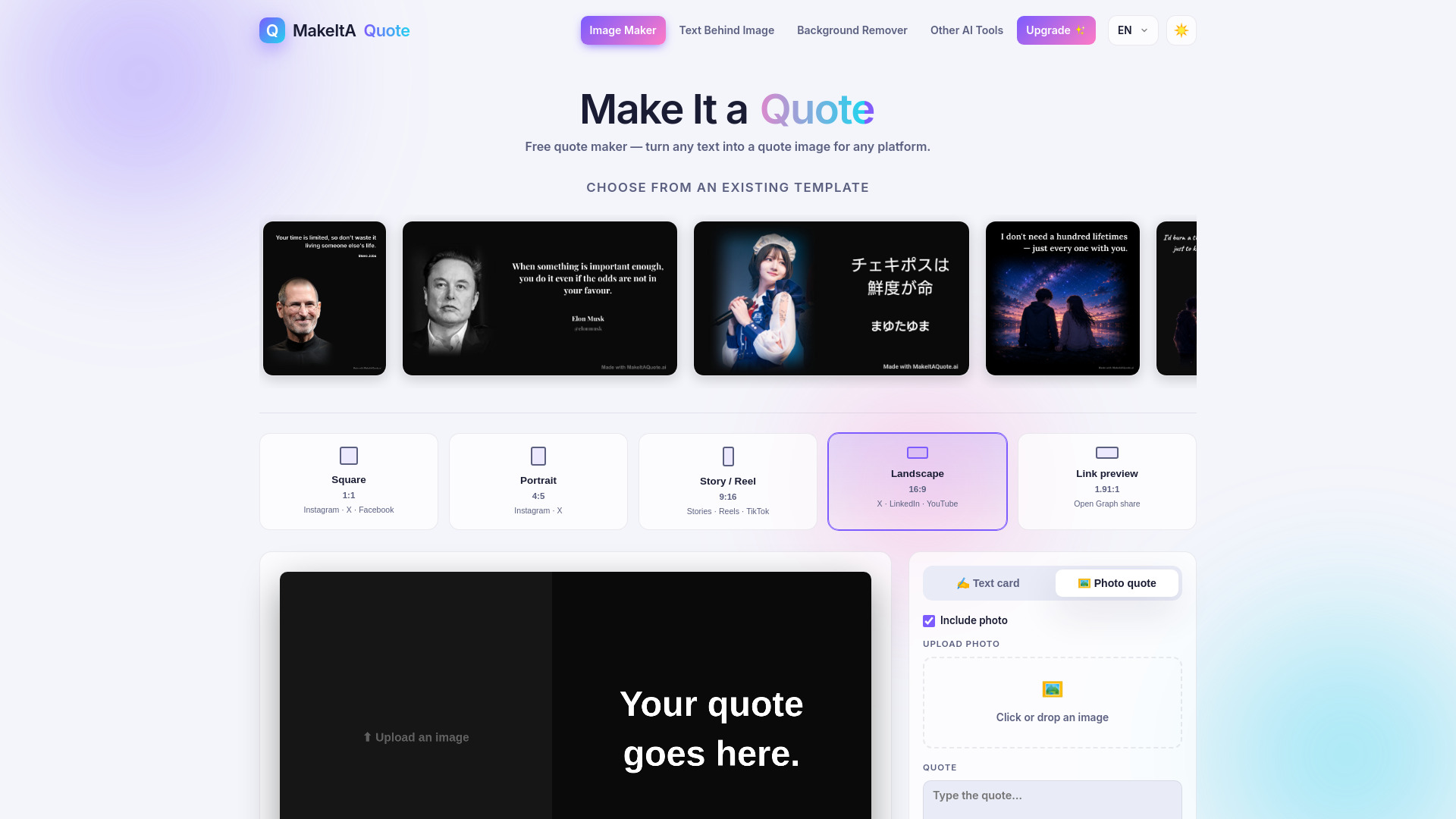
MakeItAQuote is a free online quote maker that turns any text into a beautiful quote image or photo quote for Instagram, Stories, TikTok, X, and LinkedIn. It offers gradient text cards and photo quote modes, with no sign-up required and all processing done in the browser.
How to use MakeItAQuote
- Type or paste your text – the quote, caption, or saying you want to turn into an image.
- Pick a style – choose a gradient text card or a photo quote using your own picture.
- Choose your size – select from square, portrait, 9:16 for Stories/Reels/TikTok, 16:9 for X/LinkedIn/YouTube, or 1.91:1 for link previews.
- Download – export a high-resolution PNG, ready to post.
Features of MakeItAQuote
- Two modes: Gradient text card or photo quote with your own image.
- Multiple export sizes: 1:1 square, 4:5 portrait, 9:16 Stories/Reels/TikTok, 16:9 X/LinkedIn/YouTube, 1.91:1 link preview.
- Customization: Choose fonts, text size, colors, alignment, and background color.
- Photo quote options: Upload your own photo, place it left or right, keep it in color or black & white, and optionally remove the background.
- No sign-up required: Everything renders in your browser; photos never leave your device.
- Free to use: No cost for any features.
- Watermark toggle: Optionally include or remove a watermark.
Use Cases of MakeItAQuote
- Creating quote images for Instagram feed, Stories, and Reels.
- Making text posts for X and LinkedIn.
- Designing cover images for TikTok videos.
- Generating quick graphics for blog posts or newsletters.
- Producing link preview images with the 1.91:1 format.
FAQ
What sizes can I export?
1:1 square, 4:5 portrait, 9:16 Stories/Reels/TikTok, 16:9 X/LinkedIn/YouTube, and 1.91:1 link preview — all high-resolution PNGs.
Can I add my own photo?
Yes. Switch to Photo quote mode, upload any image, keep it in color or black & white, and place it left or right of the text. Your photo never leaves your browser.
Is it free?
Completely free, no sign-up. Everything renders in your browser and nothing is uploaded.