What is Manga Maker
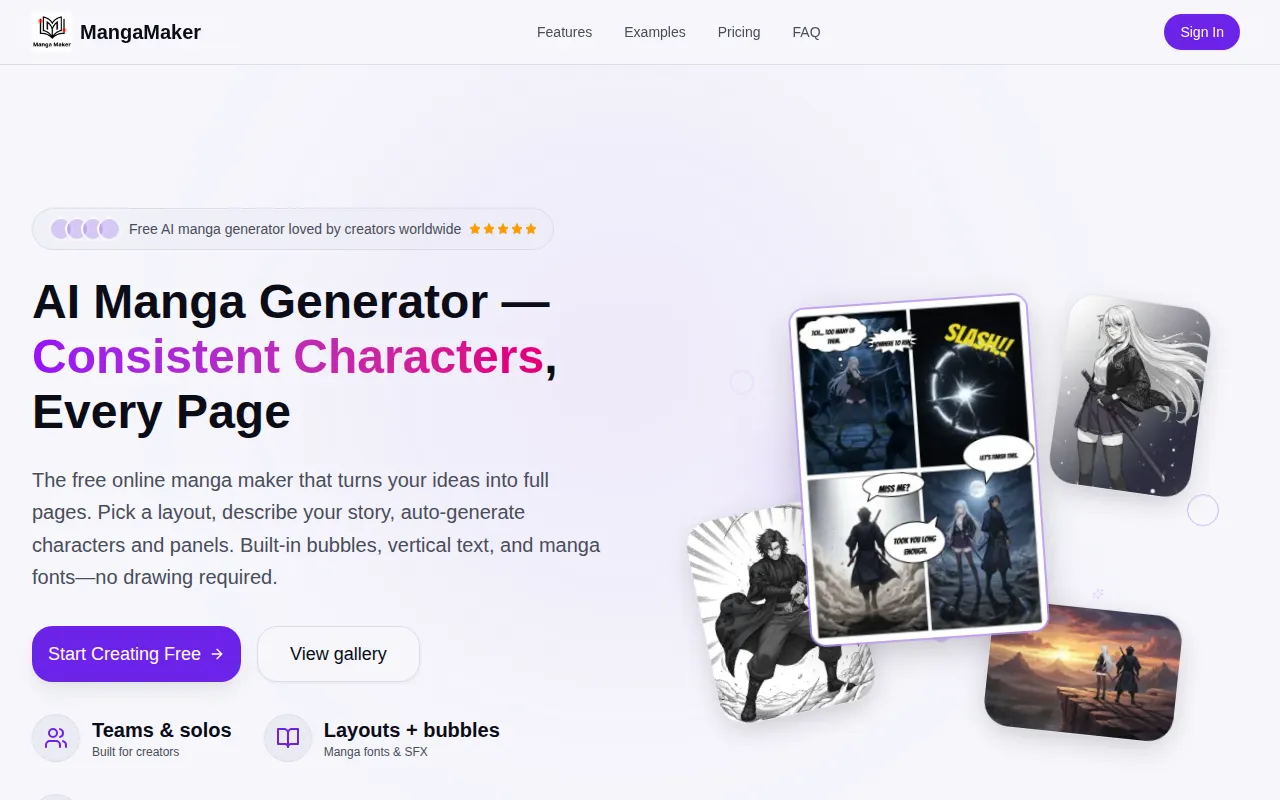
MangaMaker is a free online AI manga generator and comic maker that allows users to create manga, comics, webtoons, and anime-style art. It combines AI-powered tools, including a manga canvas editor, text-to-image generator, and a character consistency system, enabling users to create full manga and comic pages without needing drawing skills.
How to use Manga Maker
- Choose a layout: Select a grid or 4-koma preset, or create your own panel layout. Adjust panels by dragging to resize and reorder them.
- Generate with AI: Describe the content for each panel using text prompts. The AI can generate characters and panel art based on these descriptions, maintaining character consistency.
- Edit & Export: Add speech bubbles, text, and SFX. Fine-tune panel order, spacing, and color grades. Export pages as PNGs or print-ready files.
Features of Manga Maker
- AI Manga Canvas: Intuitive canvas editor with drag-and-drop panels, speech bubbles, and professional manga layouts.
- Text-to-Manga Art: Transform text descriptions into manga-style artwork using advanced AI models.
- Character Consistency: Create characters once and maintain their appearance across all panels automatically.
- Panel Layouts: Choose from over 10 panel templates or create custom layouts.
- Text & Bubbles: Utilize multiple speech bubble styles and 28 manga fonts.
- Style Control: Supports Manga, Comic, and Webtoon styles.
- AI Generation: Generate panels with AI using text prompts.
- Character Library: Save and reuse character references for consistent appearance.
- Easy Updates: Modify character designs, and they update across the comic.
- Multiple Art Styles: Access over 20 art styles.
- High Resolution Export: Export pages in high resolution.
- Browser-Based: Works in any modern web browser, including mobile browsers (though desktop/tablet recommended for the canvas editor).
Use Cases of Manga Maker
- Creating full manga pages quickly (approx. 5 minutes per page).
- Generating comic strips for social media content.
- Developing game cutscenes with consistent character art.
- Bringing stories to life for users without drawing skills.
- Producing professional-looking manga and comic pages for web or print.
Pricing
MangaMaker offers a free tier with access to all features. Premium plans are also available for users needing additional credits, higher resolution outputs, and priority generation.
FAQ
- What is MangaMaker? MangaMaker is a free online AI manga maker and comic generator that lets you create manga, comics, webtoons, and anime-style art. It combines AI-powered tools including a manga canvas editor, text-to-image generator, and character consistency system, so anyone can create full manga and comic pages without drawing skills.
- How does AI manga generation work? Describe what you want in each panel using natural language. The AI understands your descriptions and generates manga-style artwork, allowing specification of characters, poses, expressions, backgrounds, and art styles. Character consistency across panels is maintained automatically.
- Can I use the content I create for commercial projects? Yes, all content created with MangaMaker is yours to use for commercial purposes, including publishing online or selling printed copies.
- What makes MangaMaker different from other AI manga generators? MangaMaker offers character consistency across panels, professional manga and comic layout tools, speech bubbles and text styling, multiple manga-specific art styles, and an all-in-one canvas editor.
- Is MangaMaker free to use? Yes, MangaMaker offers a generous free tier. Premium plans are available for power users.
- Can I use MangaMaker on mobile devices? MangaMaker works in any modern web browser, but a desktop or tablet is recommended for the best experience with the canvas editor.
- How do I maintain character consistency? Create characters in the Character Library with reference images and descriptions. Select your characters when generating panels, and MangaMaker's AI will maintain their appearance.