What is Meetily AI
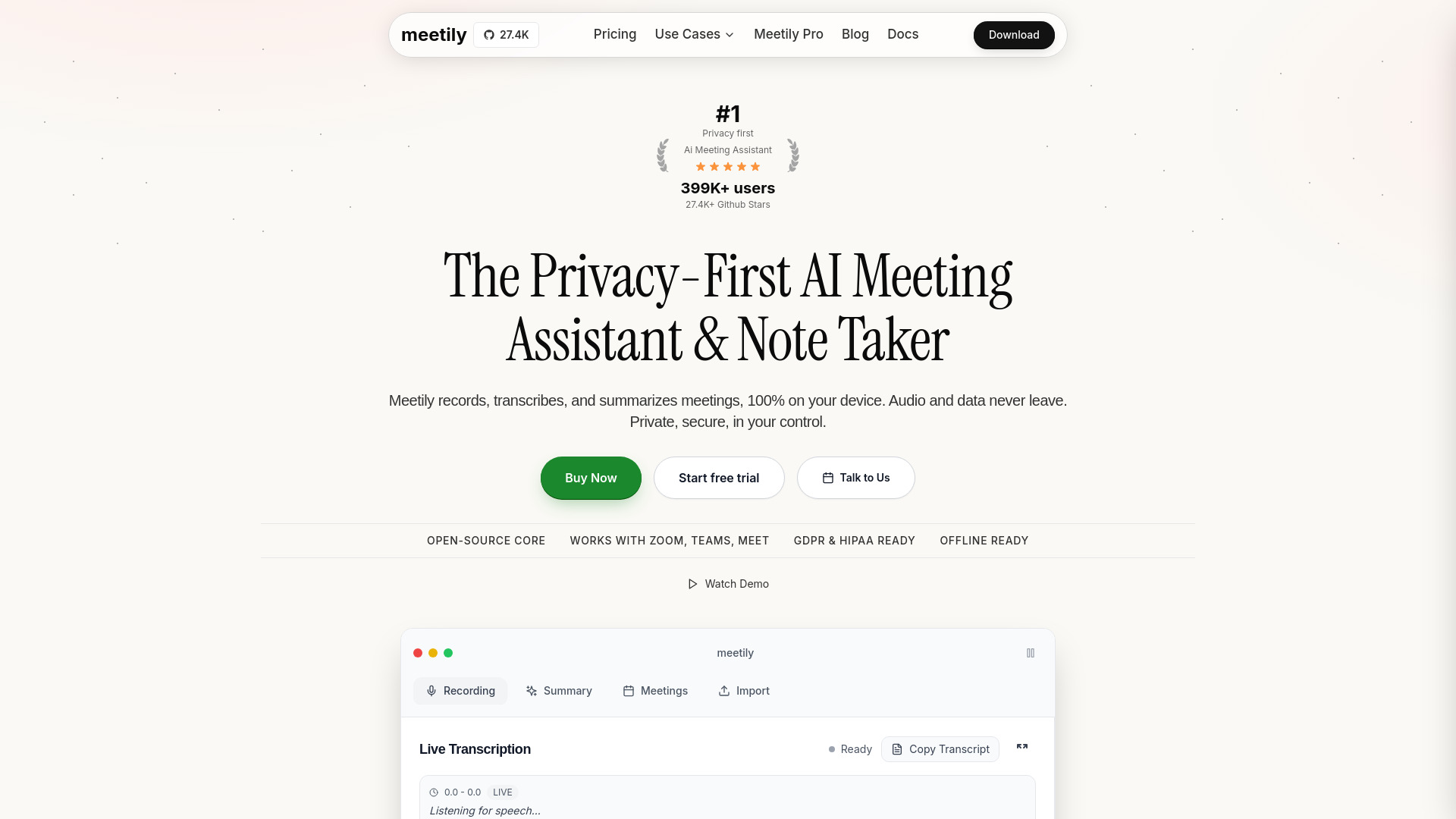
Meetily AI is a privacy-first AI meeting assistant that records, transcribes, and summarizes meetings entirely on your device. Audio and data never leave your computer, ensuring complete privacy and security. It is an open-source alternative to services like Otter.ai, Fireflies, and Granola, with a Community Edition that is free to use.
How to use Meetily AI
- Download and install the Meetily desktop app for Windows or macOS from the official website.
- Launch the app and start a meeting on any platform (Zoom, Google Meet, Microsoft Teams, Discord, etc.).
- Click the record button in the app to begin live transcription. The app uses Whisper.cpp for real-time, local transcription.
- View the live transcript as the meeting progresses. You can copy the transcript or export it.
- Generate AI summaries using pluggable AI models (local models like Llama, Ollama, or bring your own API key for cloud models). The summary includes section summaries, key decisions, and action items.
- Import audio files (MP4, M4A, WAV, MP3, FLAC, OGG, AAC, MKV, WebM, WMA) to transcribe and summarize past meetings.
- Access all your meetings in a centralized view, with search and filtering options.
Features of Meetily AI
- 100% Local Processing – No cloud dependencies; all transcription and AI processing happens on your device.
- Open Source (MIT License) – The core is open source, allowing self-hosting and customization.
- GDPR & HIPAA Compliant by Design – Data never leaves your machine, ensuring compliance.
- Works with Major Meeting Platforms – Google Meet, Zoom, Microsoft Teams, Discord, Webex, Jitsi Meet, Whereby, GoToMeeting, Skype, and more.
- AI-Powered Summaries – Supports Claude, Llama, Ollama, and other models for generating meeting summaries.
- Real-time Transcription – Powered by Whisper.cpp for accurate, low-latency transcription.
- Speaker Diarization – Identifies and labels different speakers.
- Custom Model Integration – Bring your own AI models or use local ones.
- Calendar Integration – Syncs with your calendar to automatically detect and record meetings.
- Offline Support – Works without an internet connection.
- No Meeting Bots – No bots join your meetings; everything runs on your device.
- Centralized Meeting Storage – All transcripts and summaries are stored locally.
- Import Audio Files – Transcribe and summarize pre-recorded meetings.
Use Cases of Meetily AI
- Privacy-conscious professionals who cannot use cloud-based meeting assistants due to data sensitivity.
- Healthcare and legal teams that require HIPAA or GDPR compliance.
- Remote teams using Zoom, Teams, or Google Meet who want automated meeting notes without bots.
- Open source enthusiasts who prefer self-hosted, customizable tools.
- Individuals who want a free, offline-capable meeting note taker.
- Enterprise teams needing centralized, secure meeting documentation.
Pricing
- Community Edition – Free, with core features: real-time transcription, AI summaries, 100% local processing.
- Pro Edition – $10/user/month billed annually ($120/year per license). Includes advanced features and priority support. Early bird pricing available.
- Enterprise – Custom solutions for teams (contact sales).
FAQ
Is Meetily AI really 100% local? Yes. All transcription and AI processing happens on your device. Audio and data never leave your computer.
Does it work offline? Yes, Meetily works offline for transcription and summaries using local models.
Which meeting platforms are supported? It works with Zoom, Google Meet, Microsoft Teams, Discord, Webex, Jitsi Meet, Whereby, GoToMeeting, Skype, and more.
Is it open source? Yes, the core is open source under the MIT License. The code is available on GitHub.
What AI models can I use for summaries? You can use local models like Llama and Ollama, or bring your own API key for cloud models like Claude.
Is there a free version? Yes, the Community Edition is free and includes all core features.
How do I get started? Download the app from the official website and install it on Windows or macOS.