What is Minimax H3
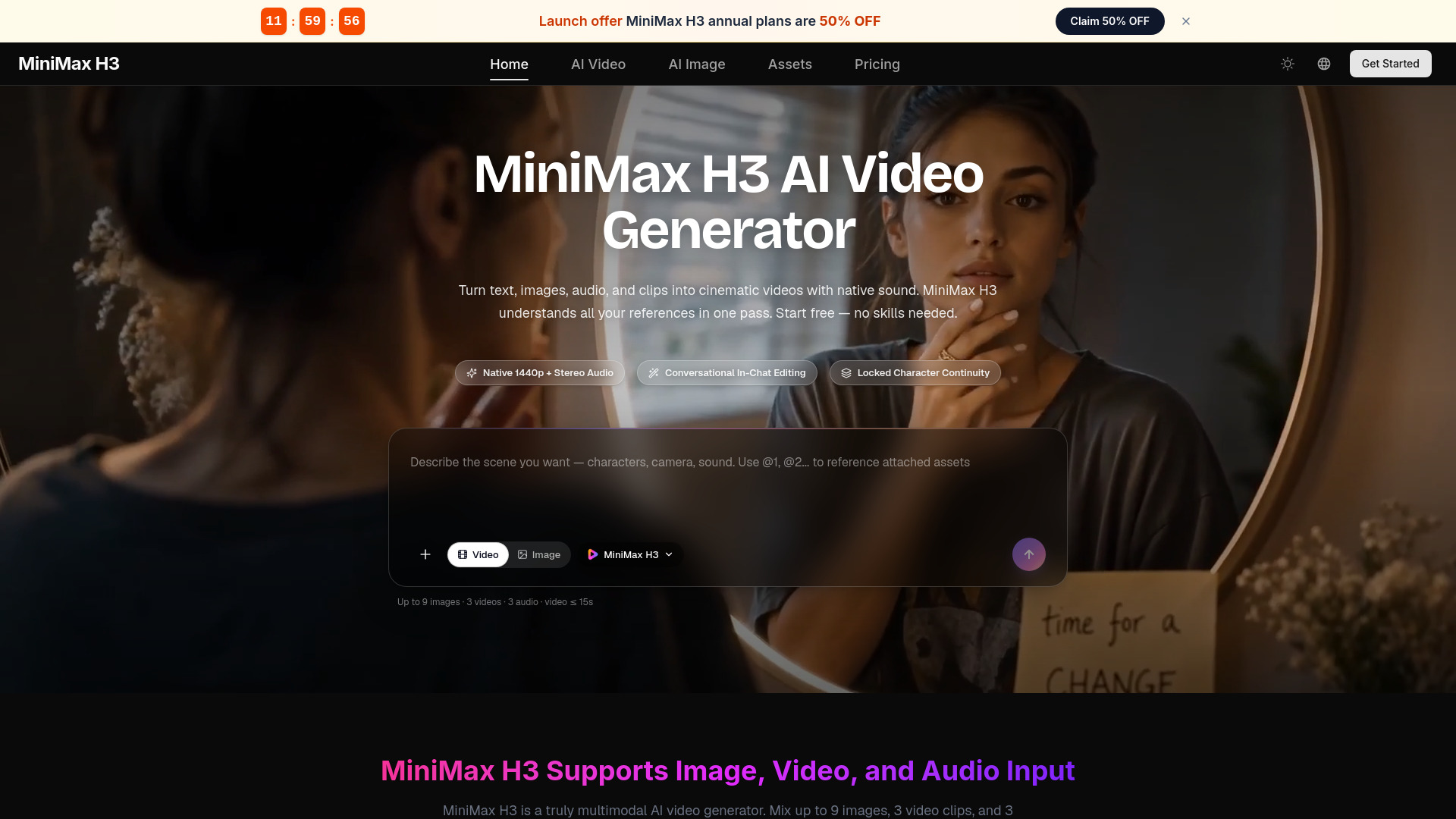
MiniMax H3 is a multimodal AI video generator that turns text, images, audio, and video clips into cinematic videos with native sound. It understands all your references in one pass, allowing you to mix up to 9 images, 3 video clips, and 3 audio tracks in a single request. It supports native 1440p resolution with stereo audio, conversational in-chat editing, and locked character continuity.
How to use Minimax H3
- Describe your scene: Use the text box to describe the scene you want, including characters, camera, and sound. You can reference attached assets using @1, @2, etc.
- Attach references: Click the plus icon to attach up to 9 images, 3 videos, and 3 audio files. You can also switch between Video and Image modes.
- Select model: Choose the MiniMax H3 model from the dropdown.
- Generate: Click the generate button (arrow icon) to create your video. The tool will blend your references into a coherent video with native stereo sound.
Features of Minimax H3
- Text to Video: Write a prompt up to 7,000 characters and turn it into a complete video with visuals, motion, and sound.
- Image to Video: Animate any photo or illustration. Use first and last frame images to control the start and end of a shot.
- Reference Everything: Bring a character photo, a motion clip, and a style frame together. H3 keeps faces on-model, copies choreography, and matches visual style.
- Native Audio & Voice Clone: Every generation includes stereo sound—ambience, effects, music, and dialogue. Provide a voice sample to make a character speak new lines in that voice.
- Instruction-Based Editing: Replace subjects, remove objects, swap backgrounds, relight scenes, and change dialogue with one sentence. Unedited parts stay pixel-stable.
- Any Aspect Ratio: Generate in 21:9, 16:9, 4:3, 1:1, 3:4, or 9:16, or let H3 pick the best frame automatically.
- Multimodal Understanding: Feed up to 12 files at once—images, video clips, and audio. H3 understands people, motion, emotion, camera work, and style, then merges them into a single coherent video.
- Commercial-Grade Output: Handles on-screen text, subtitles, brand marks, UI motion, and product detail with quality suitable for real production work.
Use Cases of Minimax H3
- Game Content: Generate game CG, first-person gameplay shots, character PVs, and animated UI demos. H3 keeps HUD elements, menus, and character designs consistent.
- Stylized Animation: From claymation and pixel art to anime and 3D fantasy styles, H3 holds a look across every shot.
- Product & E-commerce: Turn product photos into polished showcase videos, feature explainers, and ad creatives. H3 renders brand text, packaging, and product details accurately.
- Cinematic Films: Direct trailers, brand films, and short dramas with real camera language—rack focus, hard cuts, title cards, and synced sound design.
Pricing
MiniMax H3 offers a free tier to start. The webpage mentions "Start free — no skills needed" and "all free to try." Specific pricing plans are not detailed on this page, but a Pricing page is linked in the navigation.
FAQ
What is the maximum number of references I can use?
You can mix up to 9 images, 3 video clips, and 3 audio tracks in a single request.
Can I edit a video after it's generated?
Yes, MiniMax H3 supports instruction-based editing. You can swap characters, replace backgrounds, relight scenes, and change dialogue with plain-language instructions.
What output resolution and audio does it support?
It generates videos in native 1440p with stereo audio.
Can I use my own voice for a character?
Yes, provide a voice sample and H3 can make your character speak new lines in that voice.
What aspect ratios are available?
You can generate in 21:9, 16:9, 4:3, 1:1, 3:4, or 9:16, or let H3 choose automatically.