What is MixMemo - Visual AI Canvas
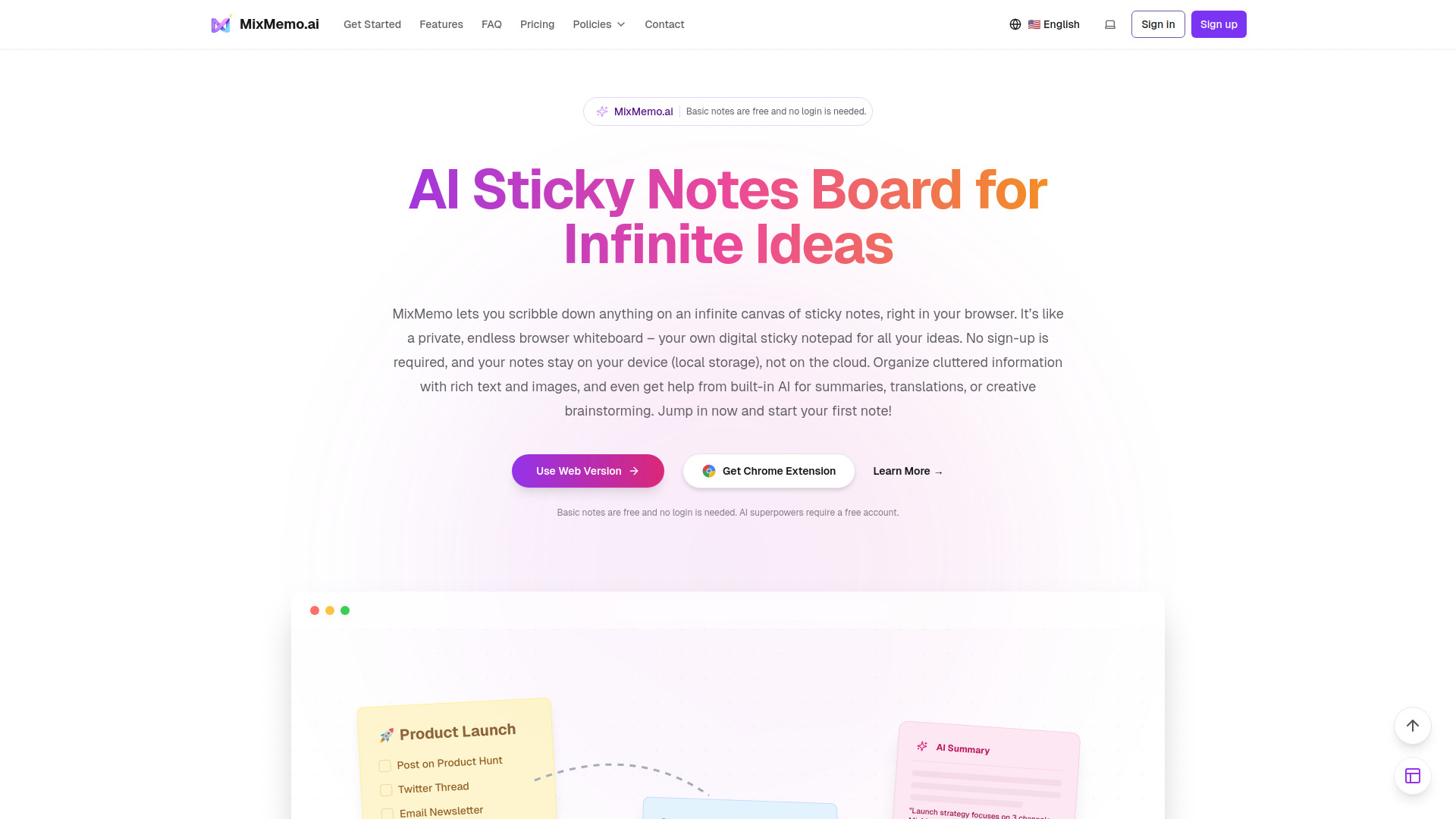
MixMemo is a browser-based application that functions as an infinite sticky notes board and notepad. It allows users to create, organize, and manage notes on a boundless canvas, offering rich text formatting, image and file attachments, and AI-powered features. The tool emphasizes privacy by storing notes locally in the browser's storage, with cloud processing only occurring when AI features are explicitly used or when sharing content.
How to use MixMemo - Visual AI Canvas
- Open MixMemo: Access the application directly in your browser. No login is required to start using the canvas.
- Create a Note: Click anywhere on the canvas to create a sticky note. You can start typing immediately, or paste text, images, and attachments directly into the note.
- Organize Ideas: Notes can be moved by dragging their top-left handle, resized using the bottom-right handle, deleted via the top-right option, and shared using the bottom-left button.
- Navigate the Canvas: Pan across the infinite board by dragging the canvas. Use the mouse wheel for vertical scrolling. A minimap is available for quick navigation between different areas of the board.
- Enhance with AI: Select text or an entire note to utilize AI features such as rewriting, summarizing, translating, or generating quiz cards. AI can also be used to create infographics from your notes.
- Export: Save your notes as PNG images, PDF documents, or generate public share links.
Features of MixMemo - Visual AI Canvas
- Infinite Sticky Notes Board: A boundless canvas for creating and organizing notes with smooth navigation and a minimap.
- Rich Text, Attachments & AI Infographics: Supports formatting (bold, italic, lists, etc.), image/file uploads, and AI-generated diagrams (Mindmap, Flowchart, Timeline, etc.).
- AI Text Enhancement: Tools to rewrite, summarize, translate, and generate quiz cards from selected text or entire notes.
- Privacy & Local-First Storage: Notes are stored locally by default, with optional cloud processing for AI features or sharing.
- Sharing, Export, and Backup: Export notes as PNG or PDF, create public share links, and import/export notes for backup.
- Chrome Extension: Offers the same canvas experience and AI capabilities as the web app, with local storage.
- Transparent Notes: Notes become semi-transparent when not in focus to reduce clutter.
Use Cases of MixMemo - Visual AI Canvas
- Students & Exam Takers: Organize lecture notes, create flashcards, summarize chapters, and generate quizzes for exam preparation.
- Professionals & Knowledge Workers: Manage projects visually, brainstorm ideas, plan workflows, and research by organizing information on an infinite canvas. Paste snippets from reports and generate AI-powered diagrams or presentations.
Pricing
MixMemo offers a Free plan with 100 credits on first login, watermarked content, no commercial license, standard support, slow generation speed, and standard definition images. Paid plans include:
- Starter: 5,000 credits/month, about 500 AI images, no feature restrictions, credits reset monthly, no watermark, commercial license, basic support.
- Creator: 25,000 credits/month, about 2,500 AI images, access to advanced models, credits reset monthly, no watermark, commercial license, unlock upcoming AI music/video generation, priority support.
- Enterprise: 100,000 credits/month, about 10,000 AI images, access to advanced models, credits reset monthly, no watermark, commercial license, unlock upcoming AI music/video generation, priority support.
Credit Packs are also available for purchase: Small (1,000 credits), Medium (5,000 credits, 40% savings), and Large (25,000 credits, 60% savings). Credits do not expire and reset on subscription renewal. A 7-day refund policy is available for paid subscriptions.