LogoTop AI Hubs
icon of NanoMaker AI

NanoMaker AI

All-in-one AI creative suite for images, video, music and audio—instant results from advanced models in one subscription.

Introduction

What is NanoMaker AI

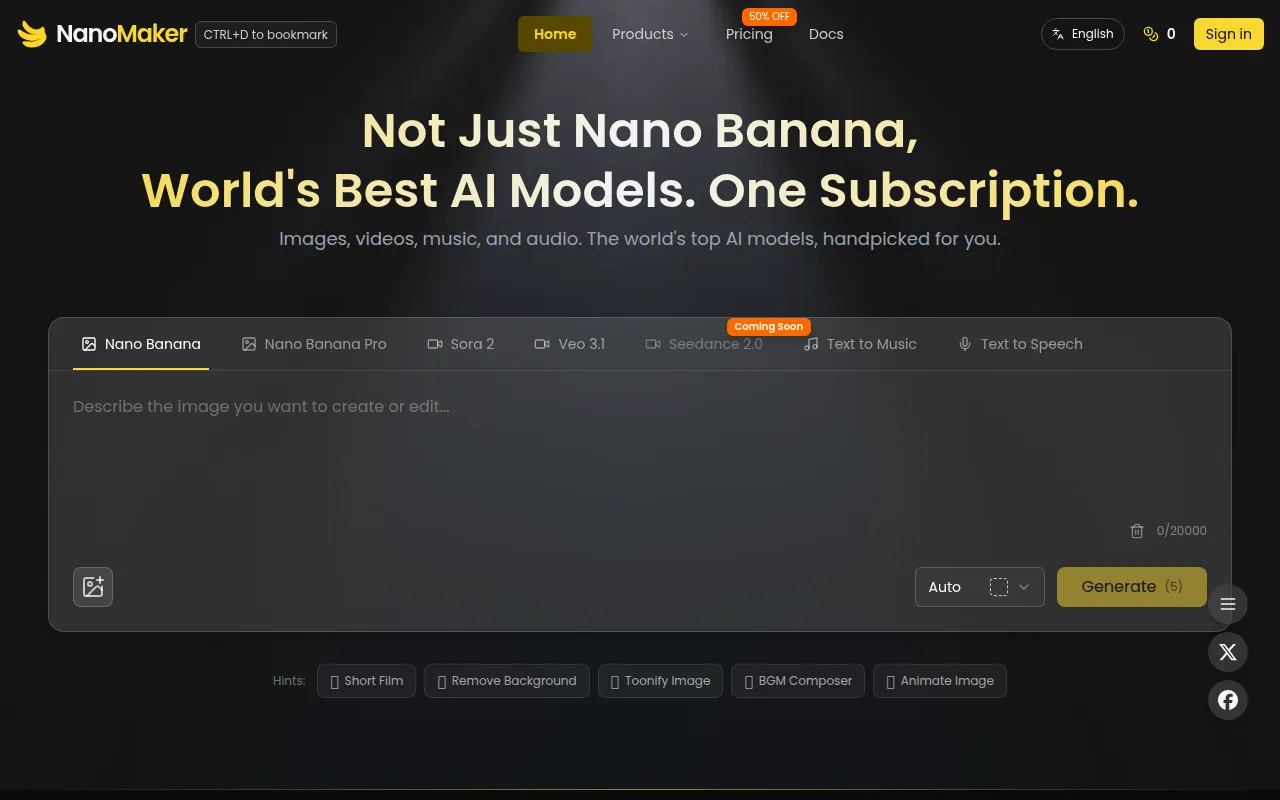
NanoMaker AI is an all-in-one AI creative suite that offers instant results from advanced models for images, video, music, and audio, all within a single subscription. It aims to provide a seamless creative workflow by integrating various AI tools onto a single platform.
How to use NanoMaker AI
  1. Enter Your Prompts: Describe your desired edits or creations in natural language. NanoMaker AI is designed to understand complex instructions.
  2. Upload Your Image (optional): Drop an image or click to upload. Supported formats include JPEG, PNG, or WebP, with a maximum file size of 5MB. NanoMaker AI processes the image instantly.
  3. Get Instant Results: Your creations will appear instantly with consistent character and scene blending.
Features of NanoMaker AI
  • AI Image Maker: Create and edit images using advanced AI models.
  • AI Video Maker: Generate or enhance videos.
  • AI Music Maker: Compose music with AI.
  • AI Voice Maker: Generate voiceovers or audio.
  • Transform Photos into 3D Figurines: Convert photos into 3D figurine-style characters.
  • Seamless Background Replacement: Intelligently swap backgrounds with natural blending and lighting adjustments.
  • Professional Lighting Control: Adjust light direction, intensity, and color temperature for professional results.
  • Artistic Style Transformation: Apply various artistic styles (e.g., watercolor, oil painting, anime) to images while preserving subject identity.
  • Intelligent Color Modification: Edit colors selectively or across the entire scene, maintaining texture and lighting.
  • Age Transformation: Generate younger or older versions of portraits while retaining realism.
  • Complete Creative Suite: Access multiple AI tools (image, video, music, audio) in one subscription.
  • Transparent Pricing: One subscription covers all AI models with no hidden fees.
Use Cases of NanoMaker AI
  • Creating social media avatars and collectible art.
  • Generating professional corporate portraits and headshots.
  • Designing YouTube thumbnails and promotional graphics.
  • Transforming photos into different artistic styles (e.g., line drawings, caricatures).
  • Replacing backgrounds in photos for creative or professional purposes.
  • Modifying lighting and color schemes in images.
  • Generating age-progressed or age-regressed portraits.
  • Creating custom emojis and meme generators.
  • Restoring old photos and removing watermarks.
  • Generating music and voiceovers for content creation.
FAQ
  • What is NanoMaker AI? NanoMaker AI is an all-in-one AI creative suite offering image, video, music, and audio generation tools under a single subscription.
  • What kind of AI models are included? The suite includes models like Nano Banana for images, Gemini Veo for video, and tools for music and audio generation.
  • What file formats are supported for uploads? JPEG, PNG, or WebP formats are supported, with a maximum file size of 5MB.
  • Can I use it for professional work? Yes, features like professional headshots, background replacement, and lighting control are designed for professional use.

Newsletter

Join the Community

Subscribe to our newsletter for the latest news and updates