What is NeatScribe
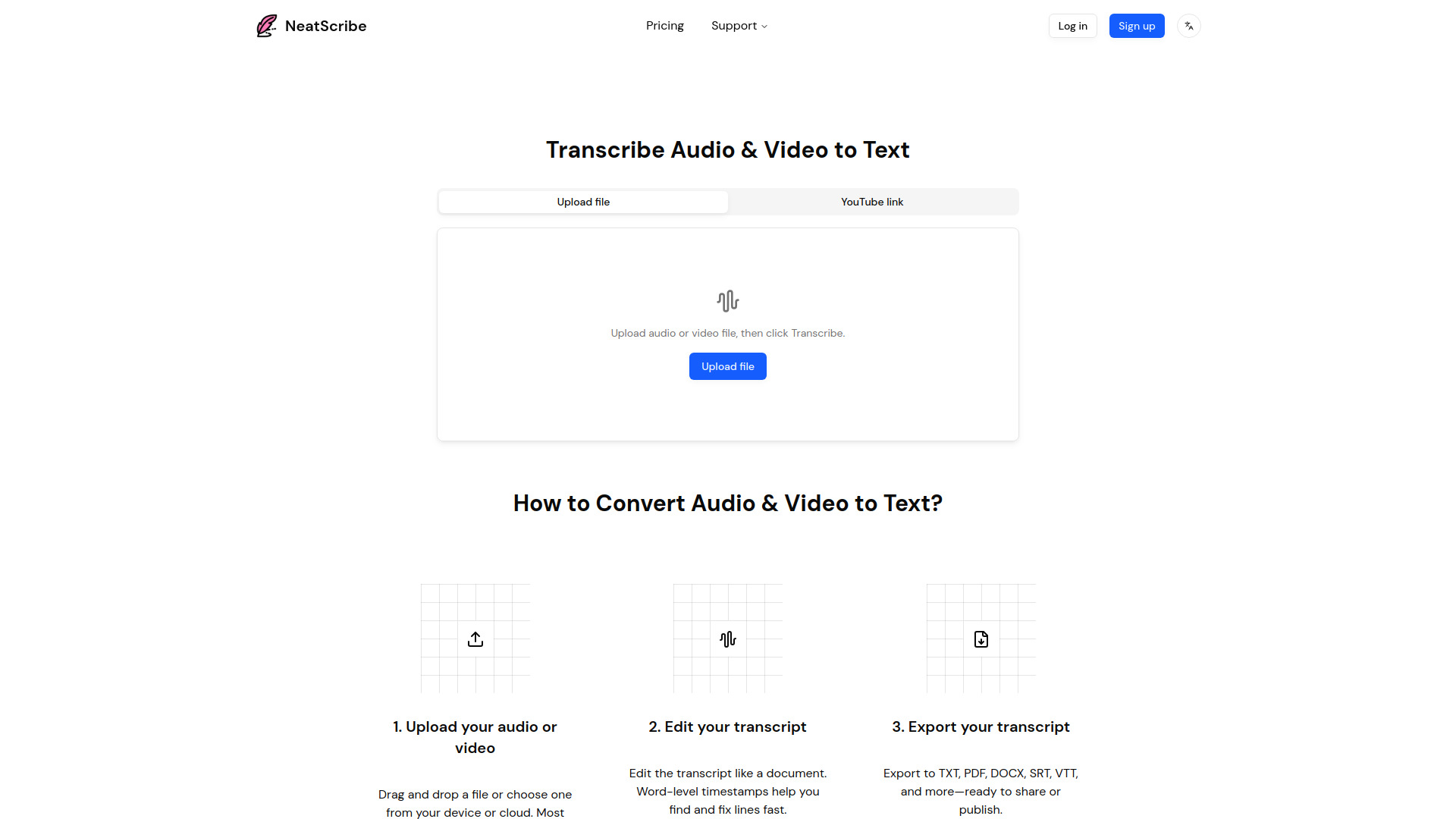
NeatScribe is an intelligent audio and video to text converter that allows users to transcribe audio and video content into accurate text quickly and efficiently.
How to use NeatScribe
- Upload your audio or video: Drag and drop a file or choose one from your device or cloud. Most audio and video formats are supported.
- Edit your transcript: Edit the transcript like a document. Word-level timestamps help you find and fix lines fast.
- Export your transcript: Export to TXT, PDF, DOCX, SRT, VTT, and more—ready to share or publish.
Features of NeatScribe
- Transcribe audio and video to text.
- Supports a wide range of audio and video formats.
- Fast video-to-text conversion directly in the browser.
- High-accuracy transcripts with speaker labeling.
- Editable transcripts with word-level timestamps.
- Export options include TXT, PDF, DOCX, SRT, VTT, and more.
- Transcription available in 98 languages (Premium plan).
Use Cases of NeatScribe
- Transcribing podcasts, meetings, and interviews.
- Converting lectures and tutorials into text.
- Generating subtitles for videos.
Pricing
NeatScribe offers several pricing plans:
-
Free Plan:
- $0/month
- 120 credits per month
- Limited to 3 files per day
- Commercial use included
-
Pro Plan:
- $10/month
- 1200 credits per month
- No daily file limit for transcription
- Premium transcription model (ultra-fast speed)
- Commercial use included
-
Premium Plan:
- $30/month
- 6000 credits per month
- No daily file limit for transcription
- Premium transcription model (ultra-fast speed)
- Transcription available in 98 languages
- Commercial use included
FAQ
- Can I try the NeatScribe service for free? Yes. NeatScribe offers a Free Plan with 120 credits per month. You can upload up to 3 files per day.
- Can I edit the transcript after it's generated? Yes. You can edit directly in the transcript editor. Word-level timestamps and speaker labels make fine-tuning fast and precise.
- Which audio/video formats do you support? We support 3gp, aac, amr, awb, flac, m4a, mka, mkv, mov, mp2, mp3, mp4, mpg, oga, ogg, opus, ts, wav, weba, webm, wma and wmv. You can also transcribe directly by pasting a YouTube link.
- How do I cancel my subscription? You can cancel your subscription by visiting the billing page.
- Can I change my plan? Yes, you can change your plan at any time by visiting the billing page.