LogoTopAIHubs
icon of Olymp AI Bot Chrome Extension

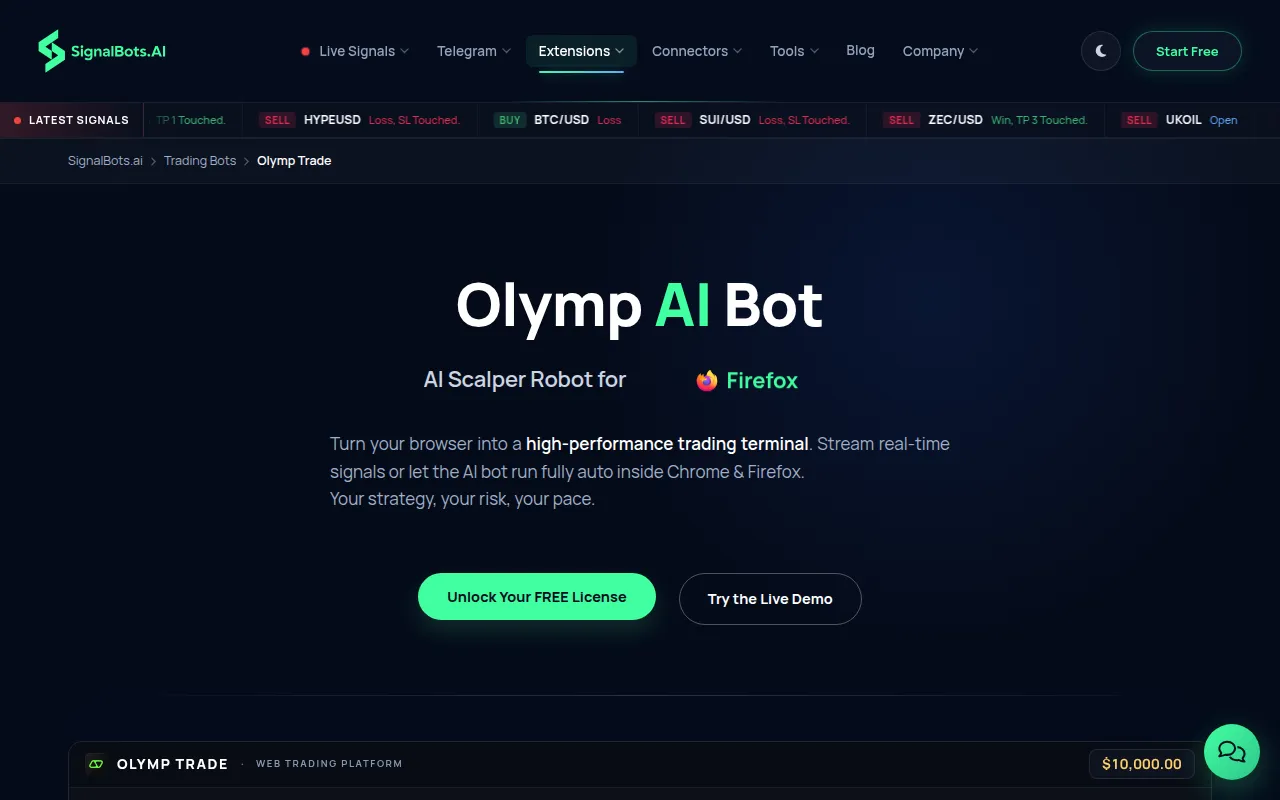
Olymp AI Bot Chrome Extension

AI browser extension that automates Olymp Trade fixed-time trading with real-time signals.

Introduction

What is Olymp AI Bot Chrome Extension

Olymp AI Bot is an AI-powered browser extension designed to automate trading on Olymp Trade's fixed-time trading platform. It leverages real-time signals to execute trades automatically.

How to use Olymp AI Bot Chrome Extension
  1. Install the Extension: Download and install the Olymp AI Bot from the Chrome Web Store or Firefox Add-ons. It is designed for desktop browsers only.
  2. Log in to Olymp Trade: Access your Olymp Trade account through your browser as usual.
  3. Activate with License Key: The extension requires a SignalBots license key for activation; it does not use your Olymp Trade password.
  4. Configure Settings: Use the extension's popup to configure trade size (Fixed Amount or Percentage of Balance), select desired timeframes, assets, and strategies.
  5. Choose Trading Mode: Select between "Auto-Trade" mode for automated execution or "Manual Confirm" mode to review signals before placing trades.
  6. Monitor Signals: The extension provides a live log of all signals, including those executed, filtered, or skipped, with reasons.
Features of Olymp AI Bot Chrome Extension
  • Automated Trading: Executes fixed-time trades on Olymp Trade.
  • Real-time Signals: Provides and acts upon live trading signals.
  • Dual Modes: Supports both fully automated trading and manual confirmation of signals.
  • Customizable Settings: Allows configuration of trade size, timeframes, assets, and strategies.
  • Live Signal Log: Displays a real-time feed of all evaluated signals.
  • Account Safety: Does not require Olymp Trade password, runs locally, and does not tamper with broker data.
  • Demo Mode: Available for testing before using real funds.
  • Auto-Reconnect: Attempts to reconnect if the Olymp Trade feed drops.
  • Browser Compatibility: Works with Chrome, Firefox, Edge, Opera, Brave, and Vivaldi on desktop.
  • Lifetime License: One-time purchase with automatic updates.
Use Cases of Olymp AI Bot Chrome Extension
  • Automating fixed-time trades on Olymp Trade for efficiency.
  • Receiving and acting on real-time trading signals.
  • Testing trading strategies in a demo environment before live trading.
  • Managing trade size through fixed amounts or percentage of balance.
  • Monitoring trading activity through a live signal log.
Pricing
  • License Type: One-time purchase for a lifetime license.
  • No Monthly Fees: No recurring charges or subscriptions.
FAQ
  • Is it safe for my Olymp Trade account? Yes. The extension does not ask for your Olymp Trade password, interacts only with your open browser tab, and does not tamper with the broker's data feed. It runs locally on your machine.
  • Does it work on Olymp Trade Demo? Yes. The extension defaults to Demo Mode upon installation, allowing you to test it with a demo balance before using real funds. You can switch to Live Mode later.
  • Auto-trade or manual confirm? Both modes are supported. In manual mode, signals appear in the panel for you to click and take. In auto-trade mode, the bot places trades automatically based on your configured settings.
  • What if I close the Olymp Trade tab? The extension operates only when the Olymp Trade tab is open. Closing the tab pauses signal delivery and auto-trading; it resumes when the tab is reopened.
  • Does it need my password? No. You log into Olymp Trade normally. The extension uses a SignalBots license key, not your broker password. Your credentials remain solely between you and Olymp Trade.
  • How fast is signal-to-click latency? End-to-end latency is under 10ms on a standard broadband connection. The bot evaluates setups locally in your browser before placing orders.
  • Is there a free demo trial? Yes. Demo Mode is unlocked upon installation, allowing the bot to run against the demo balance until a license is purchased. Demo Mode has limitations on assets, timeframes, and strategies.
  • Multiple accounts on one machine? Each license is tied to one Olymp Trade account. Trading a different account in the same browser will trigger an "Account Mismatch" block. A separate license is required for a second Olymp Trade account.
  • How do I set trade size? Trade size can be set via the popup menu. You can choose "Fixed Amount" (in dollars per trade) or "Percentage of Balance." The bot will adhere to this setting for all Auto-Trade orders.
  • Is the license one-time or monthly? The license is a one-time purchase for lifetime use. There are no monthly fees, recurring charges, or subscriptions to cancel. Updates are delivered automatically to the installed extension.
  • Does it run on Olymp Trade OTC? No. This extension is for the default (non-OTC) Olymp Trade platform. A separate, dedicated OTC extension is available for Olymp Trade OTC instruments.
  • Which Olymp Trade products are supported? The bot is designed for Fixed-Time options on olymptrade.com and is scoped only to the Fixed-Time trading interface.
  • Which timeframes are supported? Timeframes are configurable per session via the popup. You can select which Olymp Trade timeframes the bot should act upon, along with assets and strategies.
  • What is the Min Win-Rate filter? This filter sets a minimum historical win-rate for signals. The bot will skip any setup whose modeled win-rate falls below your specified floor. The default is 70%.
  • Does it warn on wrong account? Yes. The license is bound to a specific Olymp Trade account. If you switch to a different account in the same browser, the panel will display an "Account Mismatch" alert and block the bot until you switch back.
  • Does it show a live signal log? Yes. Every signal the bot evaluates is streamed to the panel in real-time, showing whether it was executed, filtered, or skipped, along with the reason. A "Clear all signals" button is available.
  • Auto-reconnect if the feed drops? Yes. The popup displays a connection status (Connecting/Connected/Disconnected), and the extension automatically retries connection if the Olymp Trade feed drops.
  • Does it run on mobile? No, it is for desktop browsers only. Mobile Olymp Trade platforms do not support full content-script extensions.
  • Which browsers are supported? Chrome and Chromium-based browsers (Brave, Edge, Opera, Vivaldi) use the Chrome build. Firefox and its forks use the Firefox MV3 build. It runs on Windows, macOS, and Linux.
  • Which Olymp Trade domains work? The extension works with olymptrade.com and its subdomains. It automatically detects the active Olymp Trade tab and attaches to it.

Information

Newsletter

Join the Community

Subscribe to our newsletter for the latest news and updates