LogoTopAIHubs
icon of Omni AI Video

Omni AI Video

High-quality AI video generator for cinematic text-to-video and image-to-video creation.

Introduction

What is Omni AI Video

Omni AI Video is a multimodal AI video generator powered by the Omni AI Model. It offers a unified platform for creating videos from text, images, audio, and video inputs, providing a comprehensive AI video workflow.

How to use Omni AI Video
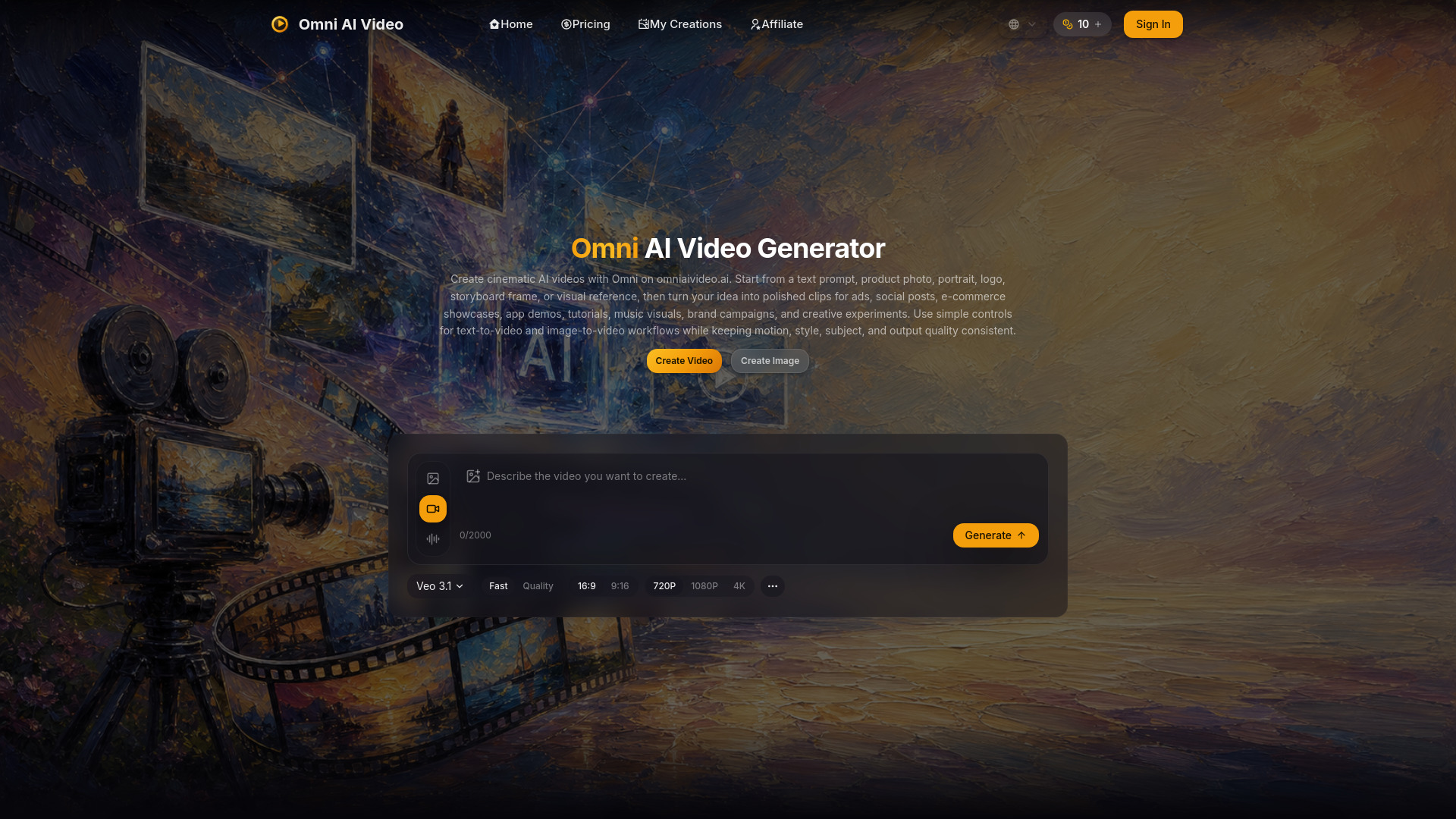
  1. Access the Generator: Navigate to the AI video generator on omniaivideo.ai.
  2. Describe Your Scene: Input your prompt, upload reference images or videos, and select the desired AI model.
  3. Generate and Download: Render the video, preview it, and then download or publish your creation.
Features of Omni AI Video
  • Unified Generator: Supports text-to-video, image-to-video, and reference-to-video workflows within a single AI model.
  • Multimodal Inputs: Accepts text, image, audio, and video as inputs for video creation.
  • Reference Support: Allows for real person reference images and video references.
  • Aspect Ratio Options: Offers 7 aspect ratio choices, including an auto mode.
  • Resolution Options: Supports 480p, 720p, and 1080p resolutions.
  • Duration Control: Allows selection of video duration (e.g., 5s, 10s, 15s).
  • Web Search Integration: Option to enable web search for content generation.
  • Credit-Based System: Uses credits for generation, with daily free credits and various purchase options.
  • Commercial Usage Rights: Outputs from paid plans can be used for commercial purposes.
  • Fast Generation: Aims for quick iteration and production times.
Use Cases of Omni AI Video
  • Text-to-Video: Create cinematic videos from written prompts.
  • Image-to-Video: Animate reference images into dynamic videos.
  • Video-to-Video: Utilize video inputs for generation.
  • Content Creation: Suitable for social media content, ads, product showcases, and creative projects.
  • Client Work: Outputs can be used for client projects and branded content.
Pricing

Omni AI Video offers several pricing tiers, primarily based on monthly credits and features:

  • Pro: $19.90/month (saves 30%). Includes 350 credits/month, 4200 credits issued once, priority support, commercial usage rights, priority processing speed, and watermark removal.
  • Basic: $9.90/month (saves 30%). Includes 150 credits/month, 1800 credits issued once, priority support, commercial usage rights, priority processing speed, and watermark removal.
  • Max: $34.90/month. Includes 750 credits/month, 9000 credits issued once, priority support, commercial usage rights, priority processing speed, and watermark removal. Offers plan customization for credits.

Additional options include one-time credit purchases and a daily free credit claim.
FAQ
  • What is the Omni Video Model? The Omni Video Model is a multimodal AI system powering Omni AI Video, capable of generating videos from text, images, audio, and video inputs within a single pipeline.
  • Why is it called One AI Model? It's referred to as "One AI Model" because it handles various input types (text, image, audio, video) in a unified process, unlike platforms with separate models for each.
  • Where do I create videos? Video creation is done via the AI Video page on omniaivideo.ai.
  • Can I create videos from images? Yes, the Omni Video Model supports image-to-video and reference-to-video workflows.
  • How long does generation take? Generation time varies based on settings, queue load, and output length, but the model is optimized for quick iteration.
  • Can I use generated videos commercially? Yes, paid-plan outputs can be used for commercial work according to plan terms.
  • Is Omni AI Video affiliated with other AI model providers? No, Omni AI Video is an independent platform, and the Omni Video Model is its proprietary AI model.

Newsletter

Join the Community

Subscribe to our newsletter for the latest news and updates