What is OmniEnhancer
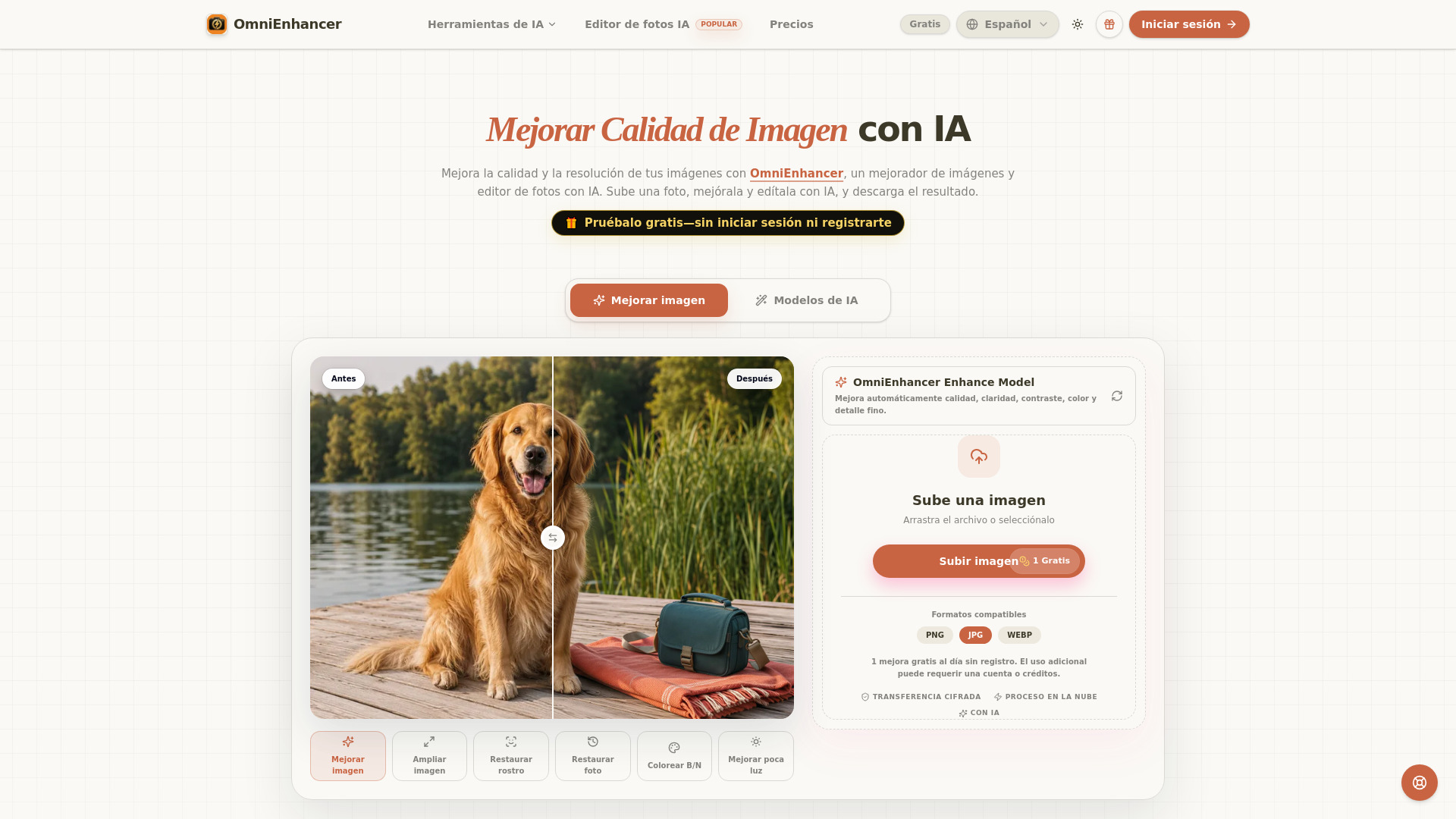
OmniEnhancer is an AI-powered image enhancer and photo editor that improves image quality, clarity, and resolution. It allows users to upload a photo, enhance it using AI, and download the result. The service is free to try without registration, with one free enhancement per day for anonymous users.
How to use OmniEnhancer
- Upload the original image – Start with a blurry, small, or low-resolution photo. Supported formats: JPG, PNG, WebP.
- Enhance and upscale – AI cloud processing recovers visible detail, reduces noise and compression artifacts, and produces a sharper 2× upscaled result.
- Download and continue editing – Save the enhanced result or continue with background removal, object cleanup, image-to-video, and social media variants.
Features of OmniEnhancer
- AI Image Enhancement – Improves clarity, color, contrast, and fine detail; reduces noise and mild blur.
- 2× Upscaling – Standard enlargement for small images, suitable for products, posts, thumbnails, and print.
- Face Restoration – Recovers clearer faces in old or low-quality photos.
- Photo Restoration – Restores old photos with cleaner texture, better color, and higher resolution.
- Low Light Enhancement – Brightens underexposed images.
- Black & White Colorization – Adds color to black-and-white photos.
- Before/After Comparison – Review results side by side before downloading.
- Encrypted Transfer & Cloud Processing – Secure upload and AI processing in the cloud.
Use Cases of OmniEnhancer
- Portrait Photography – Brighten dark portraits, balance color, and preserve natural texture in eyes, hair, and expression.
- Social Media – Reduce compression artifacts and distractions for cleaner posts, tutorials, and thumbnails.
- Real Estate – Enhance property photos for clearer, more appealing listings.
- E-commerce – Improve product photos for sharper textures, labels, and packaging.
- Family Archives – Gently adjust contrast and resolution in old photos while preserving the original.
Pricing
- Free anonymous use: 1 enhancement per day without registration.
- Additional usage may require an account or credits.
- A "Gratis" badge is shown on the site, indicating free tier availability.
FAQ
What image formats are supported?
JPG, PNG, and WebP.
Is registration required?
No, you can enhance one image per day for free without signing up.
What is the maximum upscale factor?
Standard enhancement includes 2× upscaling.
Can I compare the original and enhanced image?
Yes, a before/after comparison slider is provided before download.
Is my data secure?
Yes, uploads are encrypted and processed in the cloud.