LogoTopAIHubs
icon of Photo Editor AI

Photo Editor AI

An all-in-one AI photo editor for portraits, restoration, upscaling, and artistic styling.

Introduction

What is Photo Editor AI

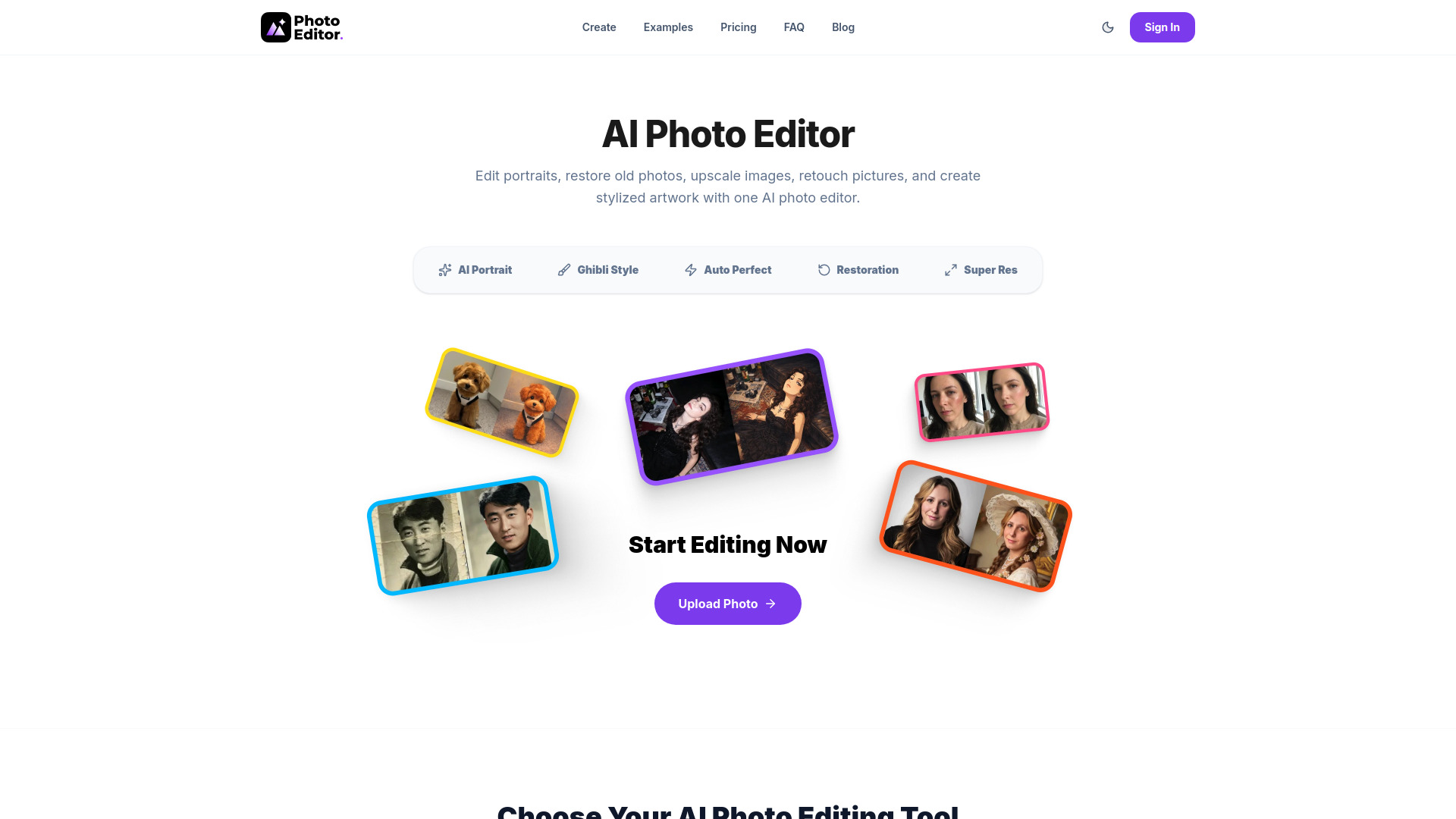
Photo Editor AI is an all-in-one AI photo editor designed to transform user photos. It offers capabilities for creating stunning portraits, restoring old photos, upscaling images to 4K resolution, and applying artistic styles like Ghibli. The platform aims to provide professional-grade results without requiring design skills, all accessible through a web browser.
How to use Photo Editor AI
  1. Upload Image: Select any photo from your device.
  2. Choose AI Mode: Select from available AI modes such as AI Portrait, Ghibli Style, Auto Perfect, Photo Restoration, or Crisp 4K Upscale.
  3. Generate & Download: The AI processes the image, and the enhanced result can be downloaded.
Features of Photo Editor AI
  • AI Portrait Generator: Transforms selfies into professional portraits.
  • Ghibli Style Converter: Applies Studio Ghibli-inspired artistic styles.
  • AI Auto Retouch: Enhances lighting, contrast, and clarity with a one-click option.
  • AI Photo Restoration: Repairs damage, scratches, and fades in old photos.
  • AI Image Upscaler: Enlarges low-resolution photos to 4K resolution without quality loss.
  • No Design Skills Required: User-friendly interface for professional results.
  • Fast Online Editing: Edits are processed in the browser without software installation.
  • High-Resolution Output: Downloads crisp, sharp images.
  • Private & Secure: Photos are deleted immediately after processing.
  • Zero Watermarks: Output is unbranded.
Use Cases of Photo Editor AI
  • Creating professional portraits for LinkedIn, CVs, or personal branding.
  • Transforming everyday photos into hand-painted artwork with a Ghibli aesthetic.
  • Instantly enhancing photos with auto-retouching for a flawless finish.
  • Restoring and preserving old, damaged, or faded photographs.
  • Enlarging blurry or low-resolution images into sharp 4K quality.
Pricing
  • Starter: 1,500 Credits for $9.00 USD. Includes Personal License, Standard Quality & Speed, and Community Support.
  • Creato: 4,500 Credits for $21.99 USD. Includes Commercial License, HD/2K Quality, Priority Speed, and Early Access to New Features.
  • Pro: 12,000 Credits for $48.99 USD. Includes Commercial License, 4K Ultra HD Quality, Top Priority Queue, API Access, and Dedicated Support.
FAQ
  • What is an AI photo editor? An AI photo editor is a tool that uses artificial intelligence to enhance, modify, or create images. It automates complex editing tasks, offering features like portrait generation, style transfer, restoration, and upscaling.
  • What can I edit with AI? You can edit portraits, apply artistic styles (like Ghibli), perform auto-retouching for instant enhancements, restore old and damaged photos, and upscale images to higher resolutions.
  • Do I need design skills to use this platform? No, the AI photo editor is designed for everyone, allowing users to achieve professional results without needing prior design experience.
  • Why use AI instead of manual editing? AI offers speed and efficiency, automating complex tasks and delivering professional results quickly without manual effort. It democratizes advanced photo editing capabilities.
  • Are my uploaded photos private and secure? Yes, uploaded photos are private and secure. They are deleted immediately after processing.

Newsletter

Join the Community

Subscribe to our newsletter for the latest news and updates