What is Pixo
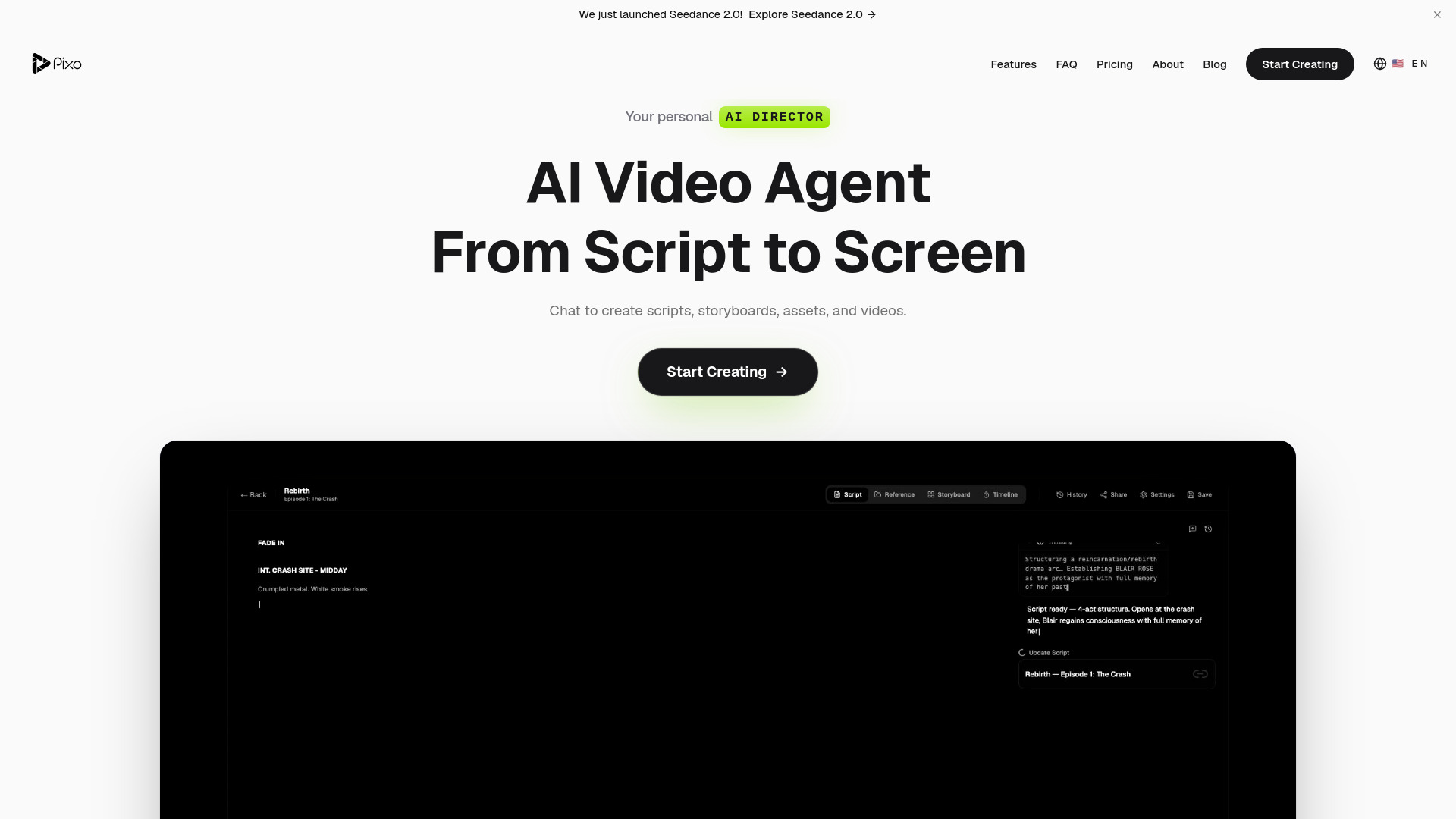
Pixo is an agentic AI video creation platform that guides users from idea to finished video. It allows users to write or generate a script, which Pixo then breaks down into a storyboard of individual panels. Users can then generate video clips, images, voiceovers, and sound effects for each panel using various AI models. The platform offers human-in-the-loop control, allowing users to review, iterate, and refine at every stage before exporting the final video in MP4 or MOV format.
How to use Pixo
- Create a Project: Start a new project from the dashboard. Describe your video idea or paste a script, and the AI Director will help structure it.
- Build Your Storyboard: Break your script into individual shots. Set the visual description, dialogue, camera movement, and duration for each scene.
- Generate Content: Generate images, video clips, voiceover, and sound effects for each shot. Switch between AI models to find the best results.
- Review & Export: Preview the complete video on the timeline. Adjust timing, add transitions, and export to MP4 in one click.
Features of Pixo
- AI Agents: Agents that research, script, edit, and revise alongside the user. They handle repetitive tasks while users maintain creative control.
- Multi-Model Generation: Integrates leading AI models for video generation (Veo, Kling, Hailuo, Vidu, Runway, Seedance), image generation (Midjourney, Flux, Imagen, GPT-4o), text-to-speech (ElevenLabs), and video upscaling (Topaz Labs). Users can mix different models within the same project.
- Storyboard Workflow: A panel-by-panel approach for structured, long-form video production, allowing iteration and refinement at each scene.
- Collaboration: Real-time collaboration features for teams to edit simultaneously.
- Video Series Support: Create consistent episodic content with features for managing assets, styles, and storylines.
- Commercial Use: Videos generated on paid plans come with a full commercial license.
- Export Options: Exports in MP4 and MOV formats.
Use Cases of Pixo
- YouTube Content: Creating engaging videos with AI-powered scripts, visuals, and editing.
- Marketing & Ads: Producing high-converting ad creatives and marketing videos.
- Music Videos: Generating synchronized video content that matches audio.
- Product Showcases: Creating professional product demos and highlighting features.
- Educational Content: Building compelling educational videos and training materials.
- Podcasts: Turning podcast episodes into video content.
Pricing
Pixo offers several plans, including a Free tier with 400 credits per month, and paid plans like Basic, Pro, and Max. There are also credit packs available for one-time top-ups. An Enterprise plan with custom pricing is available for teams needing more. The platform also offers a "Top up" option for credit packs that do not expire.
FAQ
- What is Pixo? Pixo is an agentic AI video creation platform that guides users from idea to finished video, integrating various AI models for scriptwriting, storyboarding, video generation, and more, with user control at every stage.
- Is there a free trial? Yes, new users receive 400 credits to explore the platform during the Open Beta, with no credit card required.
- Can I export my videos? Yes, Pixo exports videos in MP4 and MOV formats.
- What AI models does Pixo support? Pixo supports leading models including Veo, Kling, Hailuo, Vidu, Runway, Seedance for video; Midjourney, Flux, Imagen, GPT-4o for images; ElevenLabs for text-to-speech; and Topaz Labs for upscaling.
- Can I use the videos for commercial purposes? Yes, videos generated on paid plans come with a full commercial license.
- Can I use multiple AI models in one project? Yes, Pixo allows mixing different AI models within the same project or storyboard.
- How does the storyboard workflow work? Users start with a script, which Pixo breaks into panels (scenes). Each panel can have its own AI-generated content, and users can review and iterate on each panel before final assembly.
- How is Pixo different from Runway, Pika, or Kling Creator? Pixo is designed for complete video production from script to screen, integrating multiple AI models in one project with a storyboard-first workflow, unlike tools focused on single-clip generation.