LogoTopAIHubs
icon of Qclaw

Qclaw

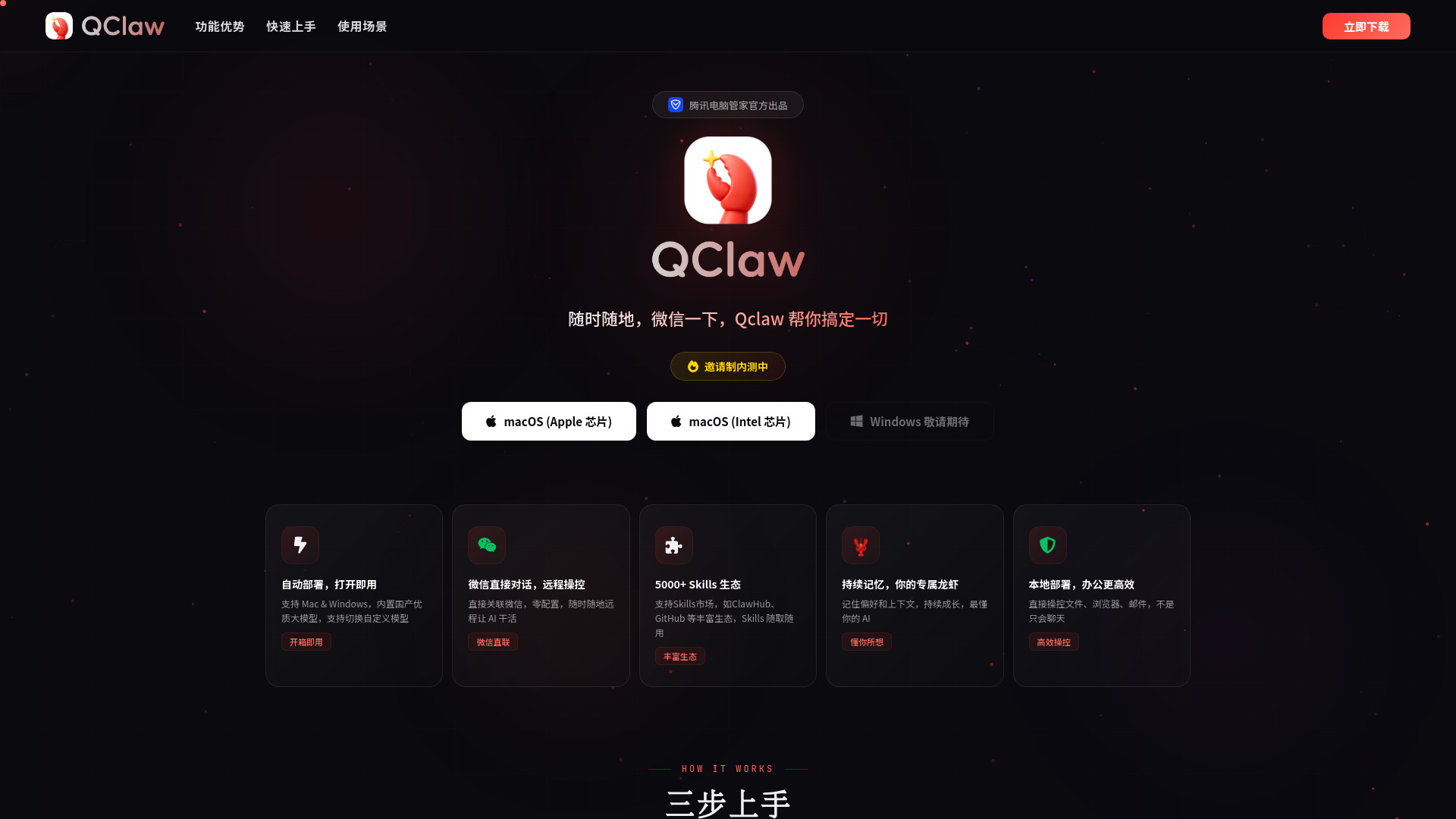
AI tool for remote PC control and task automation via WeChat.

Introduction

What is Qclaw

Qclaw is an AI tool designed for remote PC control and task automation, integrated with WeChat for seamless interaction.
How to use Qclaw
  1. Download and Install: Download and install Qclaw on your Mac or Windows computer. The process is straightforward and requires no complex environment configuration.
  2. Scan and Bind WeChat: Open Qclaw and scan the QR code to link your WeChat account.
  3. Send Commands: Issue commands either through WeChat or directly from your computer. Qclaw will then execute the tasks.
Features of Qclaw
  • Automatic Deployment: Ready to use upon opening, supporting both Mac and Windows.
  • WeChat Integration: Direct connection via WeChat for remote control and task execution.
  • Extensive Skill Ecosystem: Access to over 5000 skills from markets like ClawHub and GitHub.
  • Persistent Memory: Remembers user preferences and context for a personalized AI experience.
  • Local Deployment: Efficiently controls files, browsers, and emails directly on your machine.
  • Built-in AI Models: Features high-quality domestic large models with the option to switch to custom models.
Use Cases of Qclaw
  • Remote PC Control: Open files, browse websites, and manage work remotely without needing your computer.
  • Social Media Automation: Automatically post on platforms like Xiaohongshu, interact with users, and grow followers.
  • Automated Development: Create projects, push them to GitHub, and auto-generate documentation.
  • Academic Research: Find and organize academic papers, generate literature reviews, and format citations.
  • Smart Reminders: Set up daily reminders, such as weather forecasts with suggested attire and travel advice.

Newsletter

Join the Community

Subscribe to our newsletter for the latest news and updates