What is Roger • The Google Ads AI Agent
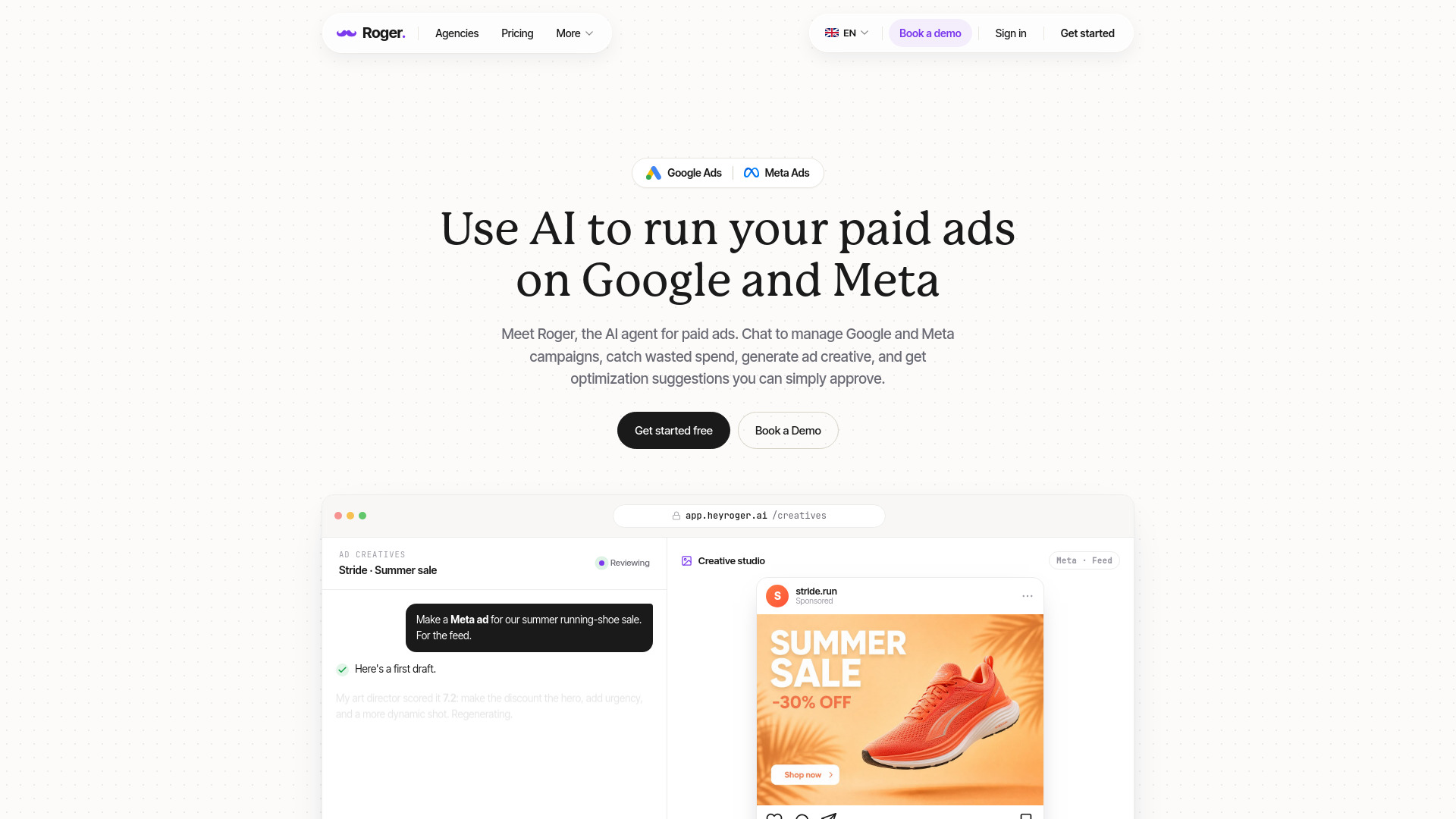
Roger is an AI agent for paid ads on Google and Meta. It connects to your Google Ads and Meta Ads accounts, audits campaigns for wasted spend, drafts negative keywords and bid changes, generates ad creative, and applies changes only after you approve. Read-only by default, EU-based, GDPR-aligned. Free to start, no card.
How to use Roger • The Google Ads AI Agent
- Connect: Plug into your Google Ads and Meta Ads accounts. Roger reads every campaign, ad set, keyword, and tag. No CSV exports, no manual setup.
- Configure: Set your guardrails. Tell Roger what he can do alone and what needs your approval. For example, pause underperformers below a certain ROAS, or ask before increasing budget by more than 20%.
- Chat: Just ask Roger questions like "Why is my Search campaign overspending?" or "Which Meta ad set has the best ROAS this week?" Roger answers, drafts changes, and waits for your green light.
- Monitor: Roger watches your account 24/7. You get pinged when something needs your attention: anomaly, spike, opportunity. The rest stays handled.
Features of Roger • The Google Ads AI Agent
- Ad Creative Generation: Generate ad creatives for Meta (feed, story, reel, UGC video) and Google Ads by simply describing what you need. Includes an art director review scoring system.
- Wasted Spend Detection: Automatically scans campaigns for wasted spend, identifies low-performing keywords, and suggests negative keywords with estimated weekly savings.
- Chat-Based Campaign Management: Manage Google and Meta campaigns through a chat interface. Ask questions, get insights, and approve changes.
- Routines: Set up automated weekly health checks that pull performance data, scan for wasted spend, draft optimizations, and email summaries.
- Consolidated Dashboard: View all connected accounts in one place with metrics like spend, conversions, ROAS, CPA, clicks, impressions, CTR, and average CPC. Includes attention flags for accounts needing review.
- Report Generation: Build monthly or custom reports by chatting. Include executive summaries, KPIs, and charts (e.g., clicks by device).
- Read-Only by Default: Roger starts with read-only access. Changes are only applied after you approve.
- Integrations: Connects to Google Ads, Meta Ads, Google Analytics, Search Console, Tag Manager, and Merchant Center.
Use Cases of Roger • The Google Ads AI Agent
- Agency Ad Management: Manage multiple client accounts across Google and Meta from a single dashboard. Use routines for weekly health checks and generate client reports on demand.
- E-commerce Ad Optimization: Detect wasted spend on shopping campaigns, add negative keywords, and generate seasonal ad creatives for sales events.
- Performance Monitoring: Get alerted when spend spikes or ROAS drops. Roger identifies the cause and suggests fixes.
- Ad Creative Testing: Generate multiple ad variations (images, videos, UGC) and get AI-powered scoring before launching.
Pricing
Free to start, no credit card required. Specific pricing plans are not detailed on the page.
FAQ
Is Roger read-only?
Yes, by default Roger has read-only access. Changes are only applied after you approve them.
Where is data stored?
Data residency is in the EU, and the service is GDPR-aligned.
What platforms does Roger support?
Roger supports Google Ads and Meta Ads, and integrates with Google Analytics, Search Console, Tag Manager, and Merchant Center.
How long does the first audit take?
Time to first audit is under a minute.
Is Roger secure?
Yes, Roger is CASA Tier-2 audited.