LogoTop AI Hubs
icon of Seedance 2-2

Seedance 2-2

Multi-modal AI video generator with universal reference and built-in audio.

Introduction

What is Seedance 2-2

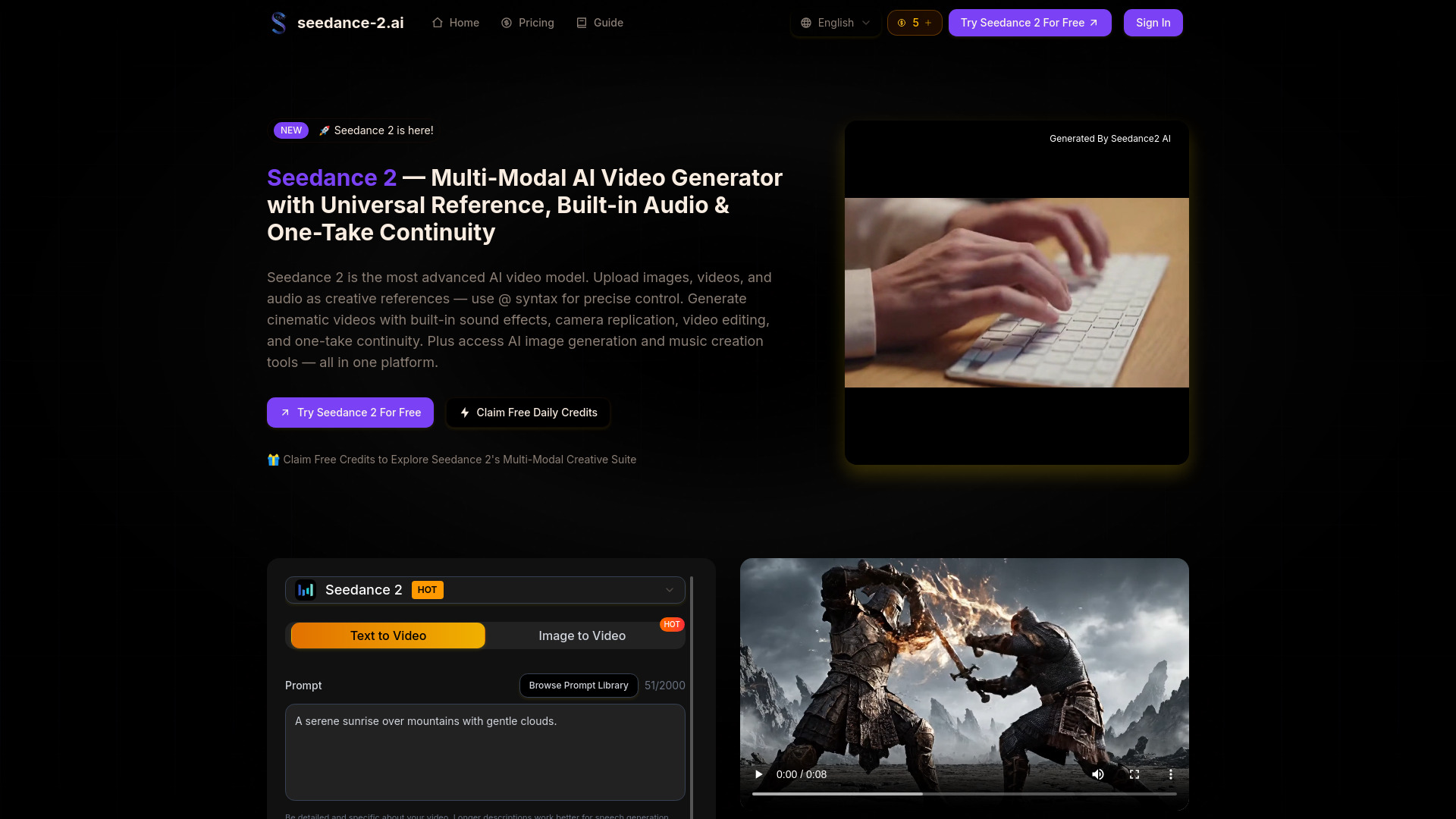
Seedance 2 is a multi-modal AI video generator that allows users to create cinematic videos using a combination of images, videos, audio, and text prompts. It features a universal reference system with '@' syntax for precise control over asset roles, built-in audio capabilities including sound effects and music, and one-take continuity for seamless video generation. The platform also offers AI image generation and music creation tools.

How to use Seedance 2-2
  1. Upload References: Add images (up to 9), videos (up to 3), and audio files (up to 3 MP3s) as creative references. The platform supports up to 12 files per generation.
  2. Write Prompt with @ References: Describe your desired video and use '@' syntax to assign roles to your uploaded assets (e.g., '@image1 as first frame', '@video1 for camera movement', '@audio1 for background music').
  3. Generate Video: Seedance 2 processes your multi-modal inputs and generates a video with built-in audio, visual consistency, and precise camera work.
  4. Download & Share: Export your generated video instantly.
Features of Seedance 2-2
  • Multi-Modal 4-Input System: Accepts images, videos, audio, and text prompts simultaneously.
  • Universal Reference System with '@' Syntax: Precisely assign roles to uploaded assets.
  • Built-in Audio: Generates synchronized dialogue, sound effects, and music.
  • Music Beat Sync: Synchronizes visuals to the rhythm of uploaded audio.
  • One-Take Continuity: Creates fluid, unbroken video sequences with spatial and temporal consistency.
  • Camera & Action Replication: Replicates camera movements, character actions, and visual effects from reference videos.
  • Video Editing & Extension: Allows editing of existing videos by swapping characters, adding scenes, or removing elements, and extending video length.
  • Visual Consistency: Maintains consistent character appearance, clothing, and scene details.
  • AI Image Generation: Integrated tools for creating AI images.
  • AI Music Creation: Tools for generating music.
  • Resolution Options: Supports various aspect ratios including 16:9 and 9:16.
  • Public Visibility Option: Allows users to choose if their creations are publicly visible.
  • Smart Fallback Feature: An unspecified feature for fallback generation.
  • Seed Control: Option to set a specific seed for generation.
Use Cases of Seedance 2-2
  • Creating marketing and advertising content.
  • Producing social media videos (e.g., TikTok).
  • Generating educational videos with narration and visuals.
  • Pre-visualization for film projects.
  • Developing product launch videos.
  • Experimenting with cinematic camera movements and visual effects.
Pricing

Seedance 2 offers several pricing tiers, with a discount for annual subscriptions:
  • Basic Plan: $6.90/month (billed annually), includes up to 20 videos per month, 100 credits/month, forever cloud storage, watermark removal, and priority processing speed. Cost per credit: $0.069.
  • Pro Plan: $13.90/month (billed annually), includes up to 50 videos per month, 250 credits/month, forever cloud storage, watermark removal, priority processing speed, and commercial usage rights. Cost per credit: $0.056.
  • Max Plan: $34.90/month (billed annually), includes up to 150 videos per month, 750 credits/month, forever cloud storage, watermark removal, priority processing speed, and commercial usage rights. Cost per credit: $0.047.
  • One-Time Purchase: Offers credits at a lower cost per credit, with a 30% discount mentioned.
  • Daily Free Credit: Users can claim one free credit every 24 hours.
FAQ
  • What is Seedance 2? Seedance 2 is a multi-modal AI video generator that accepts images, videos, audio, and text prompts, allowing precise control over asset roles using '@' syntax. It offers features like one-take continuity, built-in audio, and video editing.
  • What makes Seedance 2 different from other AI video generators? Its multi-modal reference system, combining various input types with precise '@' references, along with features like video editing, extension, one-take continuity, and music beat synchronization, sets it apart.
  • How does Seedance 2's universal reference work? Users upload assets and use '@' syntax in prompts to assign roles (e.g., '@image1 as first frame', '@video1 for camera movement').
  • Can Seedance 2 generate audio and dialogue? Yes, it outputs videos with synchronized dialogue, sound effects, music, and supports uploaded audio for beat synchronization or voice reference.
  • Is Seedance 2 suitable for commercial projects? Yes, Seedance 2 videos can be used for commercial purposes under the platform's license terms.
  • How do I get started with Seedance 2? Create a free account, claim starter credits, select Seedance 2, upload references, write a prompt with '@' syntax, and generate your video.

Newsletter

Join the Community

Subscribe to our newsletter for the latest news and updates