What is Template.net
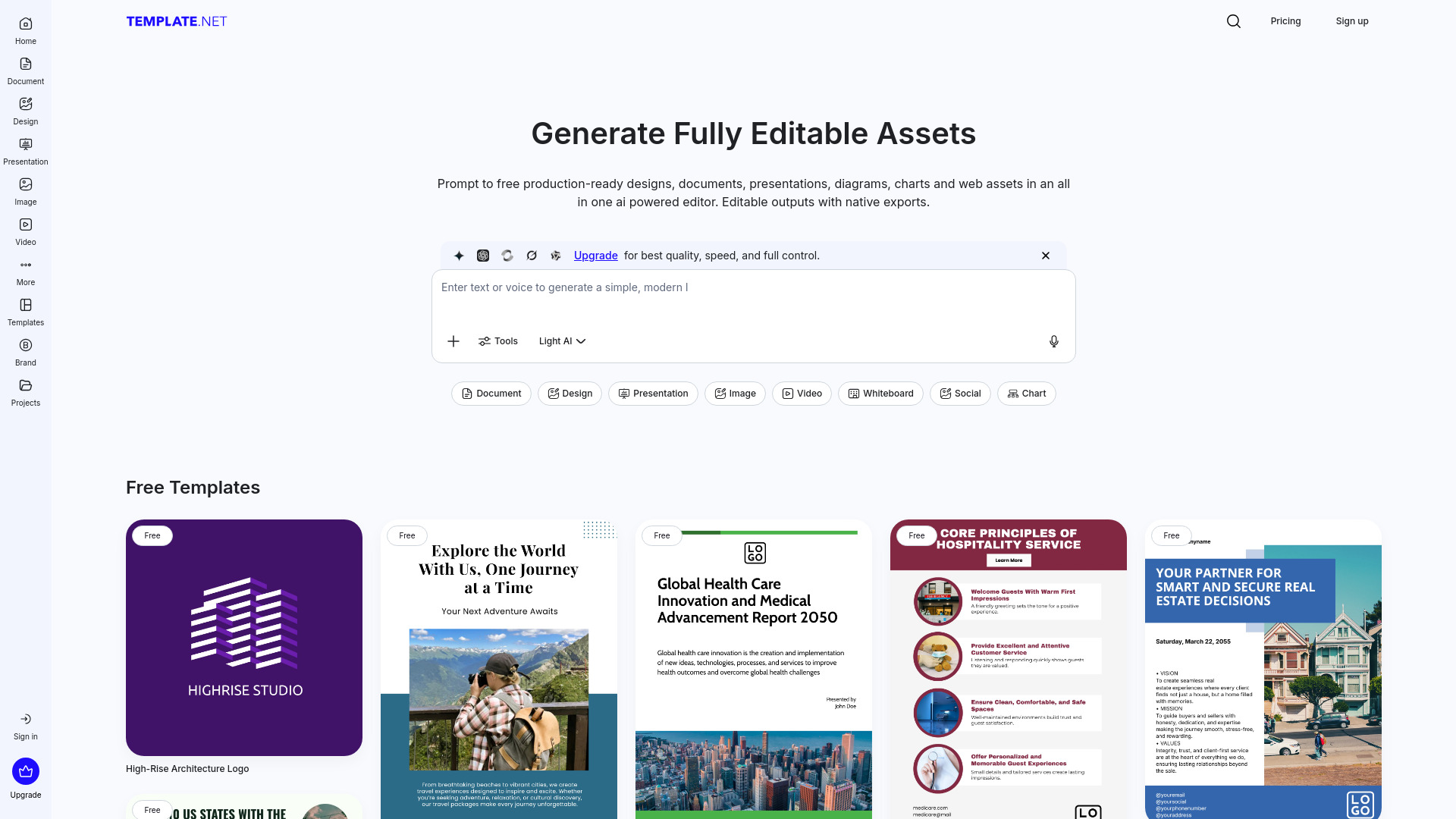
Template.net is an AI Production Engine that transforms natural language prompts into production-ready assets. It bridges the gap between AI inference and professional execution, generating fully layered, editable, and branded outputs.
How to use Template.net
- Enter a text prompt in the AI editor.
- The AI generates editable assets based on the prompt.
- Customize the generated assets in the all-in-one editor.
- Export the assets in various native formats.
Features of Template.net
- AI-powered generation of editable assets from prompts.
- Automatic application of brand logos, fonts, and colors.
- Ability to resize and repurpose content for different platforms.
- Save and reuse designs as branded templates.
- Smart export options to platforms like Google Drive, Notion, and Slack.
- Team collaboration and co-editing features.
- Atomic Editing: Discrete, layered components that can be modified.
- Integrated Brand Kit for consistent branding.
- No-signup production flow for immediate use.
- Supports a wide range of file formats for export, including PNG, PDF, CSV, SVG, EPS, WEBP, BMP, TIFF, MP4, GIF, HTML, and social media formats.
Use Cases of Template.net
- Creating presentations, documents, diagrams, charts, whiteboards, designs, and web assets.
- Generating branded content for business, education, and creative workflows.
- Producing marketing materials, sales documents, HR templates, financial reports, and more.
- Repurposing content for various social media platforms.
FAQ
- What is Template.net? Template.net is an AI Production Engine that transforms natural language prompts into production-ready assets, generating fully layered, editable, and branded outputs.
- What does “production-ready” mean in the AI era? Production-ready outputs are structurally correct, fully editable, brand-compliant, and native-exportable, ready for immediate use in professional software.
- How is Template.net different from Canva, Google Docs, or AI "Artifacts"? Template.net focuses on Output Sovereignty, generating native, editable files (like PPTX, HTML, SVG, DOCX, PDF) that are not locked within the platform.
- What specific assets can I produce? Presentations, documents, web & email assets, business logic diagrams, data visualizations, visual designs, and utility assets like QR Codes.
- Does Template.net support File Sovereignty? Yes, files can be exported in native formats like PowerPoint (.pptx), Word (.docx), HTML, SVG, and PDF.
- Are the AI-generated outputs fully editable? Yes, the engine generates discrete, layered components allowing for modification of text, layouts, and colors.
- How does the engine handle Brand Consistency? An integrated Brand Kit allows automatic application of logos, fonts, and colors to all generated assets.
- Is there a friction-less entry (No-Signup)? Yes, users can prompt, generate, and customize assets immediately without signing up.
- Is Template.net free to use? A robust free tier is available for generation and editing, with professional plans for advanced features.
- How is user data handled for AI training? User prompts and generated assets are not used to train external AI models; data integrity is prioritized.
- Who is the "Production Engine" built for? Founders, Marketing Teams, HR Leads, and Operations Managers who need to create high-fidelity, usable files quickly.