What is Tool Video
Tool Video is an all-in-one AI video generation toolkit that offers a comprehensive suite of AI-powered video tools. It allows users to create professional videos, generate thumbnails, and utilize various other video utilities with the support of cutting-edge AI technology.
How to use Tool Video
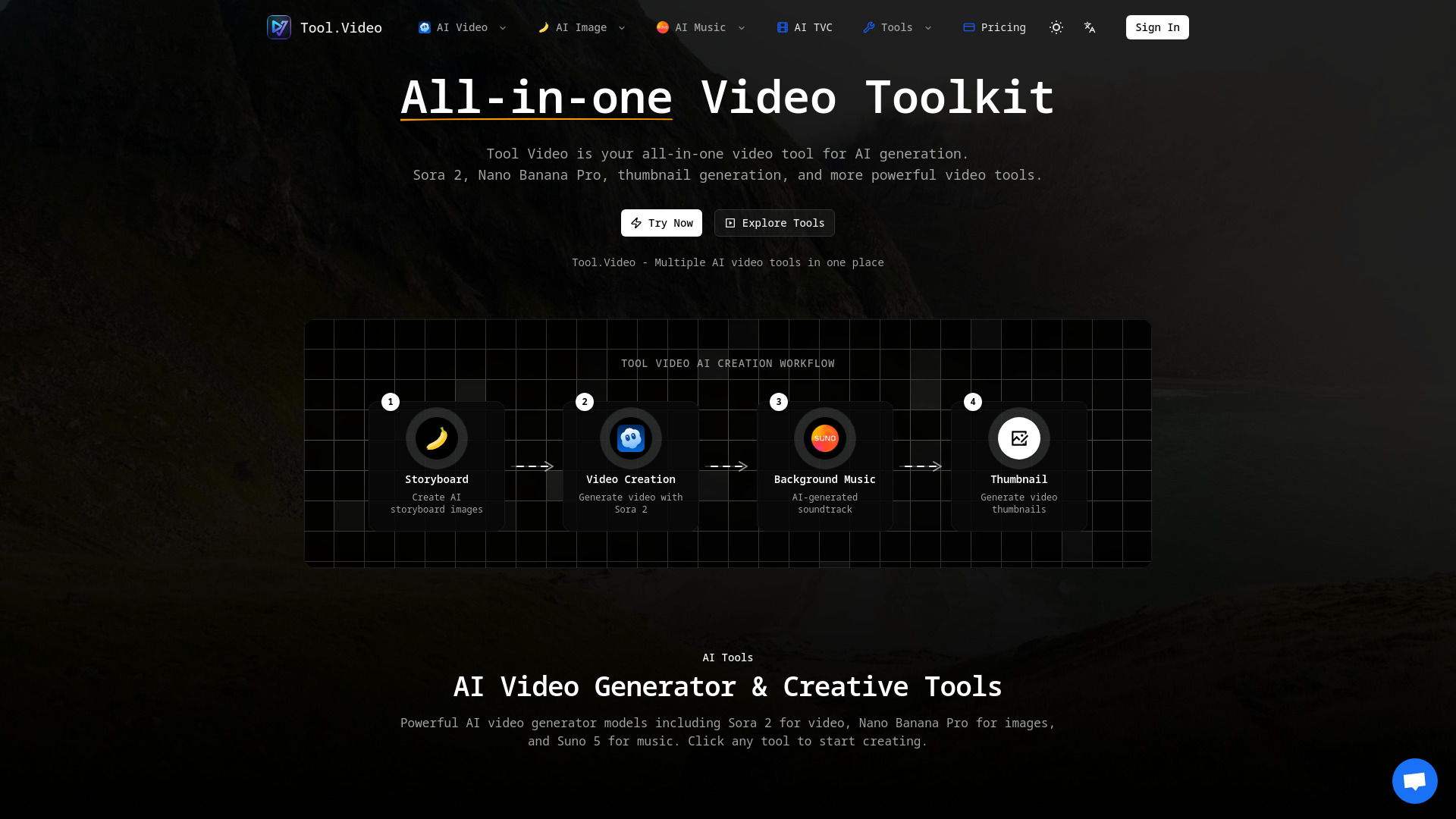
Tool Video provides a workflow for AI creation:
- Storyboard Creation: Use "Storyboard" to create AI storyboard images.
- Video Generation: Generate video content using "Sora 2".
- Background Music: Create AI-generated soundtracks with "Suno 5".
- Thumbnail Generation: Generate video thumbnails.
Features of Tool Video
- Sora 2 Video Generation: Create realistic videos from text prompts with natural motion and stunning visuals.
- Nano Banana Pro: Generate high-quality AI images with text-to-image and image-to-image modes.
- AI Video Generator: Multi-model video generation with various styles and options from different AI providers.
- Suno 5 (AI Music Generator): Professional AI music generation to create songs with lyrics, melodies, and full arrangements in any genre.
- AI TVC Generator: Create AI-powered TV commercials and advertisement videos.
- Video Thumbnail Generator: Extract and generate thumbnails from videos at any timestamp, supporting multiple formats.
- AI Video Thumbnail Generator: AI-powered thumbnail creation with smart composition to automatically select the best frames.
- Video Watermark Adder: Add text or image watermarks to videos, with customization for position, opacity, and styling.
- Video Trimmer: Cut and trim videos to specific timestamps with fast processing and high-quality output.
- Sora Watermark Remover: Remove Sora watermarks from AI-generated videos.
- All-in-One Platform: Access multiple AI video tools from a single dashboard.
- Professional Quality: Tools designed to produce professional-grade output.
- Easy to Use: Implied by the platform's design and workflow.
- Text-to-Video: Transform text descriptions into video content.
- HD Video Export: Export videos in high definition quality.
- Fast Generation: Optimized for speed, delivering results in minutes.
Use Cases of Tool Video
- Creating professional videos from text prompts.
- Generating unique and creative video content.
- Producing AI-generated soundtracks and background music for videos.
- Designing eye-catching thumbnails to boost engagement.
- Developing AI-powered TV commercials and advertisements.
- Adding watermarks to videos for branding or protection.
- Trimming videos to specific lengths.
- Removing watermarks from AI-generated videos.
FAQ
- What is Tool Video? Tool Video is an all-in-one AI video generation toolkit that brings together various AI video tools. It helps users create professional videos, thumbnails, and more using advanced AI technology.
- What is Sora 2? Sora 2 is OpenAI's advanced text-to-video AI model integrated into Tool Video, allowing users to create realistic videos from text prompts with natural motion and visuals.
- What is Nano Banana Pro? Nano Banana Pro is an AI image generation tool available on Tool Video, offering text-to-image and image-to-image modes for creating high-quality visuals.
- How does the video thumbnail generator work? The video thumbnail generator allows users to extract and generate thumbnails from videos at any timestamp, supporting formats like WebP, JPG, and PNG. The AI version automatically selects the best frames for engagement.
- What video formats are supported? The webpage content mentions support for WebP, JPG, and PNG formats for video thumbnails.
- Is Tool Video free to use? The webpage content does not explicitly state if Tool Video is free to use or provide pricing details.
- Why is Tool Video the best video tool? Tool Video is presented as the best video tool due to its all-in-one platform, professional quality output, and ease of use, offering access to multiple AI video tools from a unified dashboard.