What is Veo 4 AI Video
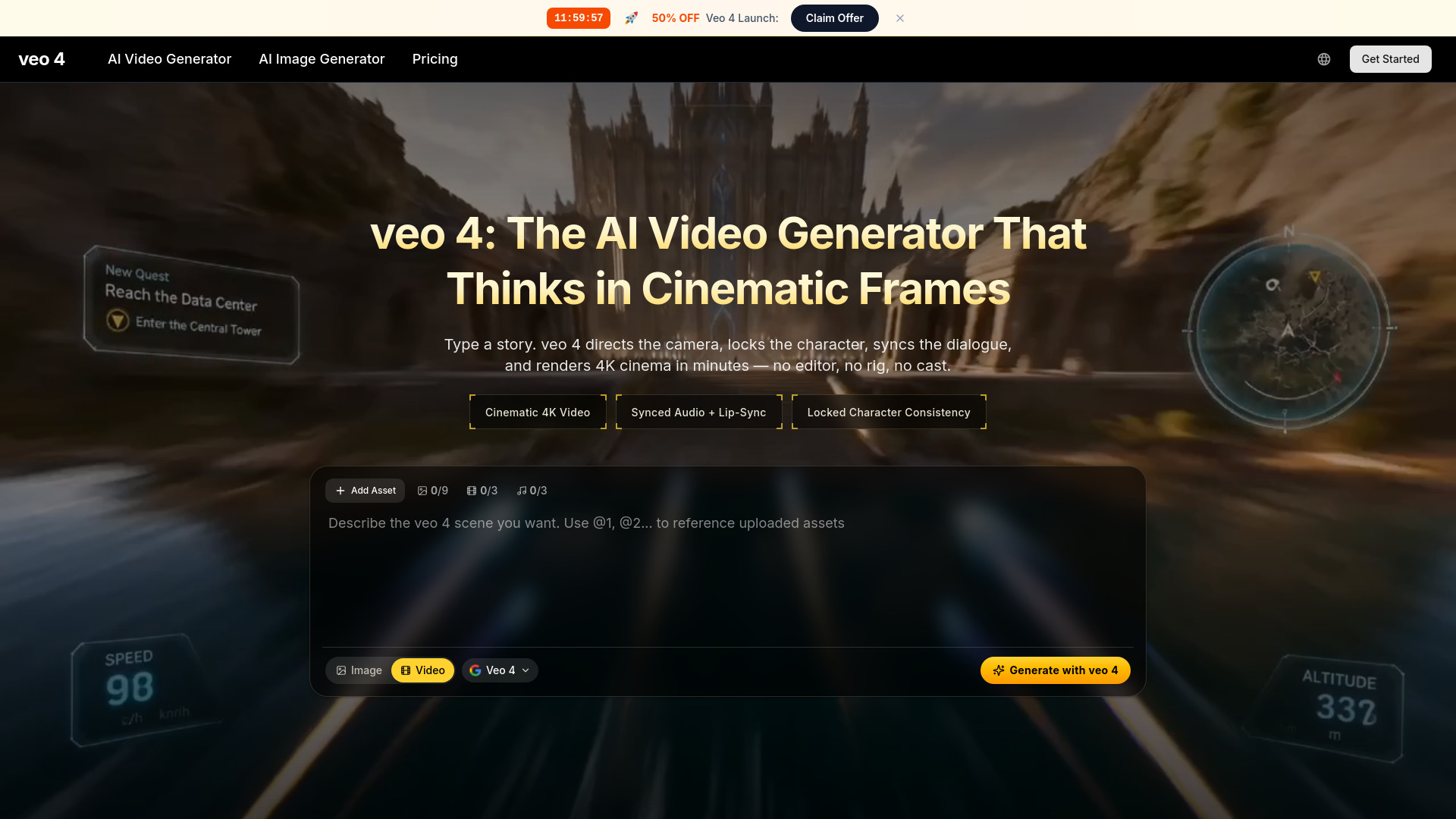
Veo 4 is a 4K cinematic AI video generator that offers native audio, character consistency, and advanced directorial controls. It aims to simplify video production by allowing users to generate high-quality video clips from text prompts or reference images in minutes.
How to use Veo 4 AI Video
- Write or upload your input: Provide a text prompt describing the desired scene, including camera moves, mood, and time of day, or upload a reference image to animate.
- Direct with Veo 4 controls: Select aspect ratio, length, and resolution. Toggle audio, adjust motion intensity, or lock the camera. Veo 4 handles audio syncing, lip-sync, lighting continuity, and character anchoring.
- Download in 4K, ready to publish: Receive a broadcast-grade MP4 file with embedded audio, suitable for direct publishing on various platforms without additional editing.
Features of Veo 4 AI Video
- Cinematic 4K video generation
- Native audio generation (dialogue, Foley, ambient soundscapes)
- Lip-sync and audio synchronization
- Character anchoring for consistent likeness, wardrobe, and identity
- Cinematic camera language understanding (dolly, crane, rack focus, whip pan, Dutch angle)
- Multi-shot storyboarding (wide, medium, close-up)
- Director's overlay editor for post-render adjustments (camera path, motion intensity, focal point)
- Faster generation speed (40% faster than Veo 3)
- SynthID watermarking for provenance and safety
- High resolution output (up to 1080p)
- Commercial license included
- AI image generation included
- Private generation
Use Cases of Veo 4 AI Video
- Independent Filmmakers: Storyboarding, prototyping lighting, rendering full sequences, replacing pre-visualization and reshoot needs.
- Brand and Performance Marketers: Creating ad variations, hero films, social cuts, and product reels quickly for A/B testing and campaign launches.
- E-commerce Teams: Generating product videos and reels from packshots for PDPs and social media.
- Educators and Course Creators: Illustrating concepts, demos, and lectures with animated visuals synced to narration.
- Founders and Solo Operators: Creating pitch reels, product demos, and CEO-to-camera videos without external production.
- Content Creators and Streamers: Producing intros, transitions, and animated thumbnails for online content.
- Storyboard Artists: Visualizing scenes for directors and clients with rendered sequences.
- Music Video Directors: Creating full music videos with consistent character and camera work.
- Product Designers: Animating UI mockups from design exports for prototyping.
Pricing
Veo 4 offers several plans with a limited-time 50% discount on yearly subscriptions:
- Lite Plan: $7.9/month billed yearly ($0.020/credit), includes 400 credits/month, veo 4 cinematic AI video generator, commercial license, all top AI video models, AI image generation, fast generation speed, no watermark, private generation, 1 concurrent generation, up to 1080p resolution, customer support.
- Pro Plan: $17.9/month billed yearly ($0.012/credit), includes 1,500 credits/month, veo 4 with 30% savings, commercial license, all top AI video models, AI image generation, fastest generation speed, no watermark, private generation, 4 concurrent generations, up to 1080p resolution, dedicated support.
- Ultra Plan: $49.9/month billed yearly ($0.011/credit), includes 4,400 credits/month, veo 4 with 30% savings, commercial license, all top AI video models, AI image generation, fastest generation speed, no watermark, private generation, 10 concurrent generations, up to 1080p resolution, dedicated support.
- Credit Packs: Available for pay-as-you-go options.
FAQ
- What is Veo 4? Veo 4 is a 4K cinematic AI video generator with native audio, character consistency, and advanced directorial controls.
- How long does it take to generate a video? Videos can be generated in under five minutes.
- What kind of input does Veo 4 accept? Text prompts, reference images, or a combination of both.
- Can I use the generated videos commercially? Yes, all paid plans include a commercial license.
- Does Veo 4 include audio? Yes, it generates native audio, including dialogue, Foley, and ambient soundscapes, with lip-sync.
- How is character consistency maintained? Through character anchoring, which keeps the likeness, wardrobe, and identity consistent across shots.
- What resolutions are supported? Up to 1080p resolution.
- Is there a watermark? No, Veo 4 does not add watermarks to generated videos.
- Can I adjust the video after generation? Yes, through the director's overlay editor for adjustments like camera path and focal point.