What is Vibe Workspace
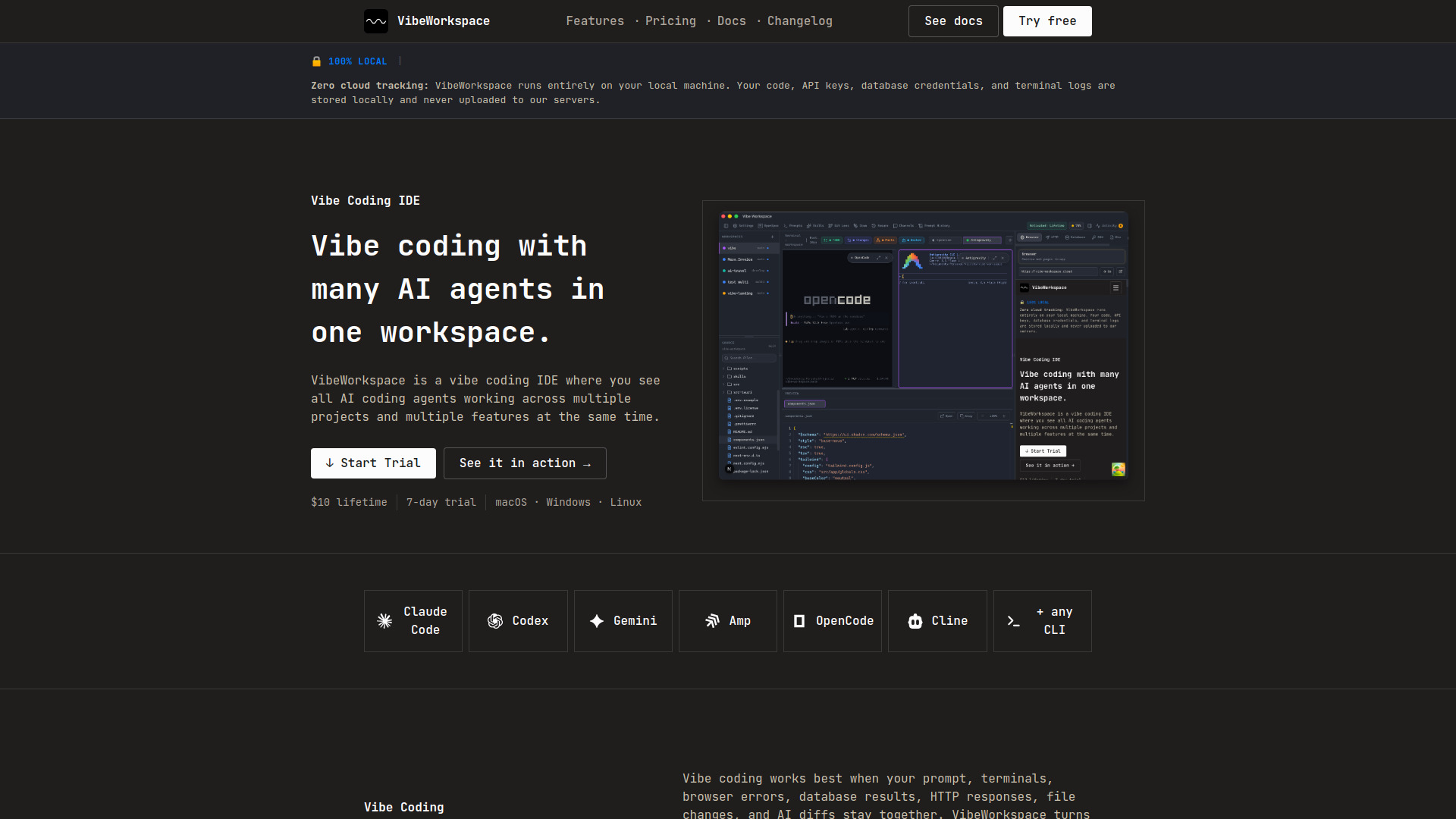
VibeWorkspace is a vibe coding IDE and AI coding workspace for running Claude Code, Codex, Gemini, terminals, browser previews, HTTP clients, databases, and AI diffs in one focused desktop app. It allows developers to run multiple AI coding agents across multiple projects simultaneously, keeping all context in one place.
How to use Vibe Workspace
- Create a workspace: Create a named workspace for your project, then configure and launch multiple AI agents in parallel.
- Run AI in parallel: Use Claude Code, Codex, Gemini, OpenCode, Cline, or any terminal CLI across multiple projects.
- Approve the diff: Inspect AI-generated changes, resolve conflicts, and keep control before code touches your repo.
- Keep context alive: Resume projects, terminals, browser state, database context, and agent sessions without rebuilding your workspace.
Features of Vibe Workspace
- Desktop Agent Pet: An ambient companion that reacts to prompts, displays processing animations, and jumps back to the workspace when a task finishes.
- Multi-Agent Terminals: Run Claude Code, Codex, Gemini CLI, and Amp in dedicated terminal tabs with custom colors and status indicators.
- Flexible Terminal Layouts: View terminals in 2x2 grid, side-by-side columns, rows, or single fullscreen mode.
- AI Activity Logs: Real-time activity feed showing terminal completions and AI-generated files across all projects with one-click navigation.
- Channel Chat: Create named channels where AI agents and you communicate in real time with mentions, orchestration, and multi-turn coordination.
- AI Session Continuity: Close and reopen the app while AI terminals keep prior conversation scrollback, resume actions, and auto-restart options.
- Multi-Project Workspace: Work on multiple projects simultaneously with instant switching and preserved workspace state per project.
- Smart File Explorer: Real-time file tree with type icons, gitignore filtering, search, and right-click context menus.
- Visual Git Changes: See staged, unstaged, and untracked files at a glance and stage individual files with a click.
Use Cases of Vibe Workspace
- Multi-agent development: Run Claude Code, Codex, and Gemini simultaneously on different features or projects.
- AI-assisted debugging: Feed browser errors, database results, and HTTP responses directly to AI agents without copy-paste.
- Code review automation: Have one agent write code while another reviews it, all within the same workspace.
- Local AI model usage: Run Ollama, LM Studio helpers, or any custom local agent as a terminal command.
Pricing
- Launch offer: $10 lifetime access.
- 7-day trial: $0 for 7 days with full feature access.
- No subscription required.
FAQ
What is vibe coding?
Vibe coding is a fast AI-assisted development workflow where developers describe intent, run AI coding agents, review generated changes, and keep shipping without constantly switching tools. VibeWorkspace gives that workflow one workspace.
What AI agents does it support?
Claude Code, Codex, Gemini CLI, Amp, OpenCode, Cline, bash, zsh, and custom commands. If it runs in a terminal, it works in VibeWorkspace.
Does it work on Windows and Linux?
Yes. VibeWorkspace is planned for macOS, Windows, and Linux with full terminal support and project-level persistence.
Can I use local AI models?
Yes, if your local model has a CLI. Run Ollama, LM Studio helpers, or any custom local agent as a terminal command.
What databases does it support?
The workspace is designed for SQL, NoSQL, cache, vector, and specialized engines, with schema browsing and query results available to your AI context.