What is Wondershare Dr.Fone
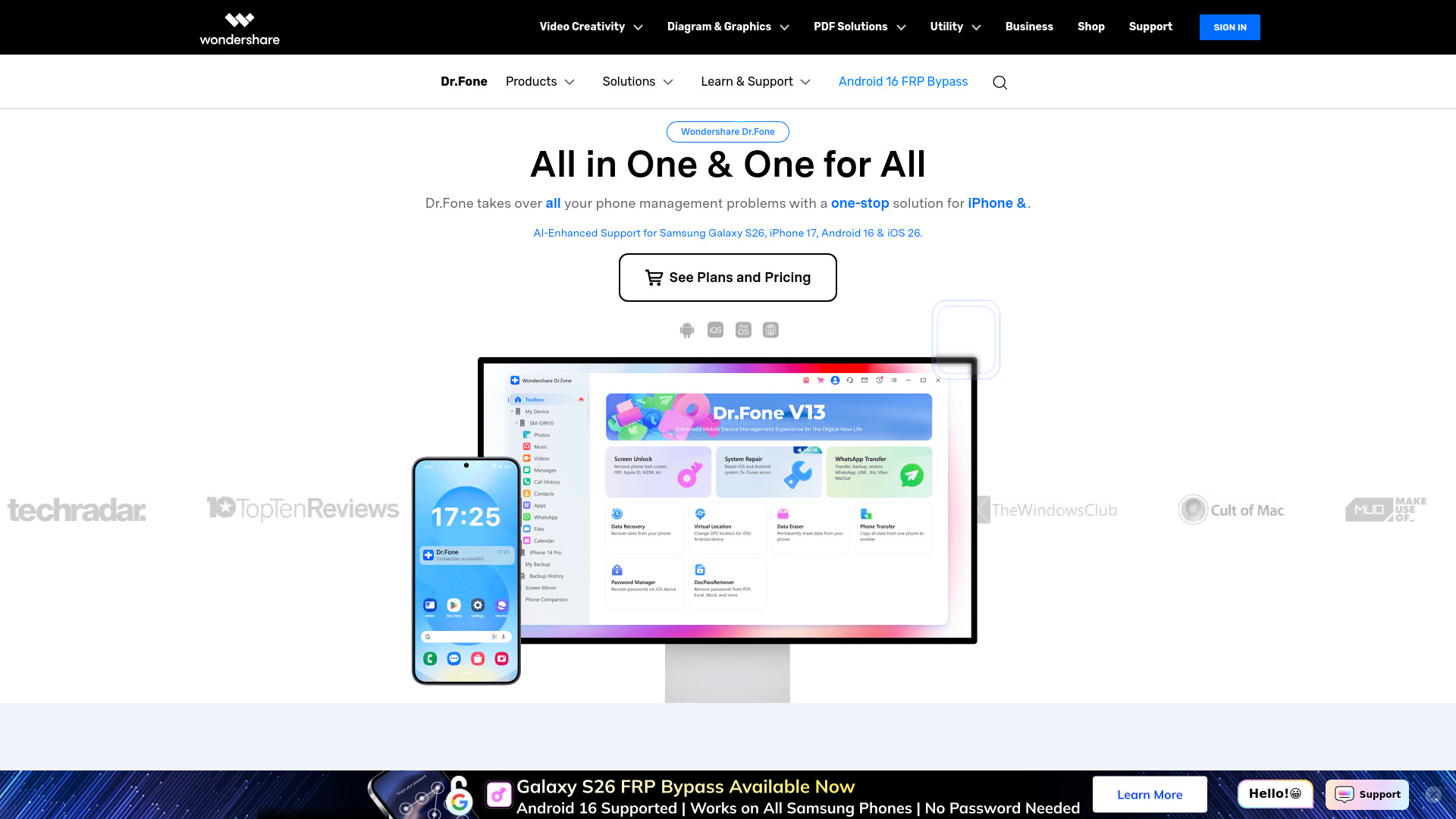
Wondershare Dr.Fone is an AI-enhanced mobile management toolkit designed for both iOS and Android devices. It leverages AI-driven device recognition and lock-state analysis to enhance the accuracy of screen unlocking and the success rates of device repair.
Features of Wondershare Dr.Fone
- Screen Unlock: Capable of unlocking Android screens, bypassing Android FRP (Factory Reset Protection), and unlocking iPhones and iCloud activation locks.
- Data Recovery: Offers recovery of lost data for both Android and iOS devices, including an iOS Password Manager.
- WhatsApp Transfer: Facilitates the transfer of WhatsApp data between phones, including WhatsApp Business transfers.
- System Repair: Provides solutions for repairing Android and iOS systems, as well as fixing iTunes errors.
- Data Eraser: Enables the complete erasure of data from phones.
- Phone Transfer: Allows for the transfer of phone data between devices.
- Virtual Location: Features a GPS location changer.
- Online Tools: Offers online services for unlocking Android devices (FRP, Xiaomi account, iCloud activation lock removal) and an IMEI check. Also includes an online HEIC converter.
- Mobile Apps: Provides dedicated apps for Android and iOS for data recovery and phone management.
Use Cases of Wondershare Dr.Fone
- Recovering deleted photos, videos, contacts, and other files from mobile devices.
- Unlocking a phone when the screen lock (PIN, pattern, password) is forgotten.
- Bypassing Google account verification (FRP) on Android devices after a factory reset.
- Removing Apple ID and iCloud activation lock from iPhones and iPads.
- Transferring data between different phone models or operating systems (e.g., Android to iPhone, iPhone to Android).
- Repairing common iOS or Android system issues without data loss.
- Completely erasing all data from a phone before selling or discarding it.
- Changing GPS location for gaming or social media apps.
- Converting HEIC photos to JPG format online.
- Managing and transferring files between a phone and a computer.
- Backing up and restoring phone data.