What is AI Moire Remover
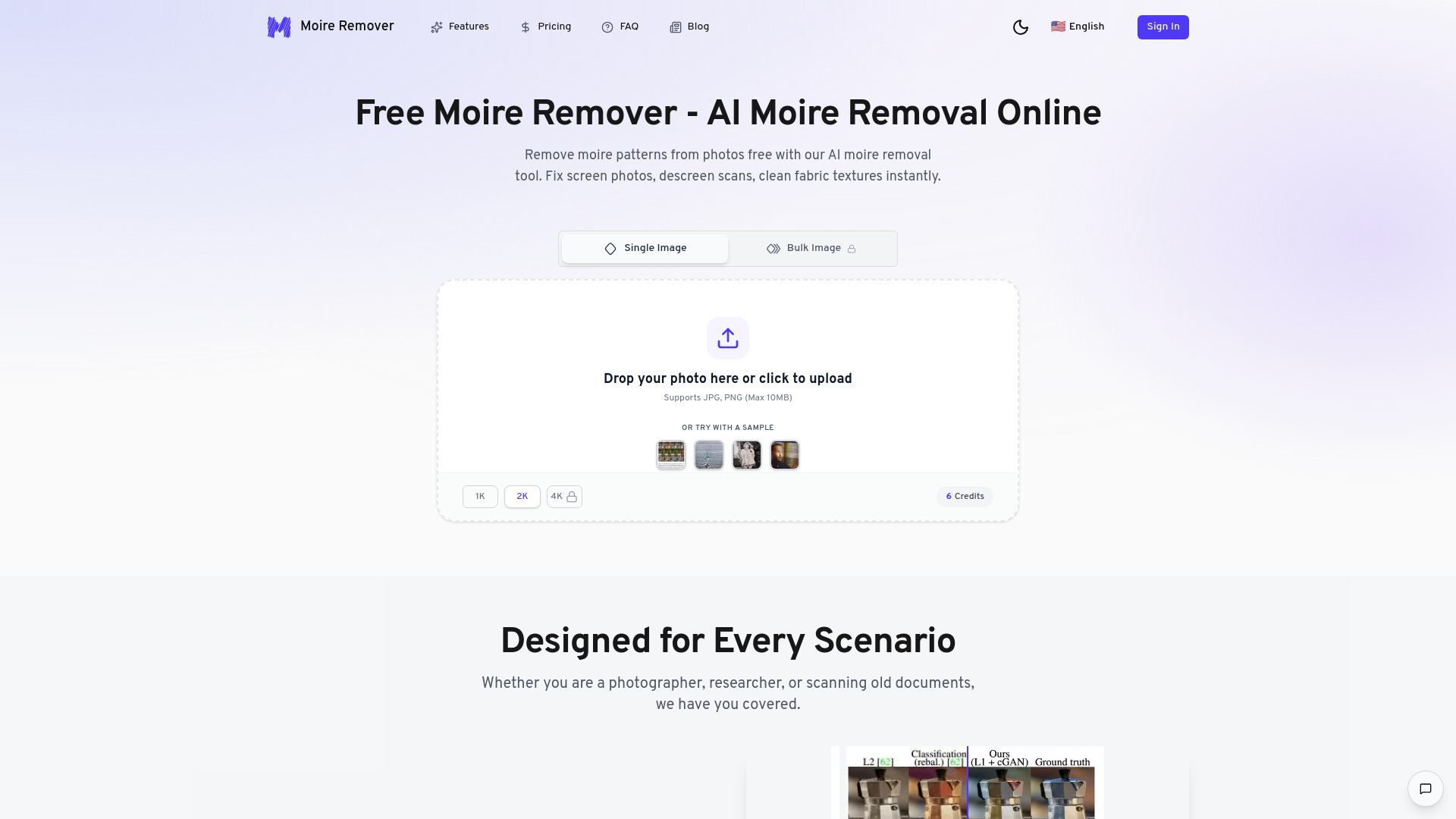
AI Moire Remover is an AI-powered tool designed to instantly remove moire patterns and descreen photos or scans. It effectively fixes interference patterns from screen photos (monitors, TVs, phones) and removes halftone dot patterns from scanned printed materials (magazines, newspapers).
How to use AI Moire Remover
- Select Resolution: Choose your desired output resolution: 1K, 2K, or 4K.
- Upload Your Image: Drag and drop or click to upload your photo with moire patterns. The tool supports JPG, PNG, and WebP formats.
- AI Processes Automatically: The AI analyzes and removes moire patterns while preserving image quality. Processing typically takes 10-30 seconds.
- Preview & Download: Preview the result with a before/after comparison and download your moire-free image.
Features of AI Moire Remover
- AI-Powered Processing: Utilizes advanced neural networks trained on millions of images to detect and remove moire patterns effectively.
- Multiple Scene Support: Optimized for Screen Photos (Monitors, TVs, Phones), Print Scans (Magazines, Newspapers), and Projectors.
- High-Quality Output: Offers output resolutions of 1K, 2K, and 4K, preserving image details.
- Fast Processing: Delivers moire-free images in seconds.
- Easy to Use: Simple interface requiring users to upload an image, select the scene type, and let the AI process it.
- Secure & Private: Images are processed securely and automatically deleted after processing.
- Batch Processing: Supports processing multiple images simultaneously.
Use Cases of AI Moire Remover
- Technical Document Recovery: Restores clarity to research papers and technical documents by eliminating screen interference without blurring text or symbols.
- Web Article Clarity: Removes pixel-grid patterns from photographs of news articles and blog posts for digital archiving.
- Natural Portrait Restoration: Fixes aliasing and moire patterns on clothing and backgrounds in portrait photography while preserving skin texture.
- Advanced Pattern Suppression: Addresses high-frequency interference on striped shirts and intricate fabrics, distinguishing natural textures from moire artifacts.
Pricing
The service operates on a credit system with different subscription plans:
- Lite (Monthly): $4.49/month, includes 55 credits/month (approx. 9 images), Standard Resolution (1K) Output.
- Basic (Monthly): $7.99/month, includes 120 credits/month (approx. 20 images), High Resolution (2K) Output, Priority Processing.
- Pro (Monthly): $14.99/month, includes 300 credits/month (approx. 50 images), High Resolution (2K) Output, Top Priority Processing.
Credit costs vary by resolution: 1K and 2K processing require 6 credits per image, while 4K resolution requires 12 credits per image. New users receive free credits to try the service, and basic use (1K or 2K resolution) is available without signup for initial testing.
FAQ
- What is moire pattern and why does it appear? Moire is an unwanted interference pattern (often wavy lines or rainbows) that occurs when photographing screens (pixels clashing with sensor) or scanning printed media (halftone dots clashing with scanner resolution).
- What types of images can this tool process? The tool excels at fixing screen photos (removing rainbow/wavy interference from Monitors, TVs, Phones) and descreening scans (removing halftone patterns from magazines and newspapers).
- How long does it take to process an image? Most images are processed within 10-30 seconds, depending on image size and selected output resolution.
- What output resolutions are supported? Supported output resolutions are 1K (standard), 2K (recommended), and 4K (professional quality).
- Is my image data secure? Yes, all images are processed securely and automatically deleted after processing. They are not stored or shared with third parties.
- How many credits does each processing cost? 1K and 2K processing require 6 credits per image. 4K resolution requires 12 credits per image. New users receive free credits.
- Can I process multiple images at once? Yes, the tool supports batch processing for multiple images simultaneously.
- How does AI moire removal work? The AI uses deep learning neural networks trained on millions of images to recognize moire interference patterns, distinguish them from actual content, and reconstruct the affected areas.
- Will moire removal reduce my image quality? No, the AI is designed to preserve original image details while removing only moire patterns. Choosing higher output resolutions (2K or 4K) can further enhance quality.
- What file formats are supported? Supported formats include JPG/JPEG, PNG, and WebP. Output is provided in the same format as the input, or PNG can be chosen for lossless quality.
- What is the moire effect in photography? The moire effect is a visual artifact appearing as wavy lines, rainbow patterns, or grid-like interference when two repetitive patterns overlap, commonly occurring when photographing screens, scanning printed materials, or shooting fine fabrics.
- Can I remove moire patterns for free? Yes, new users receive free credits for trying the tool. Images can be processed in 1K or 2K resolution without payment, and no signup is required for basic use.
- What's the difference between moire removal and descreening? Moire removal typically fixes interference from screen photos, while descreening removes halftone dot patterns from scanned printed materials. The tool handles both.
- Does this work on photos taken from monitors and TVs? Yes, the AI is optimized for screen photography and removes rainbow interference, wavy lines, and color banding from photos of monitors, televisions, projectors, and smartphone screens.