What is Ez Img Editor
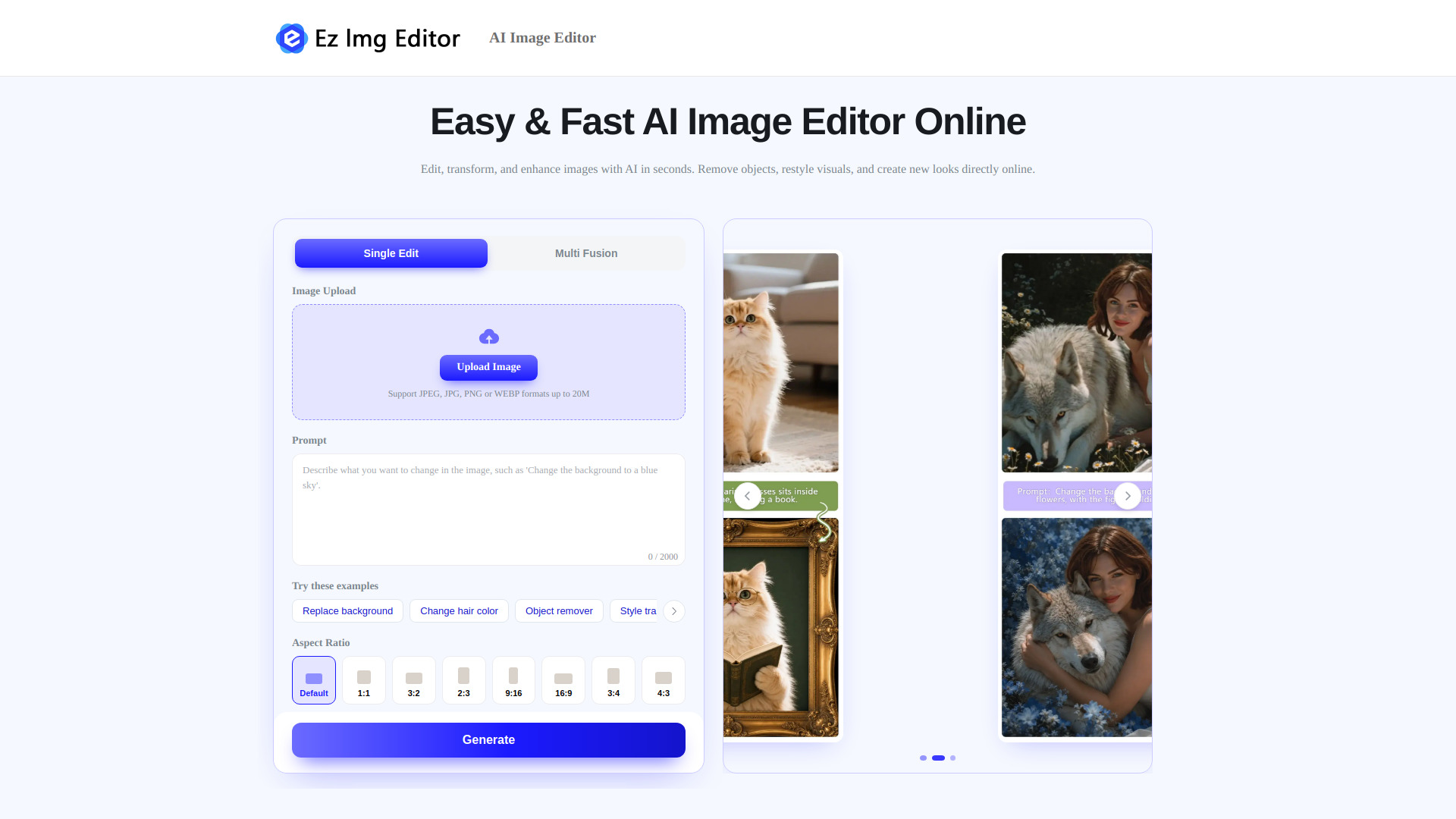
Ez Img Editor is a free online AI image editor that allows you to edit, transform, and enhance visuals instantly. It offers two main modes: Single Image Editing and Multi-Image Blending. With AI-powered tools, you can remove objects, change backgrounds, create professional headshots, and blend multiple images together.
How to use Ez Img Editor
- Upload your image(s) – Choose a single image or multiple images to edit.
- Select editing mode – Use Single Image Editing for targeted changes or Multi-Image Blending to merge elements from different photos.
- Describe your edit – Use text prompts to tell the AI what you want to change (e.g., remove an object, change background, adjust style).
- Apply and download – The AI processes your request in seconds, and you can download the result.
Features of Ez Img Editor
- Single Image Editing: Adjust colors, lighting, and visual tone; transform image styles; refine facial features; add creative effects via text prompts.
- Multi-Image Blending: Merge elements from multiple photos; transfer styles between images; create custom compositions; generate unique visuals.
- Object Remover: Remove unwanted objects, photobombers, watermarks, or clutter with a simple text prompt.
- Professional Headshot Maker: Turn casual photos into polished headshots with improved lighting, facial details, and backgrounds.
- Background Changer: Replace ordinary backgrounds with professional scenes for product photos, marketing materials, and more.
Use Cases of Ez Img Editor
- E-Commerce: Create studio-quality product photos by replacing backgrounds and removing distractions.
- Interior Design: Visualize room layouts, furniture arrangements, and design concepts from photos or ideas.
- Social Media Influencers: Enhance photos with AI filters, improve quality, and create consistent visual content.
- Photographers: Edit photo atmospheres, adjust styles, and refine portraits.
FAQ
Q: What can I do with Ez Img Editor? A: You can edit, transform, and enhance images using AI. Features include object removal, background changing, headshot creation, and multi-image blending.
Q: Is Ez Img Editor free? A: Yes, it is a free online AI image editor.
Q: Do I need to install software? A: No, it works entirely online in your browser.
Q: Can I edit multiple images at once? A: Yes, the Multi-Image Blending mode allows you to upload and blend multiple images.