What is EzEditor
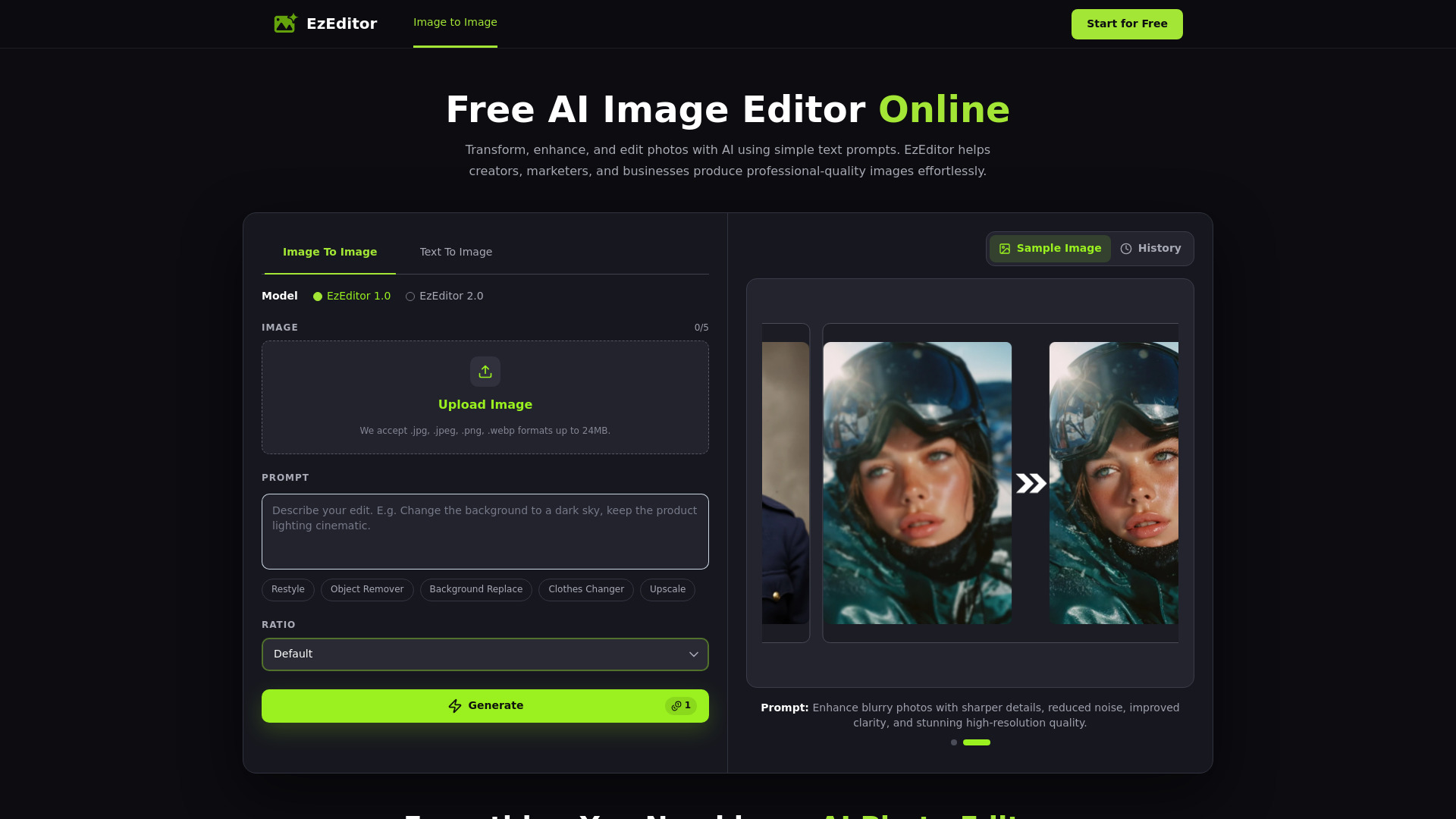
EzEditor is a free AI-powered image editor that allows users to create, edit, and transform images using simple text prompts. It leverages Image to Image AI technology to enable tasks such as background replacement, object removal, style transfer, and photo restoration without requiring manual editing skills or software installation.
How to use EzEditor
- Upload Your Image: Upload a JPG, PNG, WEBP, or JPEG image from your device. Supported formats include .jpg, .jpeg, .png, and .webp, with a maximum file size of 24MB.
- Customize Your Edit: Describe your desired changes using a text prompt (e.g., "Change the background to a dark sky, keep the product lighting cinematic"). You can also choose the output aspect ratio from options like Default, and select between two AI models: EzEditor 1.0 (basic) or EzEditor 2.0 (creative).
- Refine or Download: Generate your AI-edited image instantly. You can refine it with new prompts until you achieve the perfect result, then download the high-resolution, watermark-free image.
Features of EzEditor
- Multi-Model AI Engine: Switch between powerful AI models (EzEditor 1.0 and EzEditor 2.0) to achieve the best editing results for different image styles and creative tasks.
- Style Transfer & Blending: Transform images into new artistic styles or seamlessly blend multiple visual elements with natural, realistic AI-generated results.
- Privacy Protection: Uploaded images are processed securely and never shared, ensuring complete privacy throughout every AI editing session.
- Fast AI Generation: Generate high-quality image edits in seconds with optimized AI models for a faster creative workflow.
- Prompt-Powered Editing: Describe exactly how you want your image to look, and the AI handles the rest—no manual editing or complicated tools required.
- Free to Use: No signup required. Every user receives 5 free credits each day, which automatically refresh the next day.
- High-Resolution Output: Every edit is generated in high resolution to preserve sharp details, natural colors, and image clarity.
- Watermark-Free Downloads: Download finished images without watermarks, making them ready for social media, ecommerce, marketing, or professional projects.
- Batch Processing: Apply the same editing settings to multiple images at once (mentioned in FAQ).
Use Cases of EzEditor
- Ecommerce Store Owners: Update product photos by describing desired backgrounds, resulting in clean images ready for Shopify stores without additional editing.
- Freelance Illustrators: Describe changes and adjust composition for concept artwork, often getting usable results on the first attempt.
- Graphic Designers: Design restaurant menus and posters with high-resolution AI image editing that keeps details crisp, with watermark-free downloads ready for printing.
- Marketing Consultants: Make instant revisions to product images during client meetings without creating an account.
- Social Media Content Creators: Create stunning visuals for posts and campaigns.
- Photographers: Restore old photos, repair damage, improve clarity, and add realistic colors while preserving original details.
Pricing
EzEditor is a free AI image editor online with no signup required. Every user receives 5 free credits each day, and credits automatically refresh the next day, allowing continued editing without paying.
FAQ
What is an AI Image Editor?
An AI Image Editor uses artificial intelligence to edit images based on text prompts or automated recognition. Instead of manually selecting objects or adjusting layers, you describe the changes you want, and the AI generates professional-looking edits in seconds.
How is EzEditor different from traditional photo editing software?
Traditional editors require manual adjustments, masking, and advanced editing skills. EzEditor automates these tasks with intelligent image recognition and text prompts, making complex edits like background replacement, object removal, or style transfer much faster and easier.
Is EzEditor AI Image Editor free?
Yes. EzEditor is a free AI image editor online with no signup required. Every user receives 5 free credits each day, and your credits automatically refresh the next day, so you can continue editing images without paying.
Do I need to sign up to use EzEditor?
No. EzEditor is a free AI Image Editor with no signup. You can upload an image and start editing instantly without creating an account.
Is my data and privacy protected?
Yes. Your uploaded images are processed securely and are not shared with third parties. We prioritize your privacy throughout the editing process.
What image formats are supported?
EzEditor supports JPG, JPEG, PNG, and WEBP formats.
Can I edit multiple images at once?
Yes. Batch Processing lets you apply the same editing settings to multiple images, saving time on repetitive tasks.
Who is EzEditor AI Photo Editor for?
EzEditor is designed for creators, designers, marketers, ecommerce sellers, photographers, and anyone who wants to edit photos with AI quickly and easily.