What is Renamer.ai
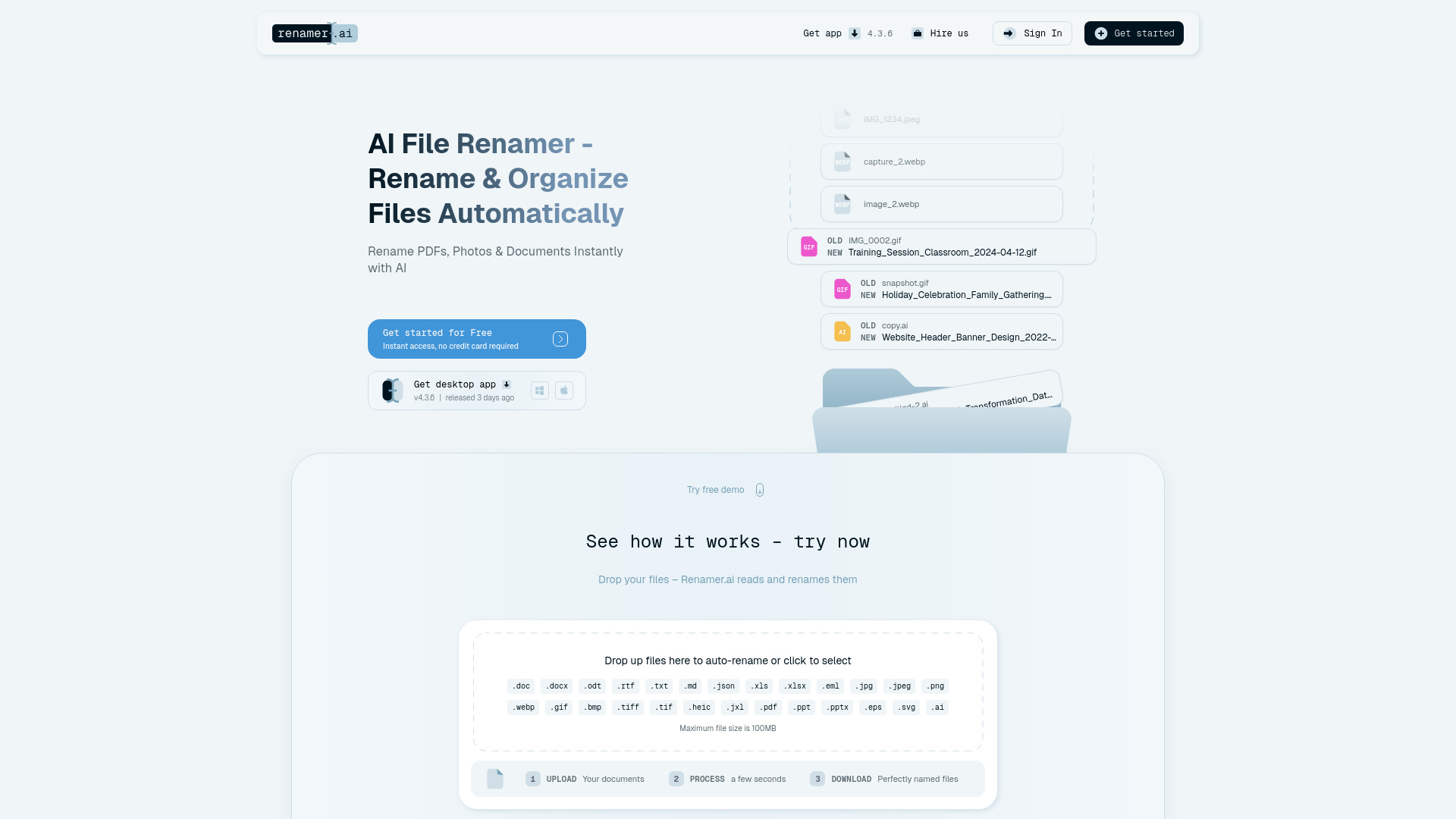
Renamer.ai is an AI-powered tool designed to automatically rename and organize digital files by analyzing their content. It utilizes Optical Character Recognition (OCR) technology to read documents, images, and other file types, generating descriptive and searchable names.
How to use Renamer.ai
- Upload Files: Drag and drop files into the designated area or click to select them from your device. The tool supports files up to 100MB.
- Process Files: Renamer.ai analyzes the content of your uploaded files using AI.
- Download Renamed Files: Once processed, download your files with automatically generated, descriptive names.
Magic Folders: This feature allows you to designate specific folders that Renamer.ai will monitor. Files added to these folders will be automatically renamed in the background according to your chosen naming patterns.
Features of Renamer.ai
- AI-Powered Content Analysis: Reads and understands file content to generate names.
- OCR Technology: Extracts text from scanned documents and images.
- Automatic Renaming: Creates descriptive and searchable file names.
- Magic Folders: Automates renaming for designated folders.
- Custom Naming Templates: Allows users to create personalized naming patterns.
- Bulk Renaming: Processes multiple files simultaneously.
- Multi-Language Support: Supports over 20 languages with automatic detection.
- Wide File Format Support: Handles over 30 file types including PDFs, documents, spreadsheets, images, presentations, and emails.
- Desktop App: Available for Windows and Mac with full features.
- Web Interface: For quick renaming without installation.
- Data Privacy: Uses enterprise-grade encryption; files are temporarily stored (web) or immediately deleted after processing (desktop).
Use Cases of Renamer.ai
- Document Organization: Renaming invoices, contracts, and other business documents.
- Photo Renaming: Creating descriptive names for images based on their content.
- Research Management: Organizing academic papers and international research data.
- Financial Services: Labeling client tax documents for easy retrieval.
- Manufacturing: Streamlining file management for technical documents and assets.
- Freelancers & Self-Employed: Managing project files, client assets, and personal documents efficiently.
Pricing
Renamer.ai offers several pricing plans:
- Starter Plan: Free - 15 files per month.
- Pro Plan: $9.95/month - 200 files per month.
- Power User Plan: $29.95/month - 1,000 files per month.
- Ultimate Plan: $99.95/month - 5,000 files per month.
All plans include the desktop app, bulk renaming, Magic Folders, and support. Plans can be canceled anytime.
FAQ
- What is Renamer.ai and how does it work? Renamer.ai uses AI and OCR to read file content and suggest descriptive names, organizing files automatically.
- How much does Renamer.ai cost? Pricing ranges from a free Starter plan to paid plans like Pro ($9.95/month), Power User ($29.95/month), and Ultimate ($99.95/month).
- What file types does Renamer.ai support? It supports over 30 formats, including documents (PDF, DOCX), images (JPG, PNG), spreadsheets, presentations, and emails.
- Does Renamer.ai work as a PDF renamer and photo renamer? Yes, it functions as a powerful PDF and photo renamer, extracting key information from content for naming.
- Can Renamer.ai rename files in different languages? Yes, it supports over 20 languages and can automatically detect the language within files.
- What are Magic Folders? Magic Folders monitor specified directories and automatically rename files as they are added.
- Is Renamer.ai safe and secure? Yes, it uses enterprise-grade encryption. Uploaded files are stored temporarily (web) or deleted immediately after processing (desktop). Data is not used for model training.
- How accurate is the AI file renaming? The AI achieves over 95% accuracy for quality documents, with results depending on file clarity. A preview function is available.
- Can I customize how Renamer.ai names files? Yes, users can create custom naming templates using a drag-and-drop builder with various variables.
- Do I need to install software or can I use it online? Both options are available: a desktop app (Windows & Mac) and a web interface for quick renaming.