What is StitchPilot.ai
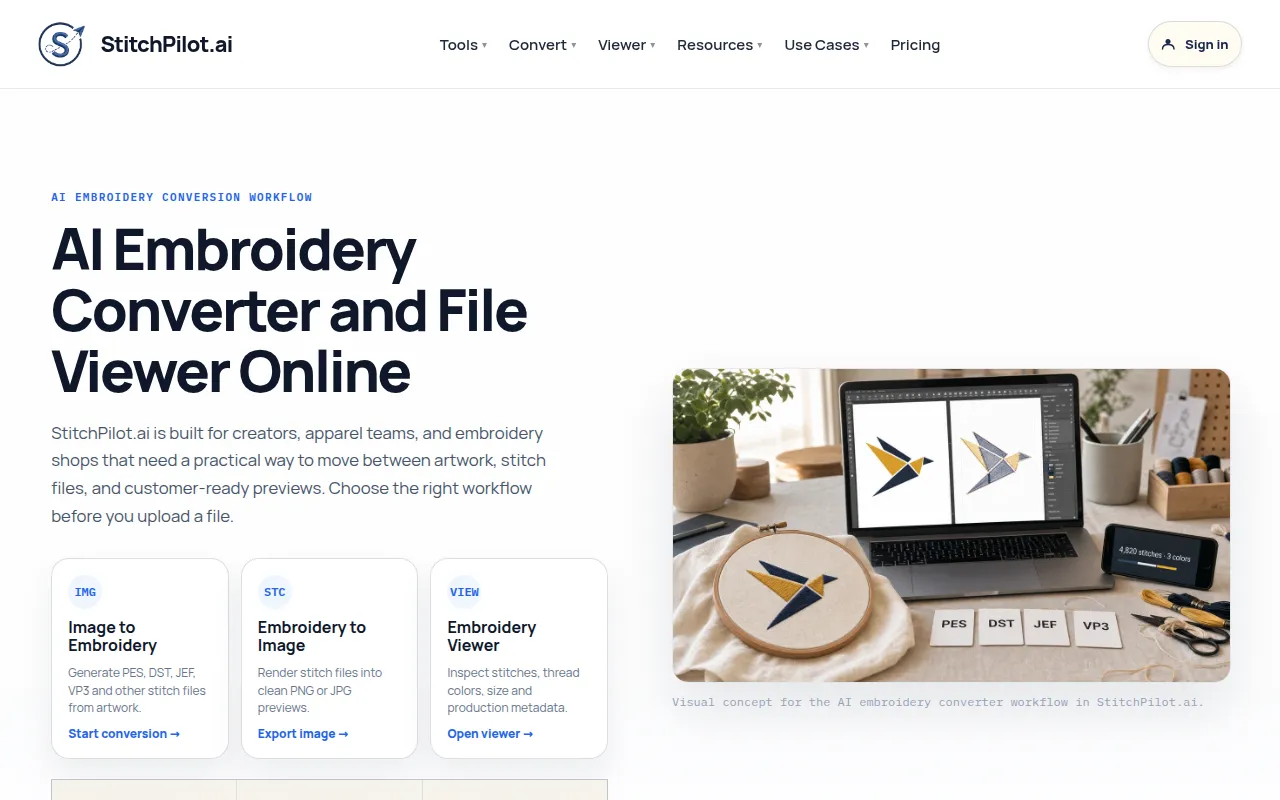
StitchPilot.ai is an AI-powered embroidery platform designed for creators, apparel teams, and embroidery shops. It offers a browser-based solution for converting images to embroidery stitch files, previewing stitch files, and inspecting machine formats.
How to use StitchPilot.ai
- Define the goal: Decide whether you need conversion, viewing, preview export, or support. A clear goal prevents confusion and ensures the right workflow is applied.
- Prepare files and context: Collect artwork, existing stitch files, expected embroidery size, and target output format. Better inputs produce more useful previews and fewer production surprises.
- Review the result: Check the preview, metadata, and visible design assumptions. Embroidery workflows require human review before production, as scale, fabric, thread color, and density need verification.
- Move to the next step: Download, share, revise, or contact support as needed. Keep your original artwork or embroidery source file for future revisions or format reuse.
Features of StitchPilot.ai
- AI-assisted image to embroidery conversion (digitizing).
- Embroidery to Image conversion (rendering stitch files into preview images).
- Embroidery file viewer for inspecting stitches, thread colors, size, and production metadata.
- Supports input formats like PNG, JPG, WebP, and SVG artwork.
- Supports output formats including PES, DST, JEF, VP3, EXP, HUS, XXX, and EMD.
- Browser-based tools.
- Instant stitch preview.
- Automated stitch settings.
Use Cases of StitchPilot.ai
- Converting artwork to machine-ready embroidery files.
- Exporting preview images for client review and approval.
- Inspecting embroidery files before production.
- Logo embroidery.
- Custom patches.
- Etsy sellers.
- Print shops.
- Apparel brands.
- Sports uniforms.
- Monograms.
- Wedding embroidery.
- Baby items.
- Hats & caps.
- Client approval workflows.
FAQ
- What is StitchPilot.ai and what does it do? StitchPilot.ai is an AI-powered embroidery platform with three tools: Image to Embroidery (digitizing), Embroidery to Image (rendering), and an Embroidery Viewer. It helps you convert artwork to machine-ready stitch files, export preview images for client review, and inspect embroidery files before production — all in the browser.
- Do I still need to review the result before stitching? Yes. AI conversion, preview export, and file viewing are workflow aids. You should review scale, fabric, thread assumptions, density, and machine constraints before production. A physical test stitch is recommended for important production runs.
- Can a preview image replace a production test stitch? No. A preview is useful for communication and quality checks, but a physical test stitch is still recommended for important production runs. Fabric, stabilizer, needle, thread, hoop size, and machine settings all affect the final stitched result.
- Which file format should I choose? Choose the format requested by your machine, software, vendor, or production partner. PES for Brother machines; DST for commercial Tajima machines; JEF for Janome; VP3 for Husqvarna Viking and Pfaff. When in doubt, ask your embroidery shop which format they need.
- Who can I contact if the workflow does not behave as expected? Contact support@stitchpilot.ai with the route, file type, browser, and a short description of the issue so the support team can investigate.